宏宇达数控 & 弘宇达智能
地址:深圳市南山区中山园路 1001 号 E4-6C(TCL 国际 E 城)
TEL:0755-26625800 FAX:0755-26729960 -22-
3.7.2 Warning
Press <Up> or <Down> to select the target menu item, press <ENTER> to enter the
[warning] menu:
In this interface, the previously occurring alarm events are displayed in a list. The
system records up to the last 20 alarm events. Press <F1> to clear the alarm list. When
multiple alarms are generated at the same time, the main interface will display multiple
alarms in a scrolling manner. The specific alarm represents the meaning, you can refer to
the alarm description.
3.7.3 Restart
Press <Up> or <Down> to select the target menu item, press <ENTER> to enter the
[Restart] menu, CHC-1000S can be restarted. This operation is equivalent to powering
down the system and then powering it up.
3.7.4 Parameters Setting
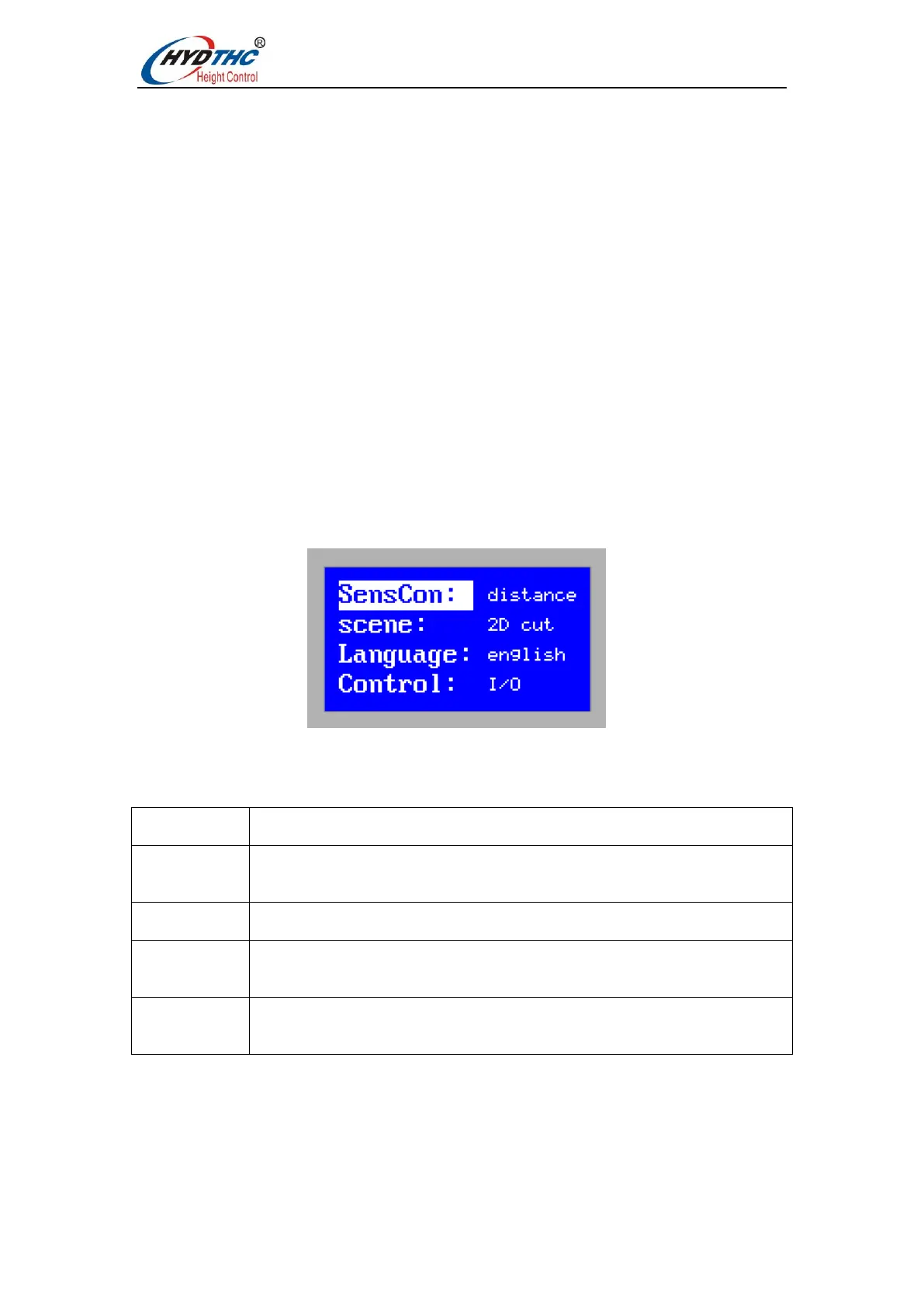
Press <Up> or <Down> to select the target menu item, press <ENTER> to enter the
[Parameters Setting] menu, as shown below:
Users can view this information:
Control: Sensor operating mode, output ±10V.
Distance: Distance measurement system, output 0 V --10V.
0:plate cutting 1:3D cutting
0:I/O control 1:EtherCAT Bus communication control.


 To Next Page