iCharger Charge/Discharge Setup & Use
4010DUO iCharger can charge/discharge LiPo, Lilo, LiFe, NiHM, NiCd , Pb or NiZn batteries, this manual is divided
into three parts to explain and introduce the charger’s features for LiPo/Lilo/LiFe, NiHM/NiCd , Pb,NiZn batteries.
Power Supply Setup
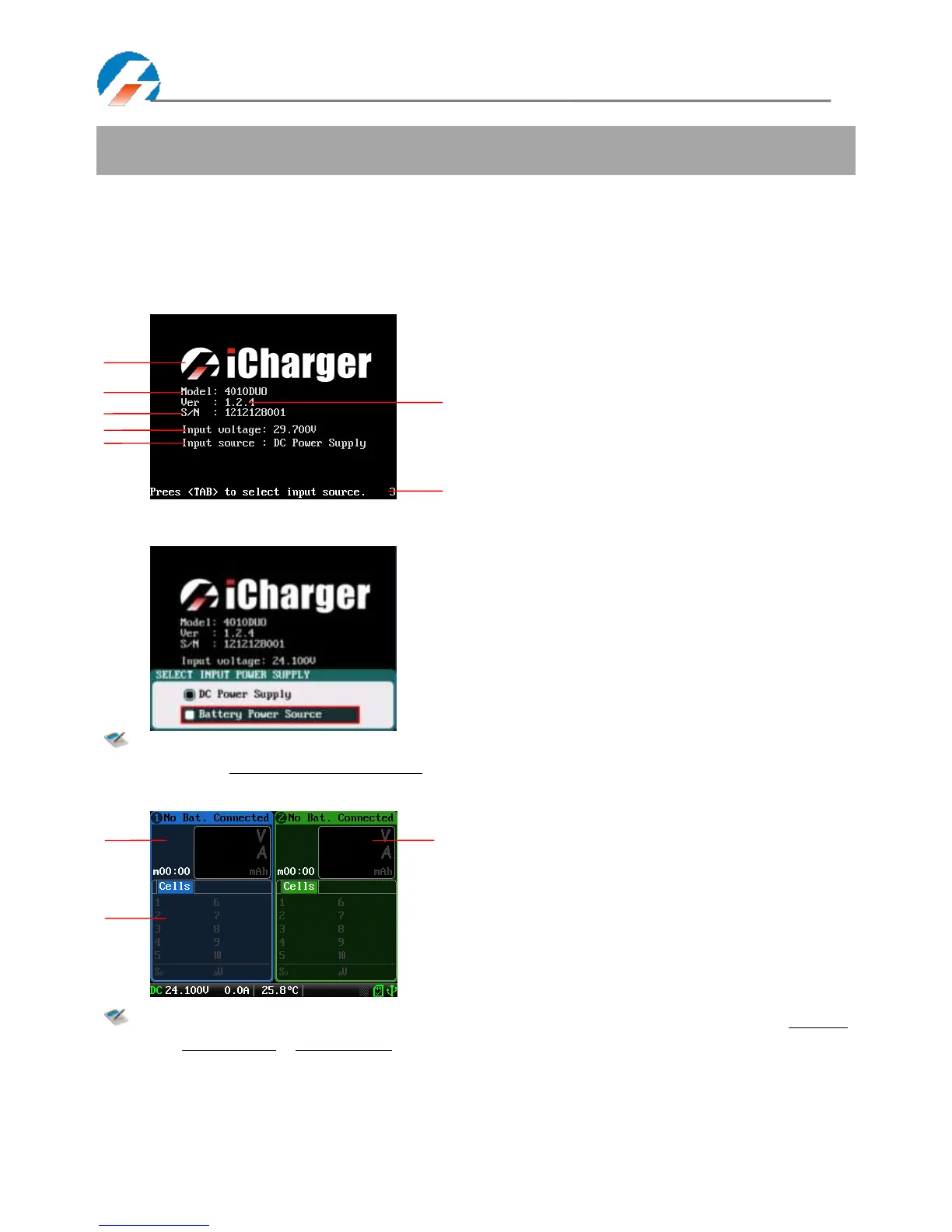
The charger boots automatically when the power is turned on and the initial interface will display LOGO, charger
relevant information, power source and message etc.
System will delay 5 seconds after booting, during this period, press TAB / SYS button to change the input source type,
while pressing any other buttons to enter the initial interface.
Note: Set type of input power supply in SYSTEM MENU
→
Charger Setup
→
Power Supply; see details on
Page26 4010DUO Parameters Setup.
After selecting the input power supply, confirm and enter the initial interface.
Note: The specific display of each region can refer to the introduction on Page14 & Page15 Program
Running Status & Error Messages.



 To Next Page