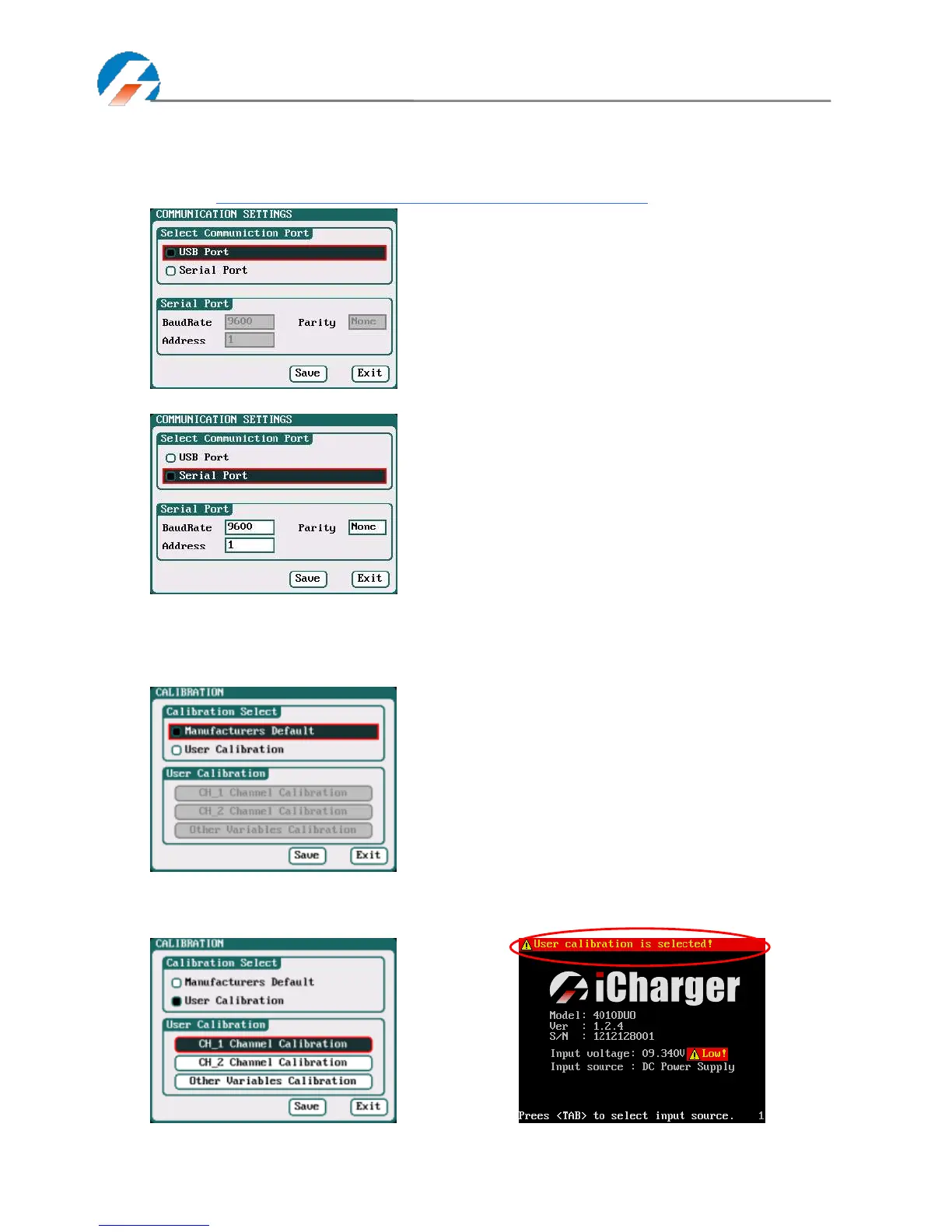
Communication Settings
Select SYSTEM MENU→ Charger Setup→ Communication to enter the setup interface. See detailed information about
communication port protocol in iCharger Duo Protocol.
Go to the website http://www.jun-si.com/UploadFiles/iCharger_MODBUS_Protocol.pdf to download.
Select Serial Port as the communication way to activate, as below:
Calibration
Select SYSTEM MENU→Charger Setup→Calibration to enter the setup interface. User Calibration may result in large
data deviation, affecting normal use; so User Calibration is not suggested.
If users select User Calibration, the User Calibration option changes to active status; then select channel to enter the
interface to calibrate.



 To Next Page