Note: 1. Channel Mode has asynchronous, synchronous available, see more details on Page10
Dual-channel Connection Notes.
2. If select synchronous mode, the maximum current setting will change from 40A to 70A.
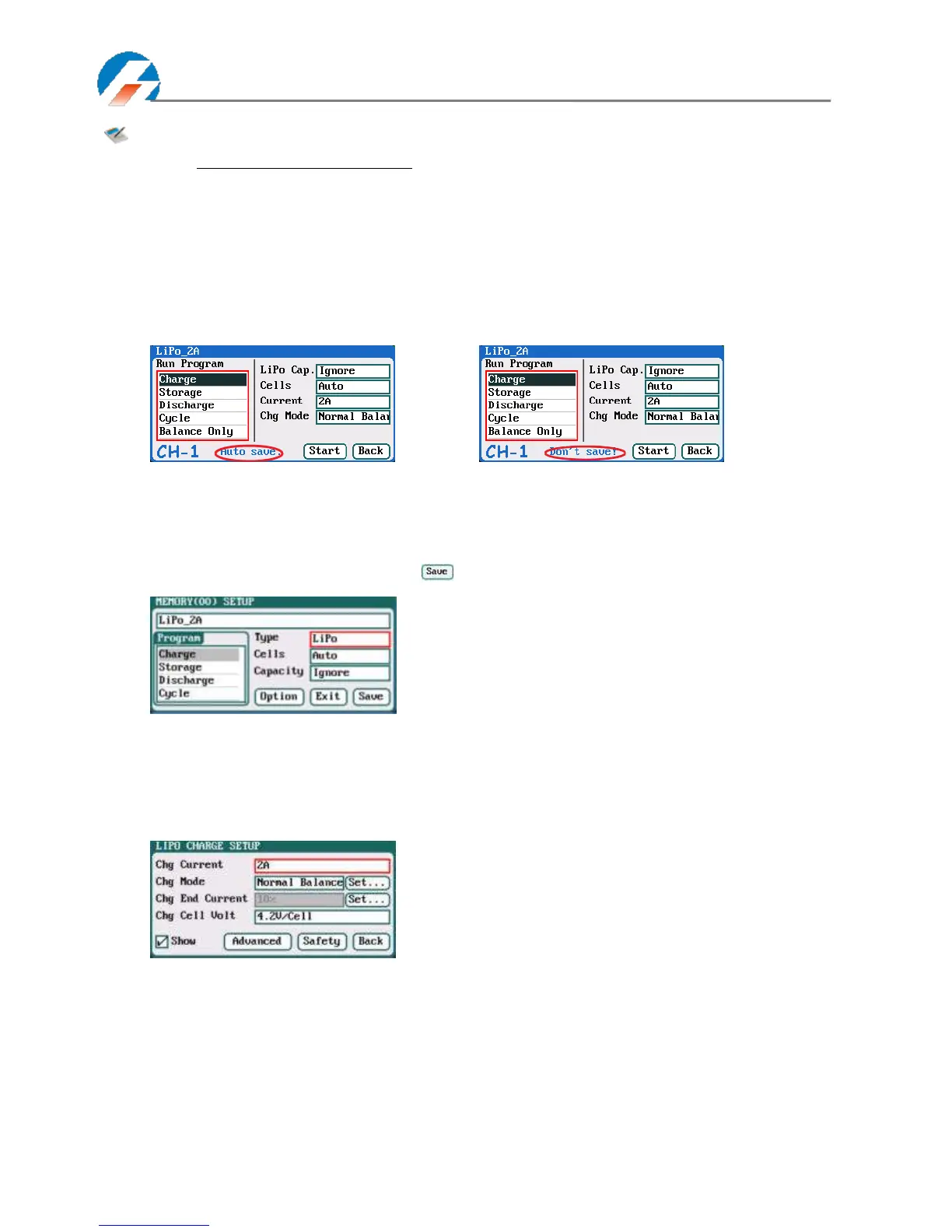
3. If tick Auto saves before the program runs, the parameters set on the Run program will be
saved automatically, and the Run Program will display “Auto save” ( shown in the following
left picture), otherwise it will display “Don’t save!” (shown in the following right picture); for
built-in program, the Auto save before the program runs option is ticked by default.
4. If tick Log save to SD card, the log files will be saved to SD card when running program, and
vice versa.
LiPo/LiIo/LiFe Battery Charge/Discharge Setup
After adding a program, it will switch to LiPo/LiIo/LiFe battery in Type option on the MEMORY SETUP interface, and
set the number of cells and capacity, if there is no setting for the number of cells, the charger will set Auto by default.
After editing all parameters for the program, click " " to save and return to the previous interface.
As shown in the above picture, the program of LiPo, LiIo, LiFe battery has: Charge, Storage, Discharge, Cycle and
Balance Only.
LiPo/LiIo/LiFe Battery Charge Setup
Select Program→Charge to enter Charge setup interface.
Chg Current: 0.05A-40A; default: 2A
Chg Mode: Slow Balance
,
Normal Balance( default)
,
Fast Balance
,
User Balance, Not Balance
Chg End Current: 1%-50%; default: 10%
Chg Cell Volt: 3.85V/Cell-4.35V/Cell;
Default: 4.2V/Cell



 To Next Page