4010DUO Firmware Upgrades
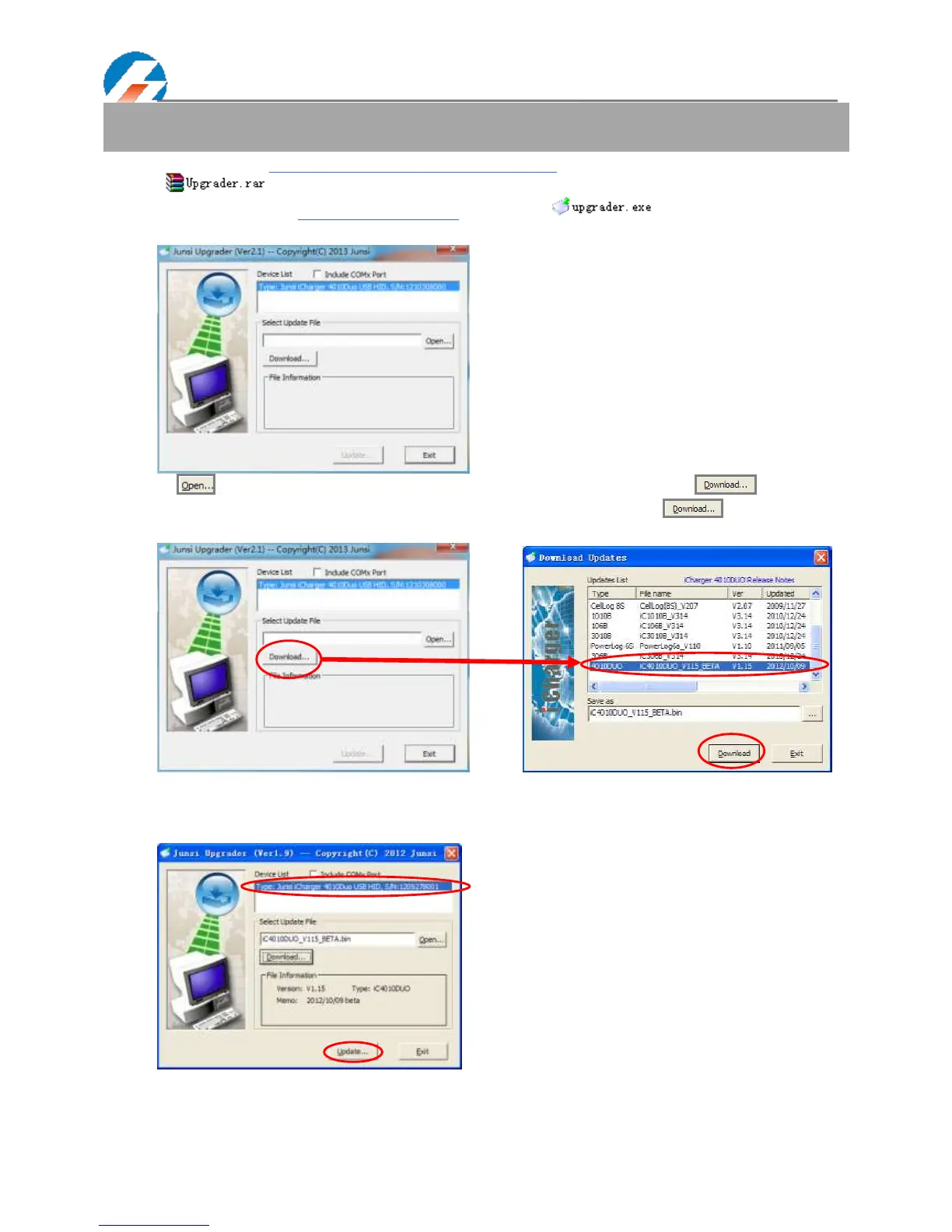
① Go to the website http://www.jun-si.com/UploadFiles/Upgrader.rar to download above VER1.9 version upgrader
zip file " ", and extract to any disk on the PC.
② Open the extract directory X:\upgrader\upgrader.exe, double click" "to run the upgrader and enter
program interface.
③ Click " "to open the firmware file. If there is no firmware file on the PC, click " " to open the
download window, and find the corresponding device firmware of 4010DUO, click" " to download the
firmware file to the PC.
④ Connect 4010DUO charger to the PC via USB (windows system directly supports the device, dispensing with
installing additional drivers). When the device information appears in Device List column, this shows the upgrade tool
has identified the device.



 To Next Page