LiPo/LiIo/LiFe Battery Cycle Setup
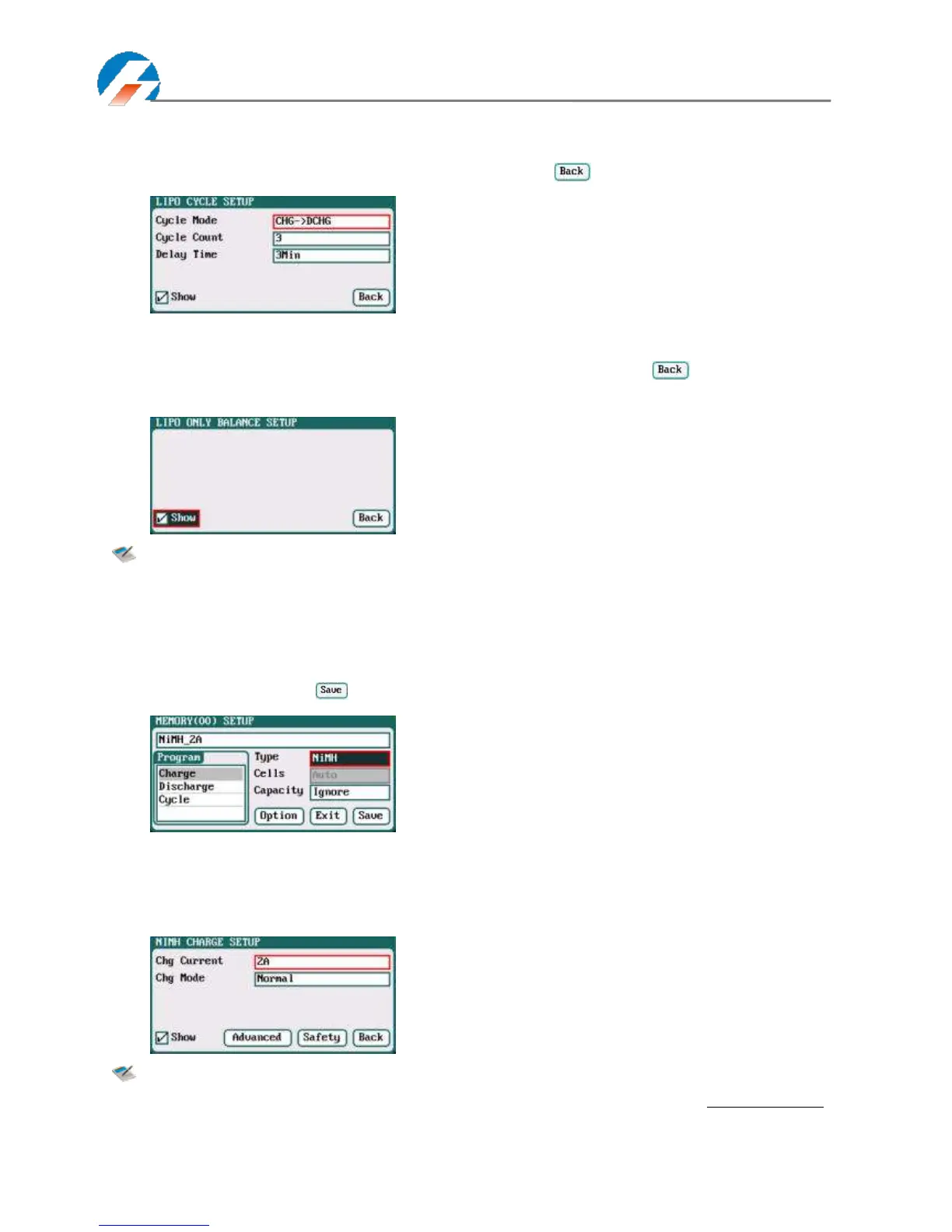
Select Program→Cycle to enter Cycle setup interface, after setting click" " to return to the previous interface.
LiPo/LiIo/LiFe Battery Only Balance Feature
Select Program→Balance Only to enter Balance Only setup interface, after setting click" " to return to the previous
interface.
Note: Balance Only is the program only to equalize the individual cells through balance port to reduce
the voltage difference.
NiMH/NiCd Battery Charge/Discharge Setup
After adding a program, it will switch to NiMH/NiCd battery in Type option on the MEMORY SETUP interface. Set the
capacity, the number of cells for NiMH/NiCd battery cannot be set, and the charger sets Auto by default, after editing all
parameters for the program, click" " to save and return to the previous interface.
As shown in above picture, the program of NiMH, NiCd has the following modes: Charge, Discharge and Cycle.
NiMH/NiCd Battery Charge Setup
Select Program→Charge to enter Charge setup interface.
Note: Charge Mode has Normal and Reflex modes available; use reflex mode to charge the battery, it
can reduce the heat in the battery; please see charging principle on Page37 Important Notes.
Cycle Mode: CHG→DCHG (default);
DCHG→CHG
Cycle Count: 1-99; default: 3
Delay Time: 0Min-9999Min; default: 3Min



 To Next Page