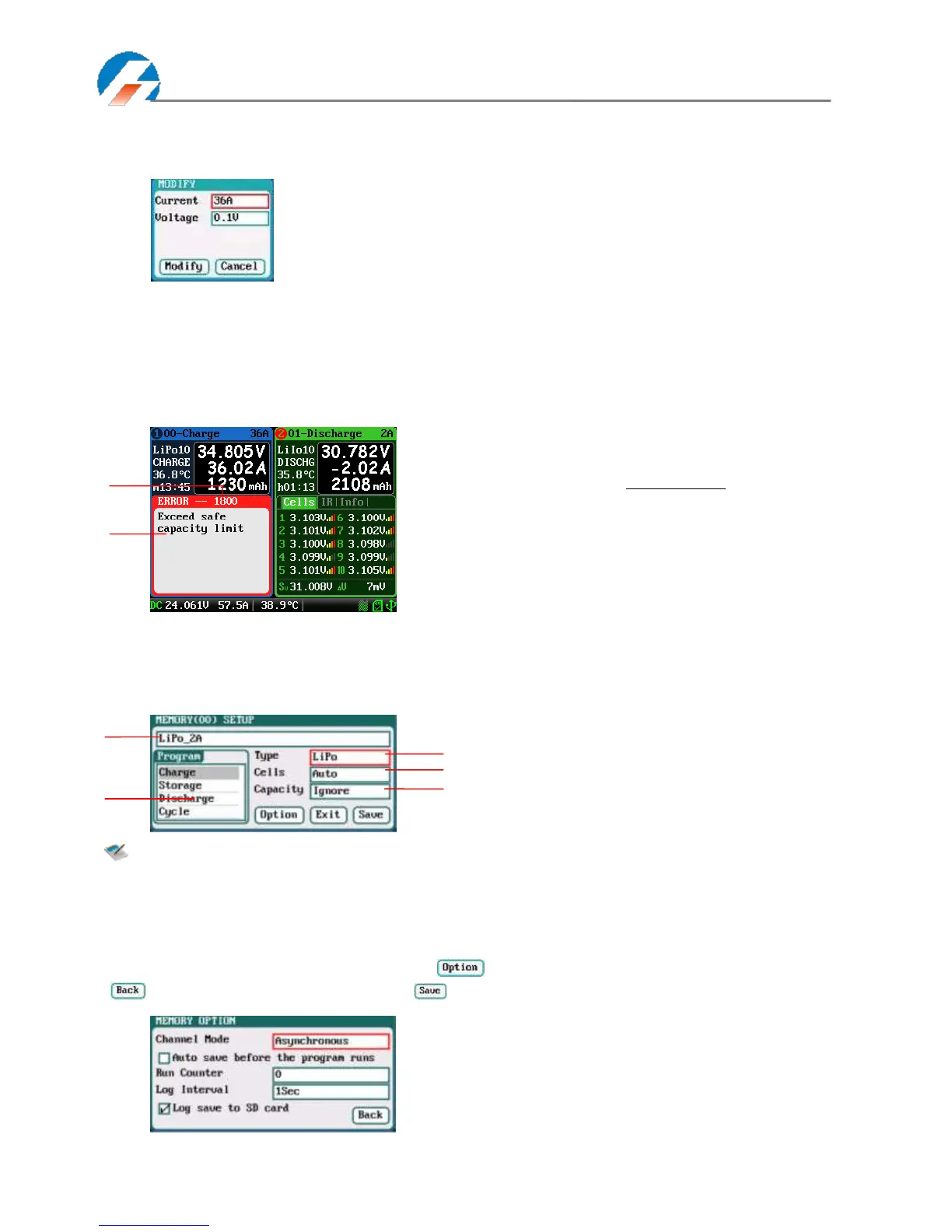
Press STATUS-x button for 2 seconds when running program to pop up MODIFY interface, to modify the current and
discharge voltage parameters online, as below:
Press STOP/START-x button when running program to stop running, and press STOP/START-x button again to return to
the initial interface.
Error Messages
During the running program, if the system detects an error, it will stop the program on the channel immediately and pop
up the red dialog box and the buzzer alarms, as below:
Program Edit
After adding new programs or editing saved programs, the system will enter MEMORY SETUP interface. Users can set
or modify the program on this interface.
Note: 1. When editing the program name, the character can be selected by turning the Knob, and
clicking the Knob to confirm the selected character. Clicking TAB/SYS button will delete the
character. If the program name is empty, the system will name it automatically.
2. If the Editing program is the built-in program, the program name and the types of battery
parameters cannot be changed.
After setting the basic parameters of a battery, click " " to enter MEMORY OPTION interface, after setting click
“ ” to return to MEMORY SETUP, and click “ ” to save.
Channel Mode: Asynchronous (default);
Synchronous
Run Counter: 0-999; default: 0
Log Interval: 0.5-60Sec; default: 1Sec



 To Next Page