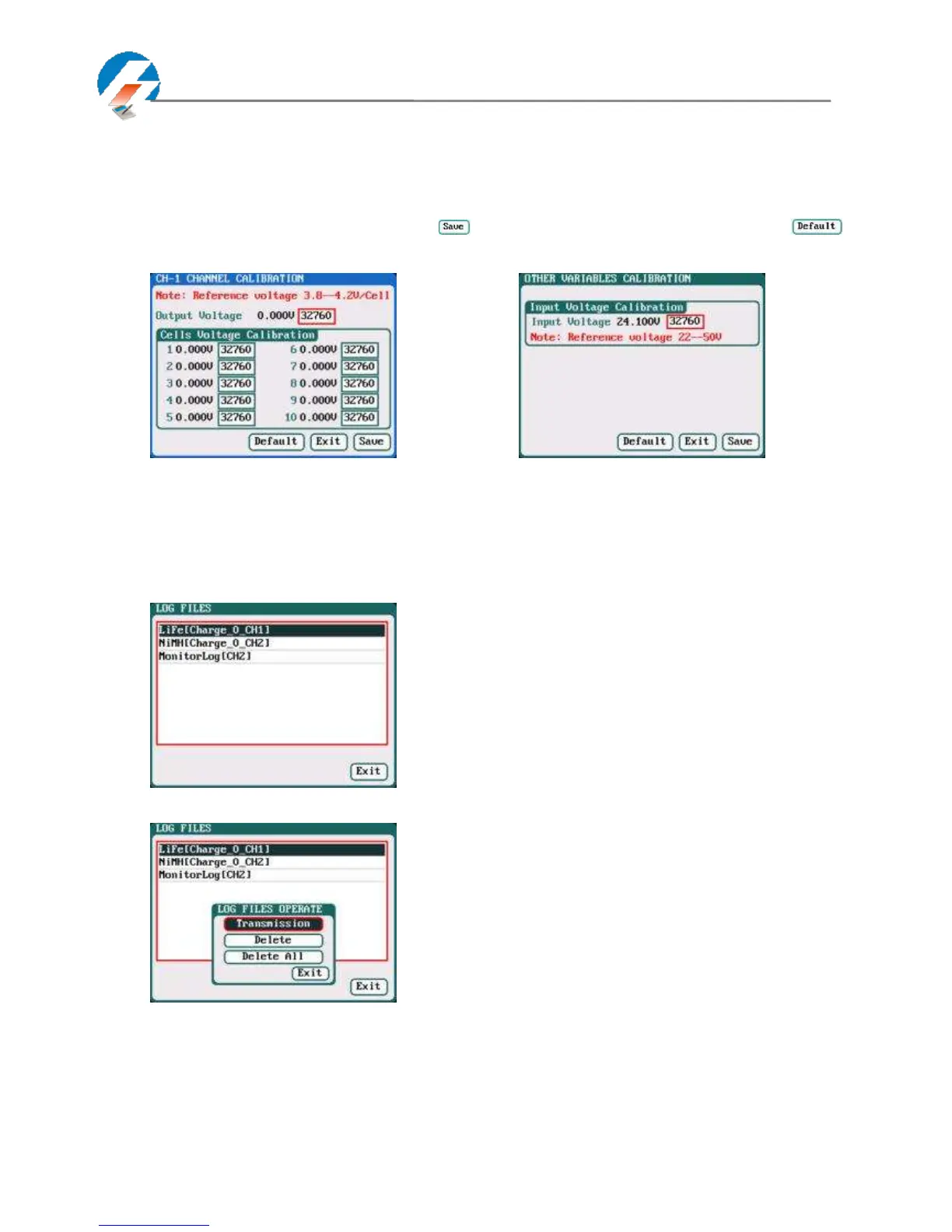
Note: User Calibration has CH-X Channel Calibration and Other Variables Calibration two options,
users can calibrate charger for one channel alternatively. If user selects User Calibration, the
corresponding message will appear in the interface after booting the charger, as shown in the
right picture above.
Select CH-1/2 Channel Calibration to enter the channel calibration interface, Select Other Variables Calibration to enter
the other variable calibration; after Calibration, click " " to save and return to the previous interface; click " "
to load default value.
Channel Calibration Other Variables Calibration
Extra Function
Log Files Manage
Select SYSTEM MENU→Extra Function→LOG FILES to enter the manage interface.
First select and click the .TXT files when managing log files, and the system will pop up the LOG FILES OP dialog box.
Log Files Manage Dialog
Transmission: transmission to PC
Delete: delete files
Delete All: delete all files
The charger must be connected with computer via
USB when select Transmission and the client software
must have identified to the charger.



 To Next Page