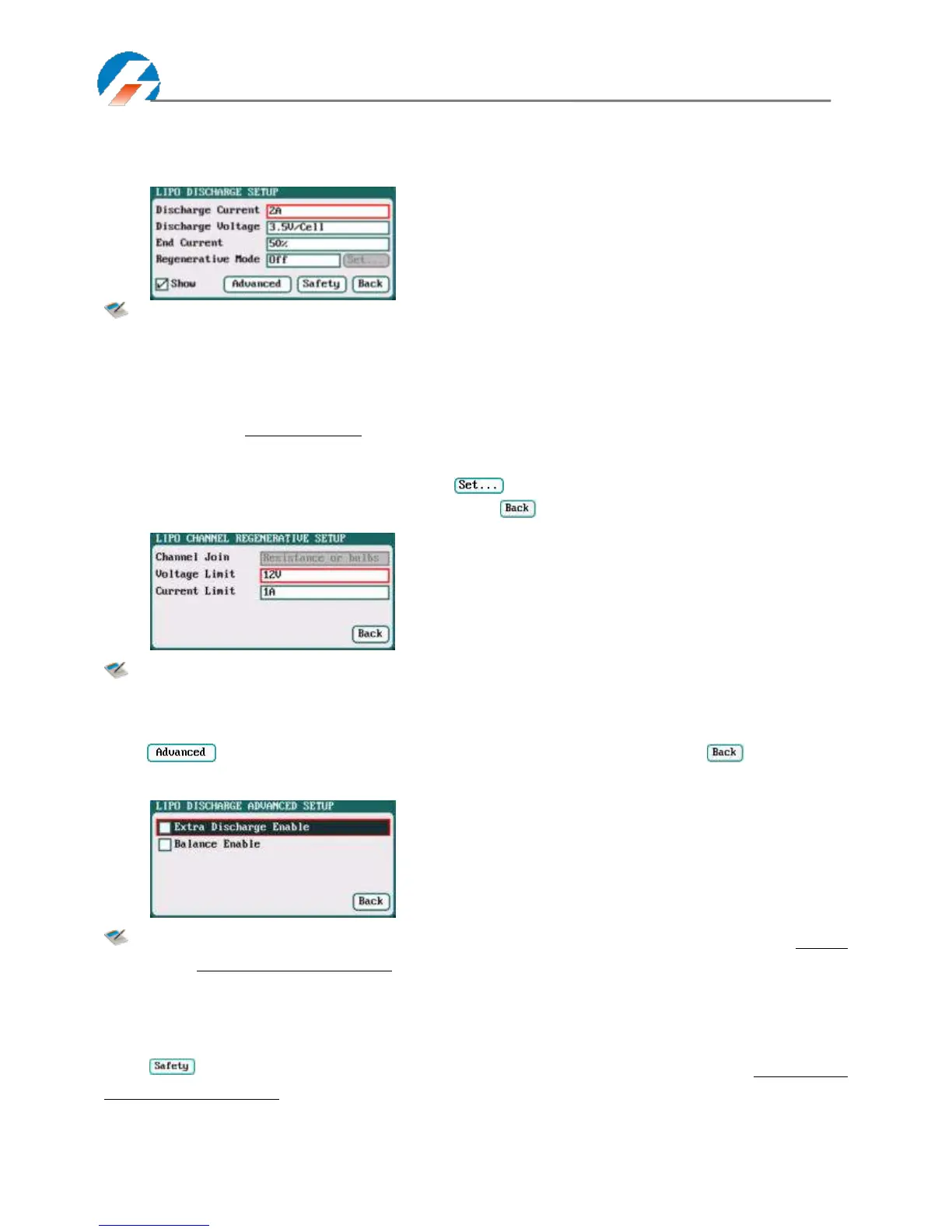
LiPo/LiIo/LiFe Battery Discharge Setup
Select Program→Discharge to enter Discharge setup interface.
Note: 1.The charger first discharges with constant current (CC) according to the user setting then turns
to constant voltage (CV) when it reaches the discharge voltage. In the CV phase the current
gradually falls, and the charger will terminate discharging when the current falls below the
percentage of the configured discharge current.
2. Regenerative mode has three available settings: OFF, To input, To channel, see more details on
Page37 Important Notes.
To Channel Setup
When selecting to To channel on Regenerative Mode, “ "button changes from inactive to its operational status,
and click to enter To channel setup interface, after setting click " " to return to the previous interface.
Note: For example, a 12V/60W bulb as the load of To Channel, it should set Voltage Limit =12V; Current
Limit=60/12=5A.
LiPo/LiIo/LiFe Battery Discharge Advanced Setup
Click " " to enter LiXX DISCHARGE ADVANCED SETUP interface, after setting click" " to return to
the previous interface.
Note: 1. Tick Extra Discharge Enable to activate discharge enable, see more details on Page38 Lithium
Battery Extra Discharge Mode.
2. Tick Balance Enable to activate balance discharge; when discharge enters the CV phase, it
starts to balance the cell voltages.
LiPo/LiIo/LiFe Battery Discharge Safety Setup
Click " " to enter DISCHARGE SAFETY SETUP interface, see details about setting on Page19 LiPo/LiIo/LiFe
Battery Charge Safety Setup.
Discharge Current: 0.05A-40A; default: 2A
Discharge Voltage: 3V/Cell-4.1V/Cell;
Default: 3.5V/Cell
End Current: 1%-100%; default: 50%
Regenerative Mode: OFF (default),To input, To channel



 To Next Page