21
7
FUNCTION MODE OPERATION
New2001
1
2
3
4
5
6
7
8
9
10
11
12
13
14
15
16
■ Channel naming function
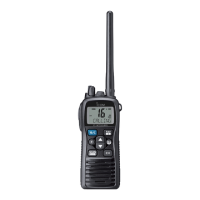
The IC-M73/IC-M73EURO can assign up to 10-character
channel names for each operating channel, including each
weather channel. This provides easy recognition of the chan-
nel in use, or station names.
When shipped from the factory, the IC-M73/IC-M73EURO is
programmed with default names for each VHF marine chan-
nel. These defaults can be changed, if desired.
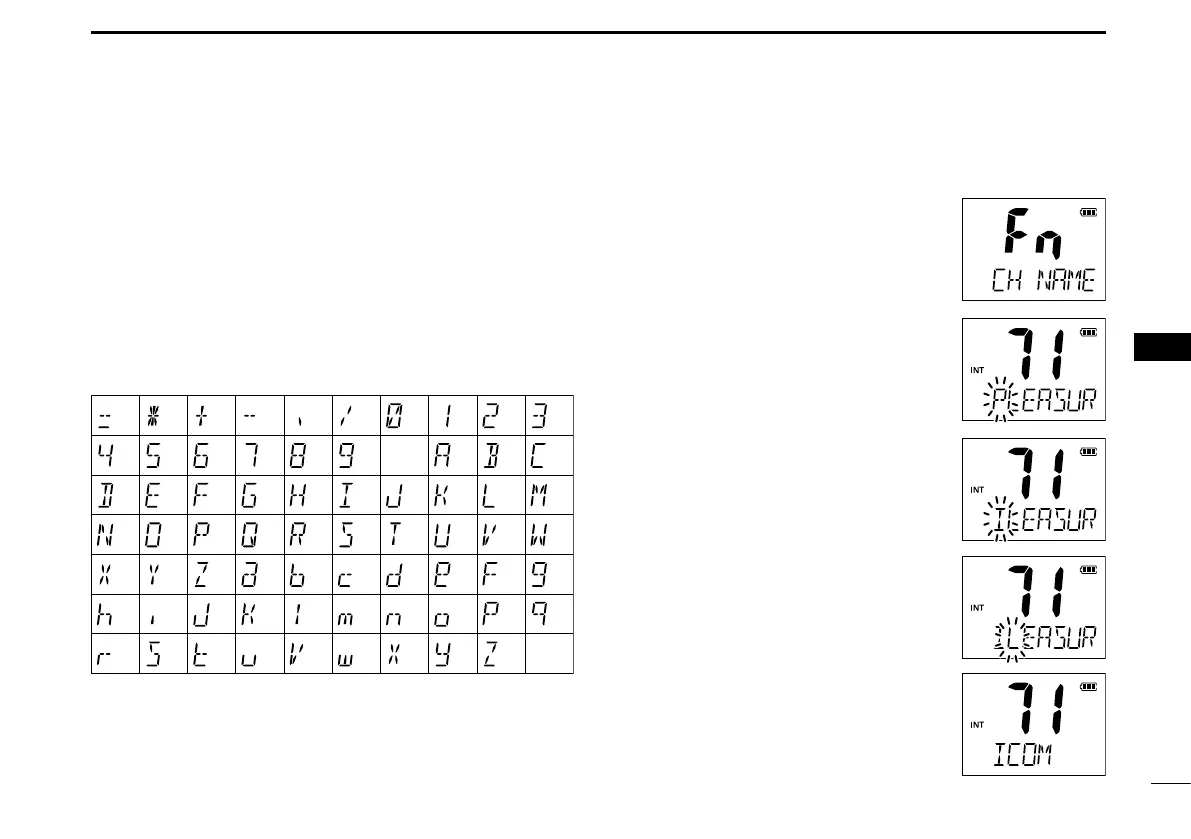
D Usable characters
D Channel name programming
Push q [Y]/[Z] to select a channel to
program.
• Hold down [CH/WX•U/I/C] for 1 second
to select a channel group, if necessary.
Push w [F] to enter the function mode,
and then push [Y]/[Z] to select the
channel naming function.
• “CH NAME” appears.
e Push [H/L•LOCK] to edit the channel
name.
• The 1st character of the currently pro-
grammed name blinks.
Push r [Y]/[Z] to select a character.
Push t [CH/WX•U/I/C] to move to the
right; then push [Y]/[Z] to select a
character.
• Push [SCAN•DUAL] to move to the left.
Continue until the desired charac- y
ters have been selected, then push
[H/L•LOCK] to return to normal op-
eration.
Deleting a channel name (All clear):
While selecting the desired channeI
name in the channel name editing mode,
push [FAV•★] to delete the selected
channel name.
(=)
(4)
(D)
(N)
(X)
(h)
(r)
(�)
(5)
(E)
(O)
(Y)
(i)
(s)
(+)
(6)
(F)
(P)
(Z)
(j)
(t)
(7)
(G)
(Q)
(a)
(k)
(u)
(,)
(8)
(H)
(R)
(b)
(l)
(v)
(/)
(9)
(I)
(S)
(c)
(m)
(w)
(0)
(Space)
(J)
(T)
(d)
(n)
(x)
(1)
(A)
(K)
(U)
(e)
(o)
(y)
(2)
(B)
(L)
(V)
(f)
(p)
(z)
(3)
(C)
(M)
(W)
(g)
(q)
(–)



 To Next Page