v
ABOUT THE AUDIO COMMUNICATION IN THE REMOTE
CONTROL SYSTEM
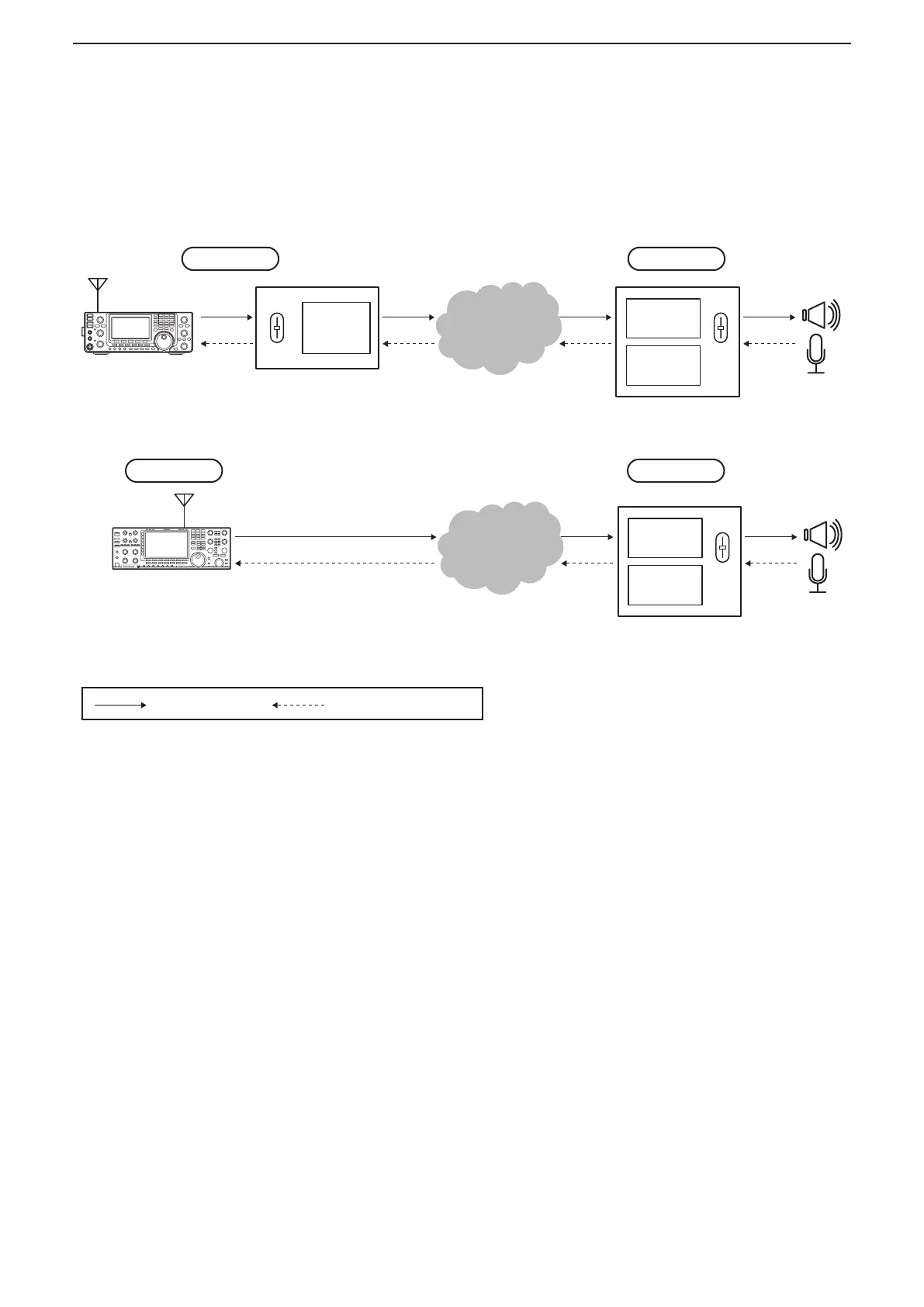
In the remote control system, audio is exchanged between a Base station radio and the Remote station’s PC,
through Remote Utilities, as illustrated below.
The audio settings needed are described below.
When connecting to the network through a PC
Network
Base station’s PC
VL
Remote
Utility
VL
Remote station’s PC
Remote
Utility
Remote
Controller
Radio
Base station
Remote station
When connecting to the network directly
Network
Remote station’s PC
: Receive audio : Transmit audio
VL
Remote
Utility
Remote
Controller
Base station
Remote station
IC-7851
IC-7850
IC-7800 (firmware version 3.00 or later)
IC-7700 (firmware version 2.00 or later)
IC-7610
(Radio/Server)
D Base station settings for audio
communication
When connecting to the network through a PC
• Audio level adjustment for an audio device
(pp. 6 to 11)
• Audio device selection (p. 29)
When connecting to the network directly
• Audio sampling rate or audio codec setting
(p. 52)
D Remote station settings for audio
communication
• Audio level adjustment for an audio device
(pp. 6 to 11)
• Audio device selection (p. 65)
• Network audio quality
adjustment
(p. 65)
• AF or Modulation audio volume level adjustment
(p. 67)
• Modulation output connector setting (p. 74)
• Modulation level adjustment (p. 74)



 To Next Page