1
BEFORE USING REMOTE CONTROL SYSTEM
3
■ Firewall setting (Continued)
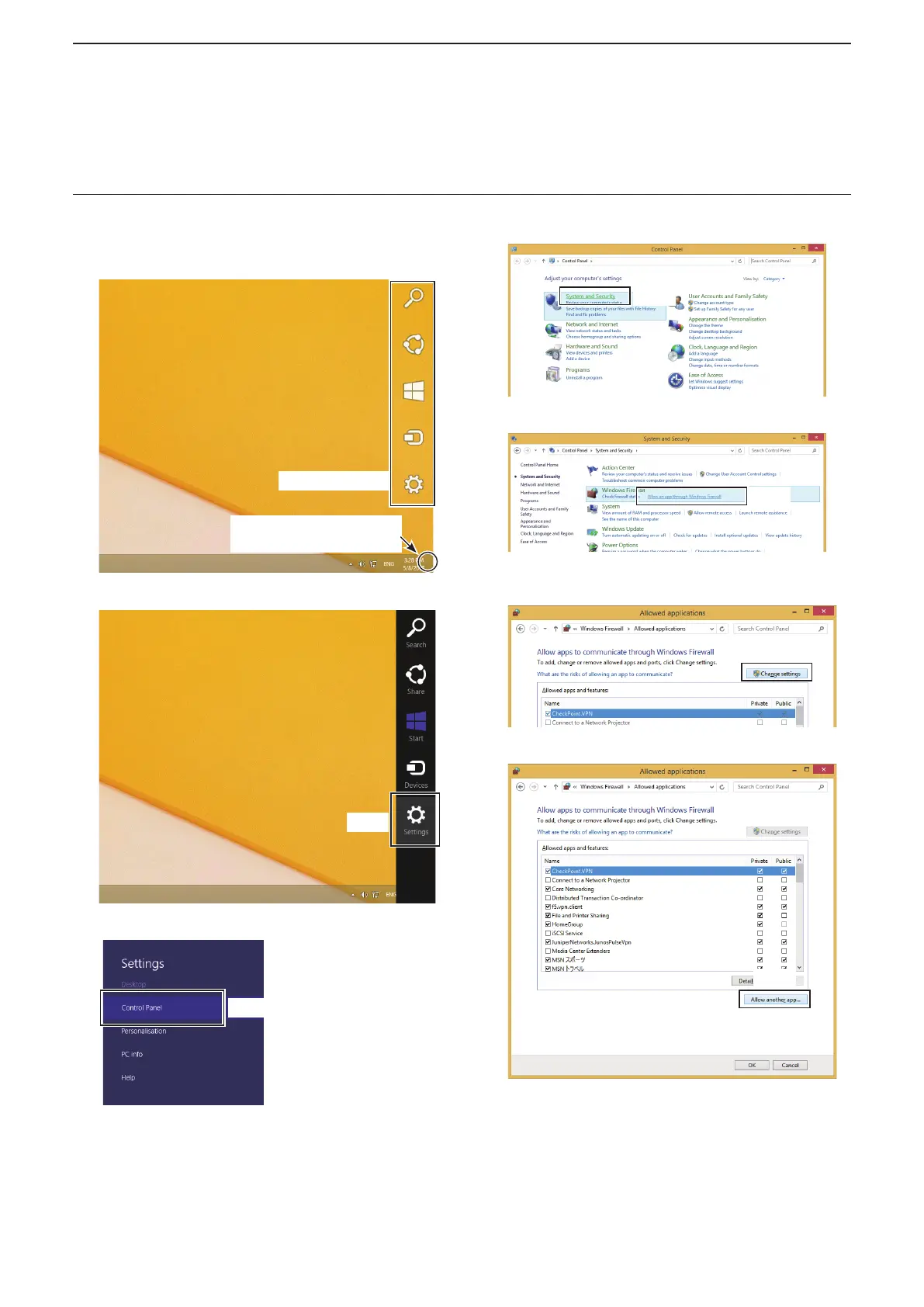
Windows 8.1
1. Place the mouse pointer in the bottom right
corner of the screen.
• The charms is displayed on the right of the screen.
Charms appear
Point the mouse pointer
around here.
2. Click the “Settings” charm.
Click
3. Click “Control Panel.”
Click
• The “Adjust your computer’s settings” screen is
displayed.
4. Click “System and Security.”
Click
5. Click “Allow an app through Windows Firewall.”
Click
• The “Allowed applications” screen is displayed.
6. Click <Change settings>.
Click
7. Click <Allow another app...>.
Click
• The “Add an app” screen is displayed.



 To Next Page