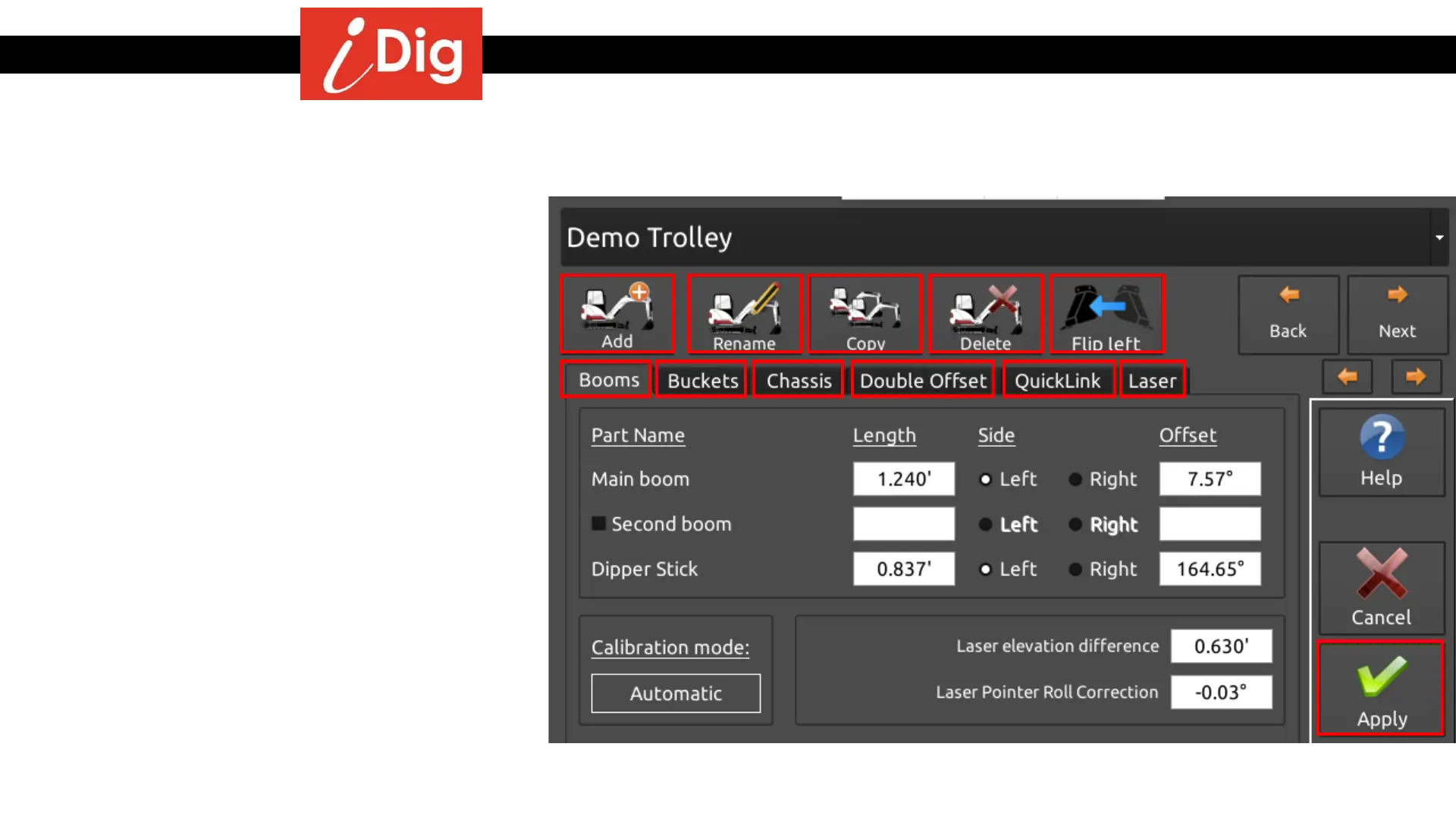
System Settings – Select or Edit a Machine
147
• For any machine that is stored in memory, all of the
data is stored for the following tools if they have
been calibrated for that particular machine. By
clicking on the appropriate tab you can see data for:
• Booms
• Buckets
• Chassis
• Double Offset
• QuickLink
• Laser
• You can also add a new machine
• Rename an existing machine
• Copy the calibration from a machine to a new
machine
• Delete a machine
• Flip the settings on the Main Screen 180° to
accommodate Back Hoes.
• If you make any changes to any of the settings, the
green “Apply” button will appear and you will need
to press it for the changes to take effect. A second
pop-up screen will ask you to re-confirm your
selection. Otherwise press the “Exit” button and you
will return to the Main Screen.
Edit Machine Parameters



 To Next Page