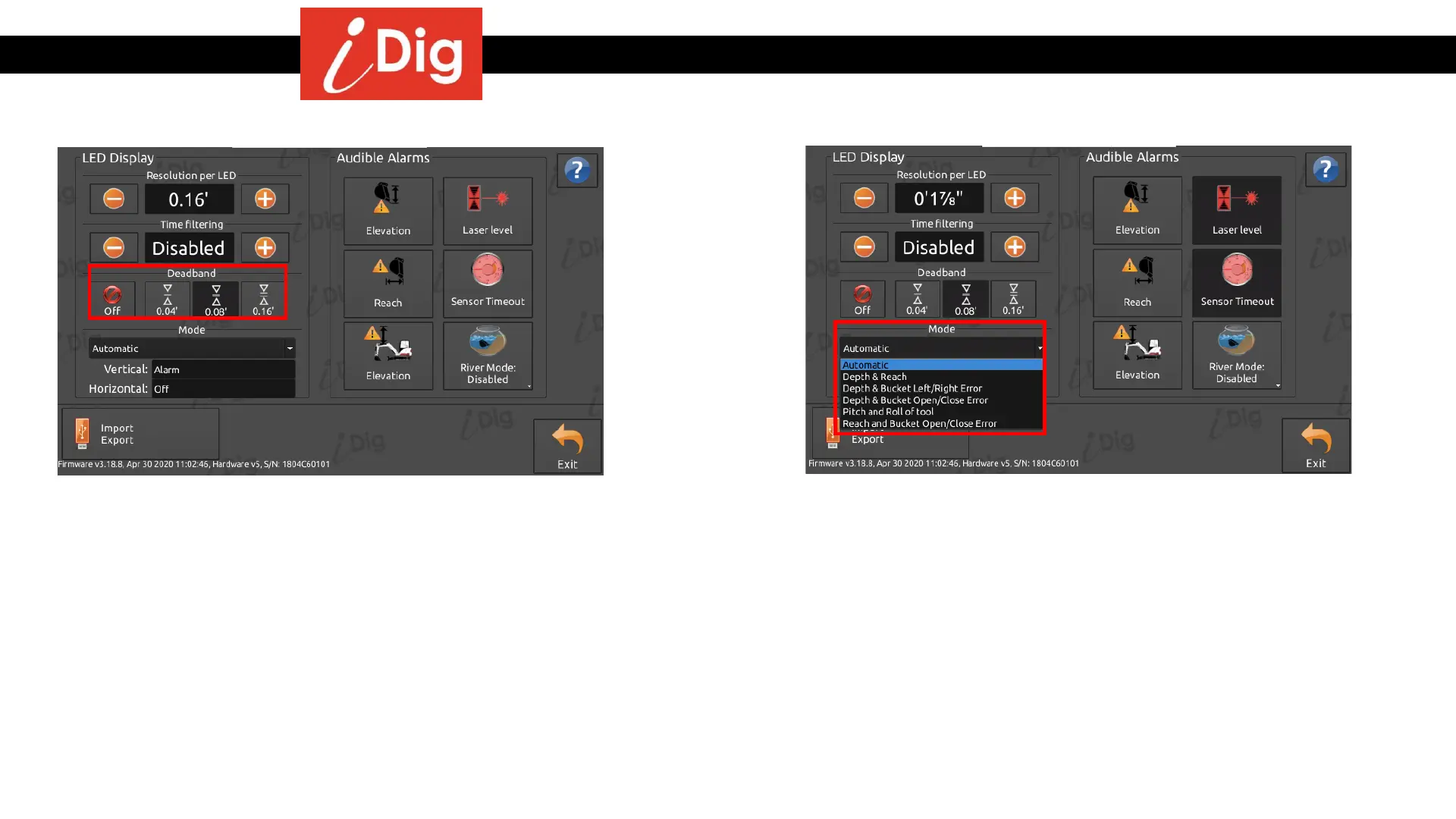
Work Settings – LED Display
153
Deadband
• The Deadband setting prevents a “flickering” on-grade
green LED. By activating the deadband, switching
between two LEDs is effective only when the distance
passes above or below the set deadband. The three
values of deadband are: .04’, .08’ and .16’. For example,
when this setting is disabled and your depth is equal to
the limit of switching between two LEDs, just the
vibrations of the machine may cause the LED to flicker
between red, yellow and green continuously.
Mode
The Mode settings define what the LED Display shall indicate. A setting here
overrides the automatic mode which reacts to enabling/disabling certain
indications/functions through the Main Screen. First value is for the vertical bar (V)
and the second value is for the horizontal bar (H):
• Depth & Reach – V is for elevation/depth, H is for reach/distance.
• Depth & Bucket Left/Right Error – V is for elevation/depth and H for Left/Right,
if using a tilt bucket e.g.
• Depth & Bucket Open/Close Error – V is for elevation/depth and H for floating
position of the bucket.
• Pitch & Roll of tool – Auger cross vial behavior.
• Reach & Bucket open/close – V for reach/distance and H for floating position of
the bucket.



 To Next Page