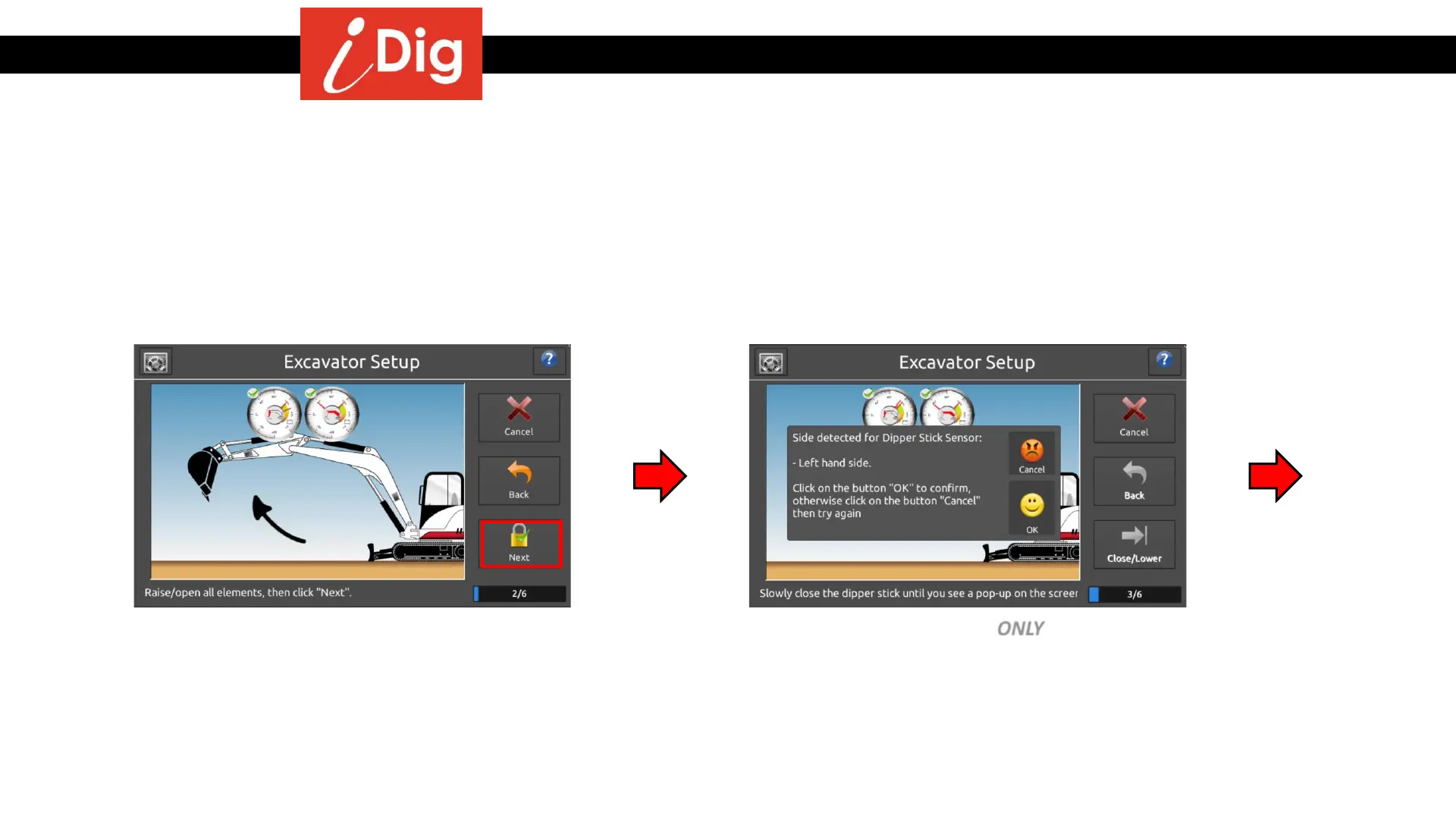
Installation Procedures – Main Boom & Dipper Stick Calibration
The system will now automatically detect which side of the elements the Sensors have been installed on:
• Raise the boom and dipper stick, press
“Next” when the green check mark
appears.
• Lower the dipper stick ONLY until the pop-
up screen appears. Follow the directions
on the screen.
Dipper Combo Sensor
17



 To Next Page