Installation Procedures – Bucket Calibration
Calibrating the Bucket
• There are two methods of calibrating the Bucket: Manual and Automatic. The manual process is much quicker and more
accurate.
• The automatic process is similar in concept to the Excavator setup whereby you will move the bucket through a series of
incremental angle changes while keeping the bucket tip/edge on a fixed point.
• If the Bucket Sensor is located on the dog-bone then the automatic calibration is your only option.
• For a manual calibration you will need a magnetic plumb-bob and a tape measure.
• For an automatic calibration a tape measure and something to use as the reference point is required. The heavier the item
the better since the item can not move during the calibration process.
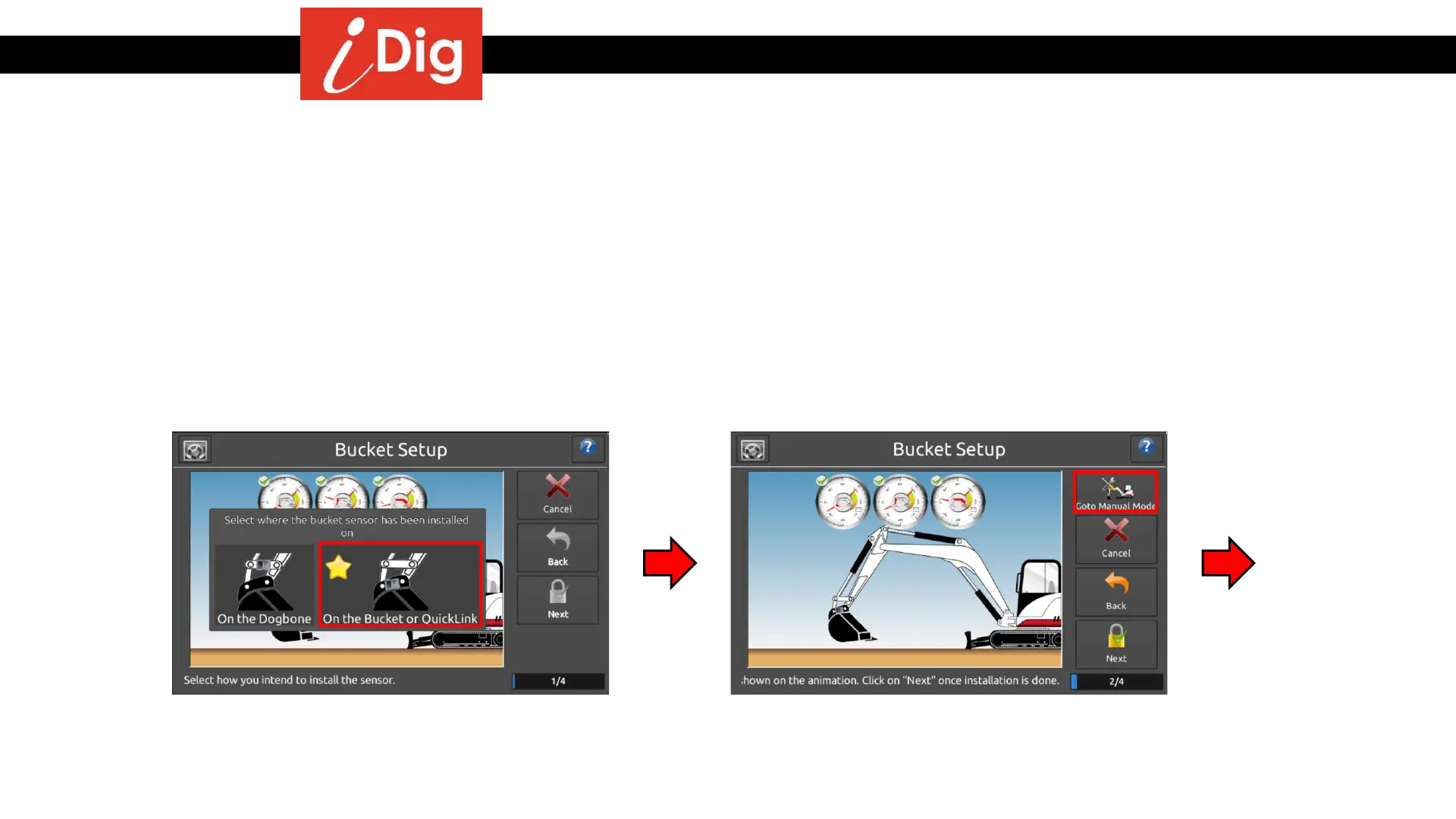
• Begin by selecting the location where the
sensor has been installed.
• If you selected QuickLink, then press “GoTo
Manual Mode”. If the Bucket Sensor was placed
on the Dog-Bone press “Next”. The following
section will detail the Manual Calibration process.
23



 To Next Page