Installation Procedures – Bucket Calibration
Manual Bucket Calibration
• Place a magnetic plumb-bob on the bucket pivot pin.
• Drop the string line below the edge of the bucket tip/edge. Make sure the string is still.
• Slowly close the bucket until the tip/edge of the bucket is just touching the string. The center of the bucket pivot pin should
be plumb to the tip/edge of the bucket. This will set the vertical position for the Bucket Sensor.
• Make sure that the machine’s hydraulics hold the main boom steady and doesn’t drift down. If it does, perform the vertical
plumb last in this calibration sequence.
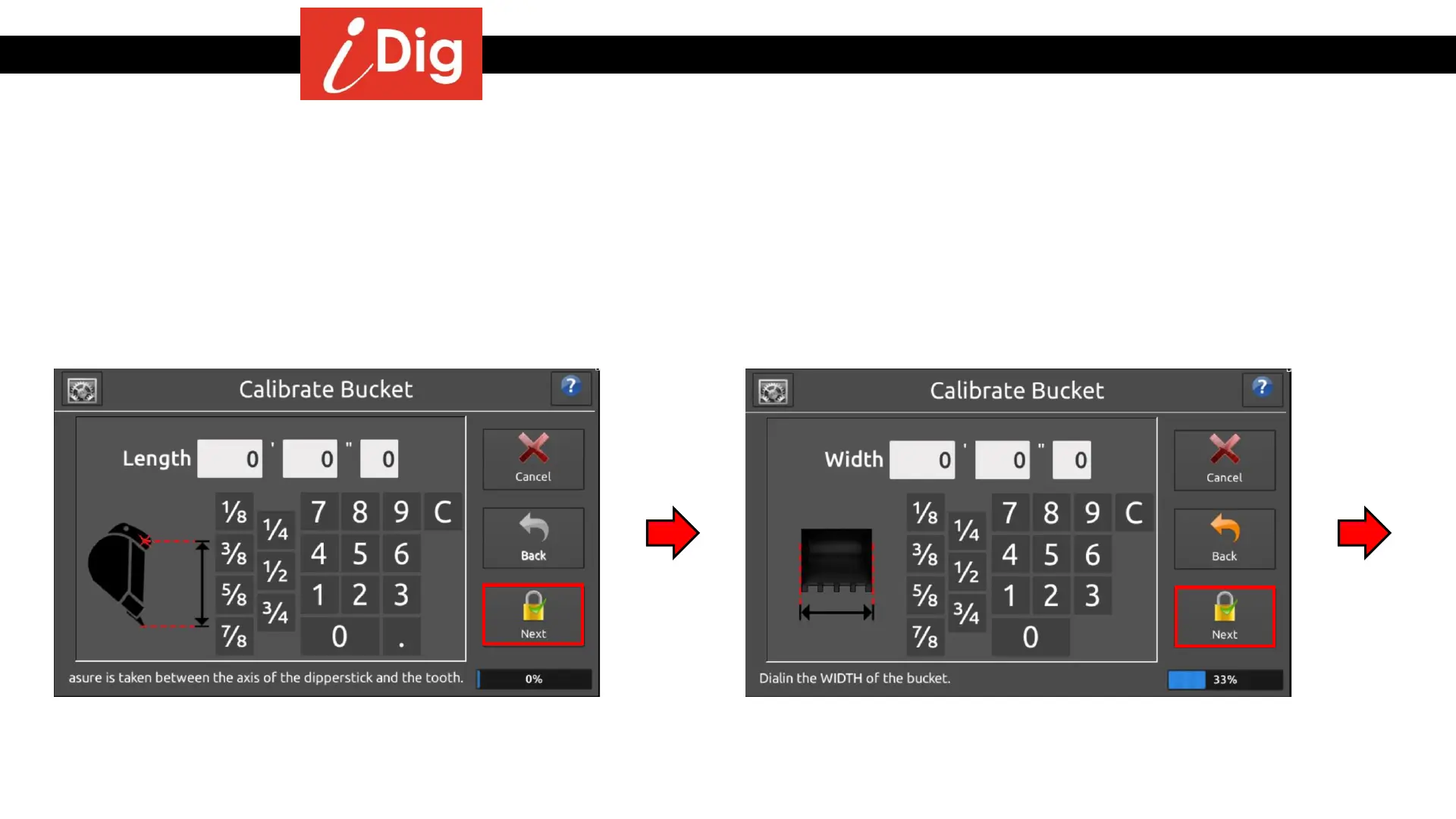
• Take a measurement from the center of the bucket
pivot pin to the tip of the teeth/edge of the bucket and
enter the value. Press “Next”.
• Measure the width of the bucket and enter the value.
Press “Next”.
24



 To Next Page