92 iDirect Satellite Router Installation and Commissioning Guide
iDX Release 3.3
Initial Acquisition
16.2 Initial Acquisition
Following establishment of the P1dB Compression point, the Satellite Router is powered on
and the receive IF cable is disconnected. Perform the following procedures under clear sky
conditions to acquire the network for the first time.
Note: In a TRANSEC network, the Network Operator must Disable Authentication for
the
Satellite Router on the iBuilder Remote
Information tab and apply the
hub-side configuration. See “Using the iDirect CA Foundry” in the iBuilder User
Guide.
To Prepare to Acquire the Network:
1. Remove power from the Satellite Router.
2. Reconnect the receive IF cable from the LNB to the RX In po
rt.
3. Reconnect power to the Satellite Router.
4. Monitor the Satell
ite Router LEDs to observe progress and confirm that the Satellite
Router’s receiver has locked to the outbound carrier. (See the LED tables in “Front-Panel
LEDs” on page94.)
Depending on the initial power setting in the options fil
e, the Satellite Router may or may not
join the network. In either case, the Network Operator should follow the steps below to bring
the Satellite Router into the network (if necessary) and to determine the clear sky operating
power of Satellite Router. During this procedure, the local installer should monitor the
Satellite Router acquisition status as the Network Operator adjusts power.
To Acquire the Network and Determi
n
e the Clear Sky Transmit Power:
1. Log in to iMonitor.
2. In the iMonitor Tr
ee, expand the Inroute Group containing this Satellite Router.
3. Right-click
the Satellite Router in the iMonitor Tree and select Probe from the menu.
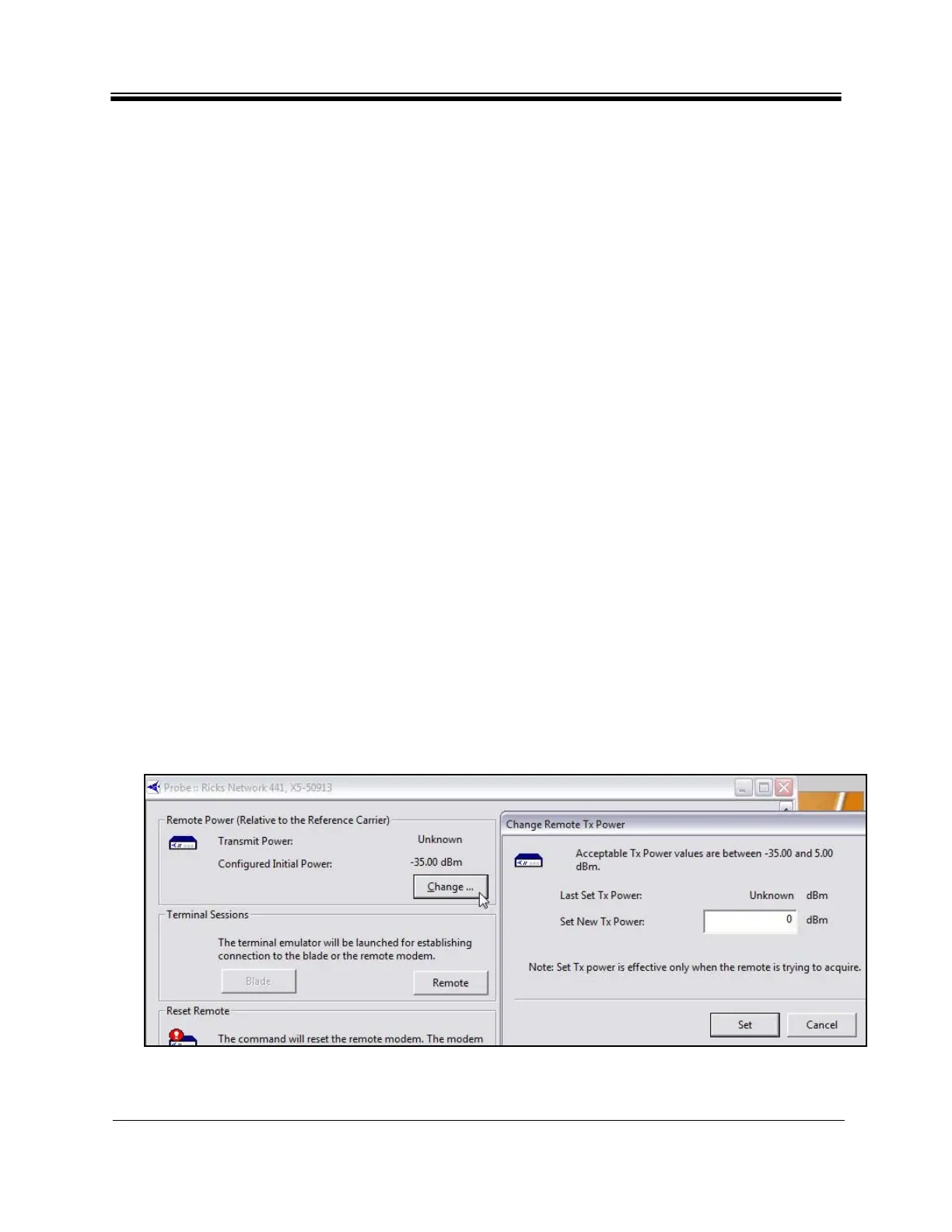
4. In the Remote Po
wer section of the Probe dialog box, click Change to open the Change
Remote Tx Power dialog box (Figure 53).
Figure 53. iMonitor Probe: Changing the Satellite Router Transmit Power



 To Next Page