iDirect Satellite Router Installation and Commissioning Guide 103
iDX Release 3.3
Setting Power
17.2.2 Setting SCPC Return Initial Power and Maximum Power
The following procedure sets the initial and maximum power for a Satellite Router that
transmit an SCPC return channel.
To Set Initial and Maximum Power (SCPC Return):
1. Right-click the
remote in the iBuilder Tree and select ModifyItem to open the Remote
Information tab.
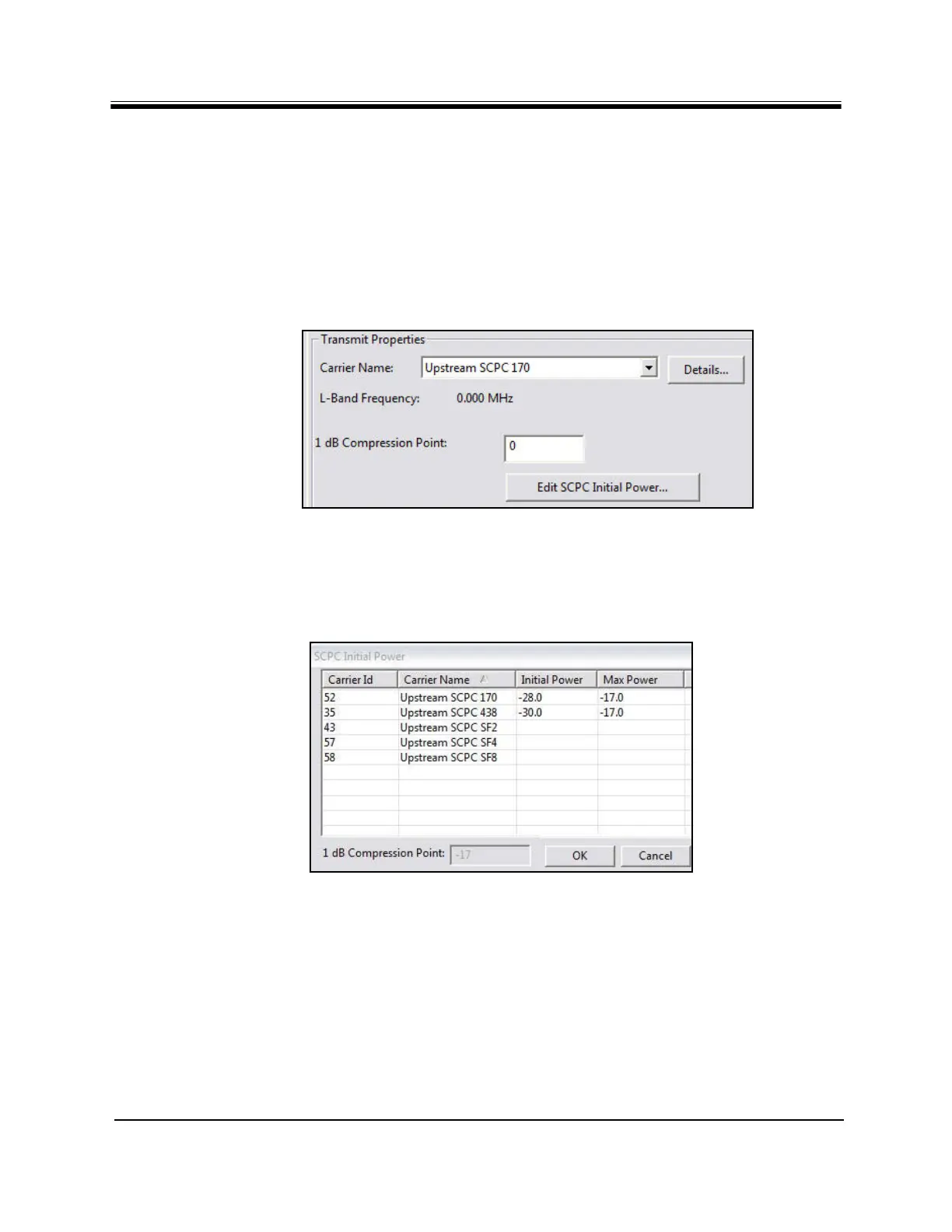
2. Scroll down to the Tra
nsmit Properties section (Figure 57).
Figure 57. iBuilder Transmit Properties: SCPC Return
3. In the 1 dB Compression P
oint field, enter the value for (CW) P1dB point determined in
Step 7 on page 87. (This is for information only).
4. Click E
dit SCPC Initial Power to open the SCPC Initial Power dialog box (Figure 58).
Figure 58. iBuilder Transmit Properties: SCPC Initial Power
5. In the SCPC Initial P
ower dialog box, double-click the cell in the Initial Power column of
the applicable SCPC return carrier. Enter the transmit power recorded in Step 7 of “Initial
Acquisition” on page92 plus any link budget margin required to acquire the network
under all conditions.
6. Double-click the cell in the Max Po
wer column of the applicable SCPC return carrier.
Enter the value determined in “Maximum Power” on page100.
7. Click OK in the SCPC In
itial Power dialog box to return to the Remote Information tab.



 To Next Page