50 iDirect Satellite Router Installation and Commissioning Guide
iDX Release 3.3
Loading Packages with Web iSite
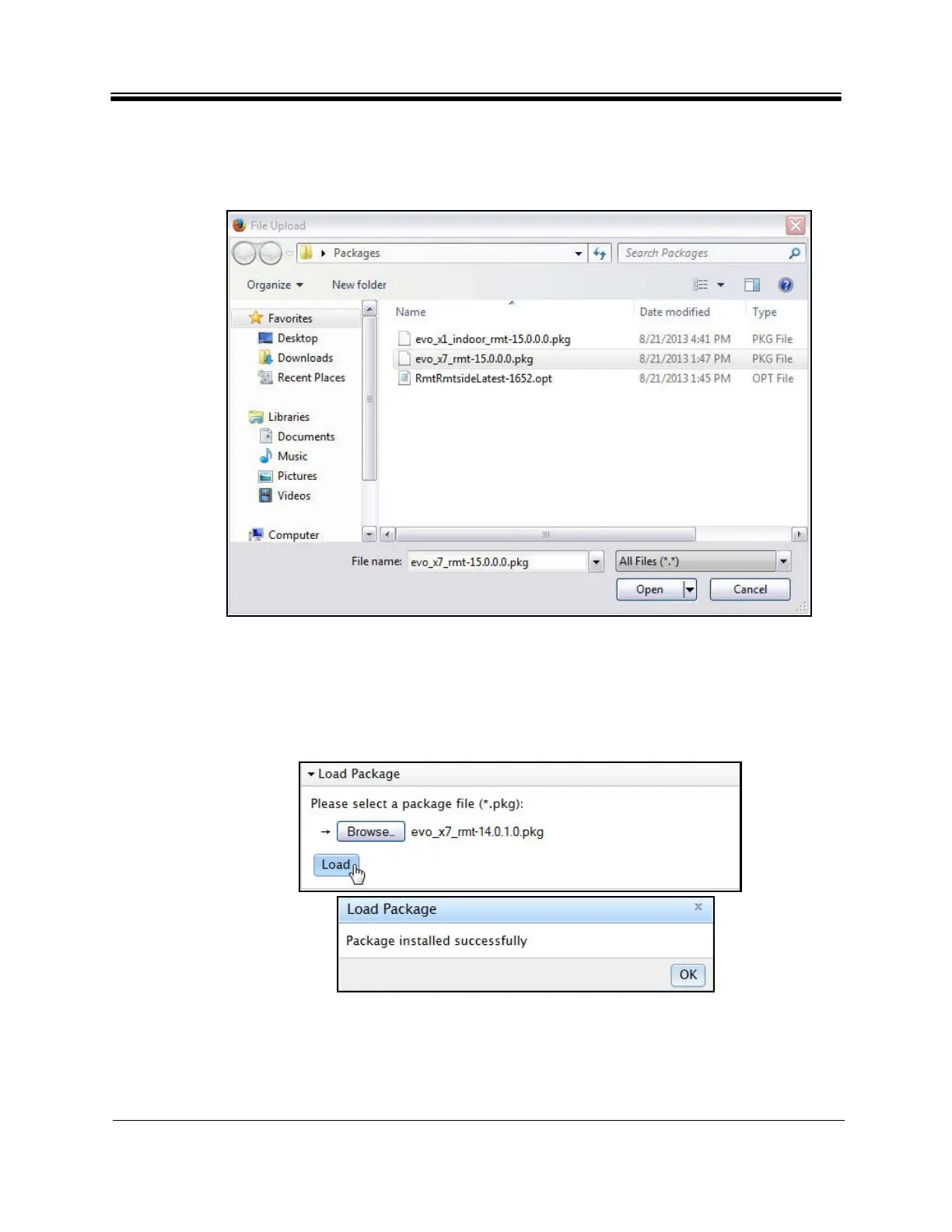
2. In the Load Package section of the File Management page, click Browse.
3. Navigate to the appropriate model-specific
packages on the local PC. They are located in
the Images folder created during the unzip operation. See Figure 31.
Figure 31. Selecting Package File
Note: There are two Evolution X1 package files: one for Evolut
ion X1 Indoor Satellite
Routers, and one for Evolution X1 Outdoor Satellite Routers.
4. Double-click the corr
ect package for the Satellite Router model being commissioned.
5. Click Load. The Load Pa
ckage status box (Figure 32) appears upon completion.
Figure 32. Load Package Status Box
6. Click OK in the Load P
ackage status box.



 To Next Page