18 iDirect Satellite Router Installation and Commissioning Guide
iDX Release 3.3
Retrieving the IP Address using the Console Port
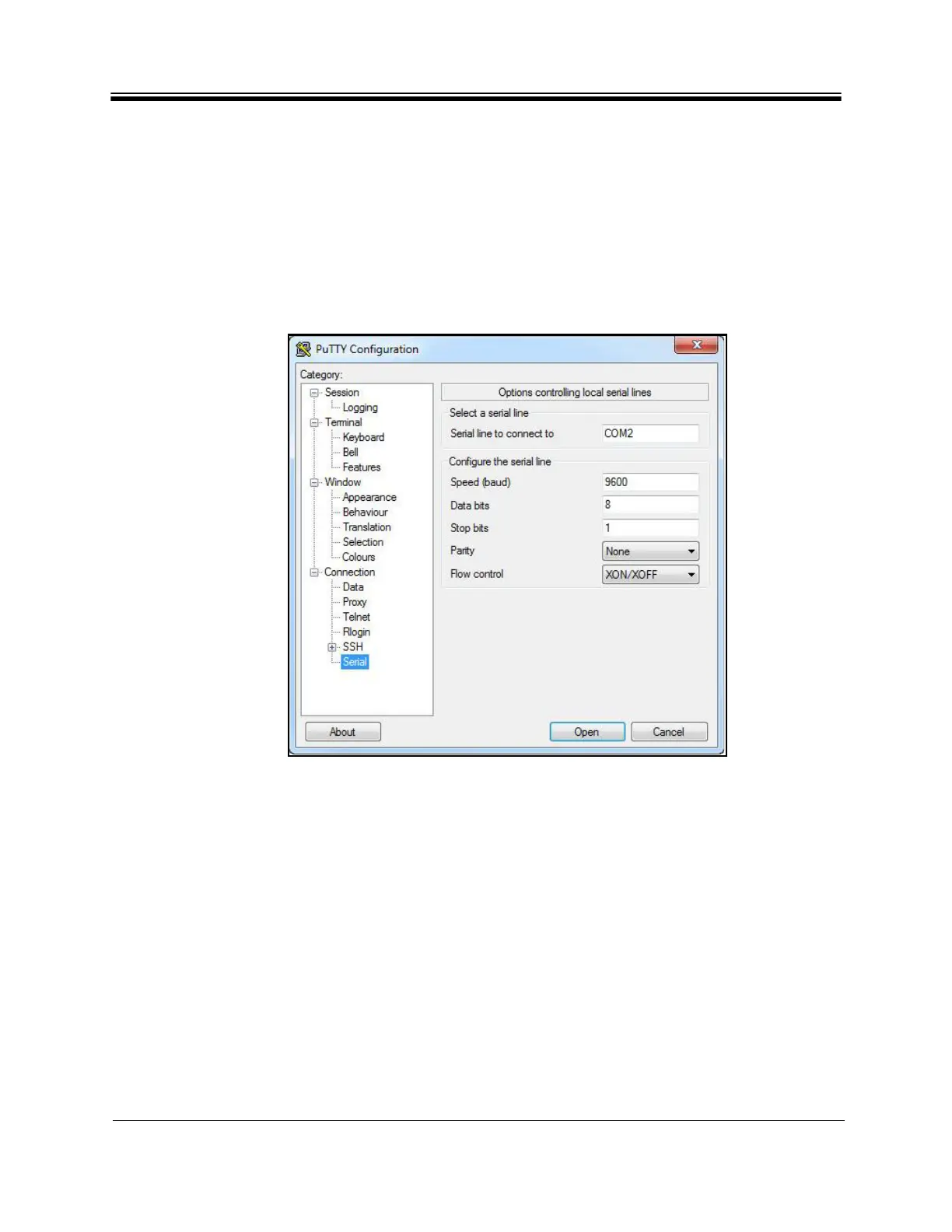
7. Refer to Figure 8. Edit the data fields as needed. The required parameters are:
a. Speed (baud): 9600
b.
Data bits: 8
c. Stop bits: 1
d. Parity: None
e. Flow control: XON/XOFF
8. Be su
re to enter the correct available COM port number to be
used for the session. If
unsure, view Devices and Printers in the Windows Control Panel.
Figure 8. PuTTY Configuration: Serial Parameters
9. To start the serial connection session
without saving it by name, click Open.
10. To save the session parameters for fu
ture use, return to SessionBasic Options and enter
a name in the Saved Sessions field. Click Save, and then Open.
11. The PuTTY session starts in a new window.
Note:
If the Satellite Router is a mobile and the serial connection is lost, the console
port baud ra
te will change to 4800 bps during the boot process. All other
settings will remain the same. To re-establish communication with the console
port, change the serial port speed to 4800 bps.



 To Next Page