iDirect Satellite Router Installation and Commissioning Guide 27
iDX Release 3.3
5 Loading Options Files
with iSite
This chapter describes how to load the options file on the X3, X5, and e8000 Series Satellite
Routers using iSite.
This chapter includes the following section:
• “Options File” on page27
Note: For Evolution X1, X7, or e150 Satellite Routers. See “Connecting with Web iSite”
on page41.
5.1 Options File
The remote options file contains specific site and network information such as operating
frequencies, geo location, and other important parameters. Remote options files are
generated in iBuilder, and must be loaded on the Satellite Router in order to acquire the
network. Loading an options file is similar to loading a remote software package.
To Load The Options File:
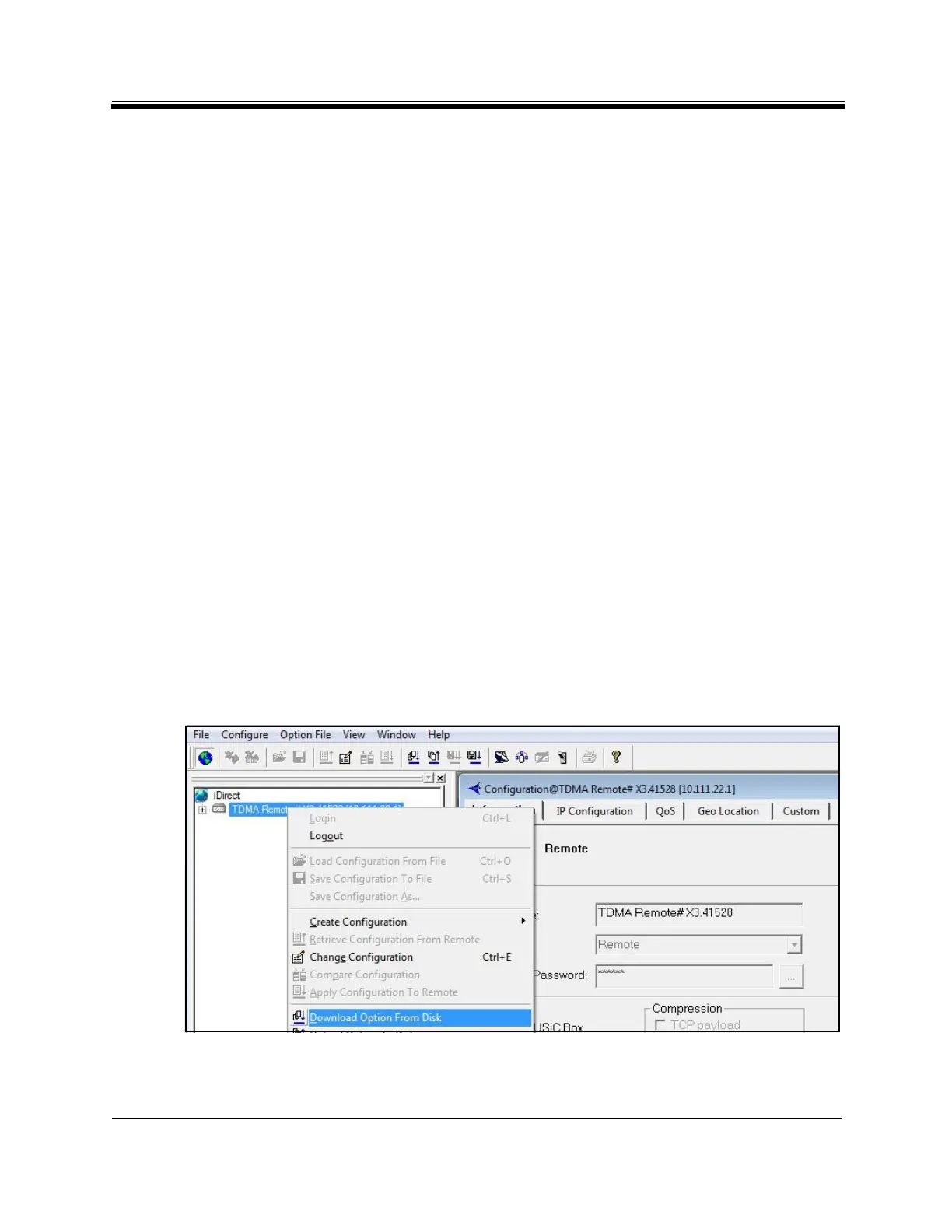
1. In the iSite T
ree View, right-click the Remote and select Download Option from Disk.
Figure 17. Loading the Options File



 To Next Page