60 iDirect Satellite Router Installation and Commissioning Guide
iDX Release 3.3
Initial Alignment
For the procedures that follow, log in to the Satellite Router as described in “Logging In to
Web iSite” on page47.
To Calculate Look Angle:
1. In the navigation bar at the top of the We
b iSite window, click the Commissioning button.
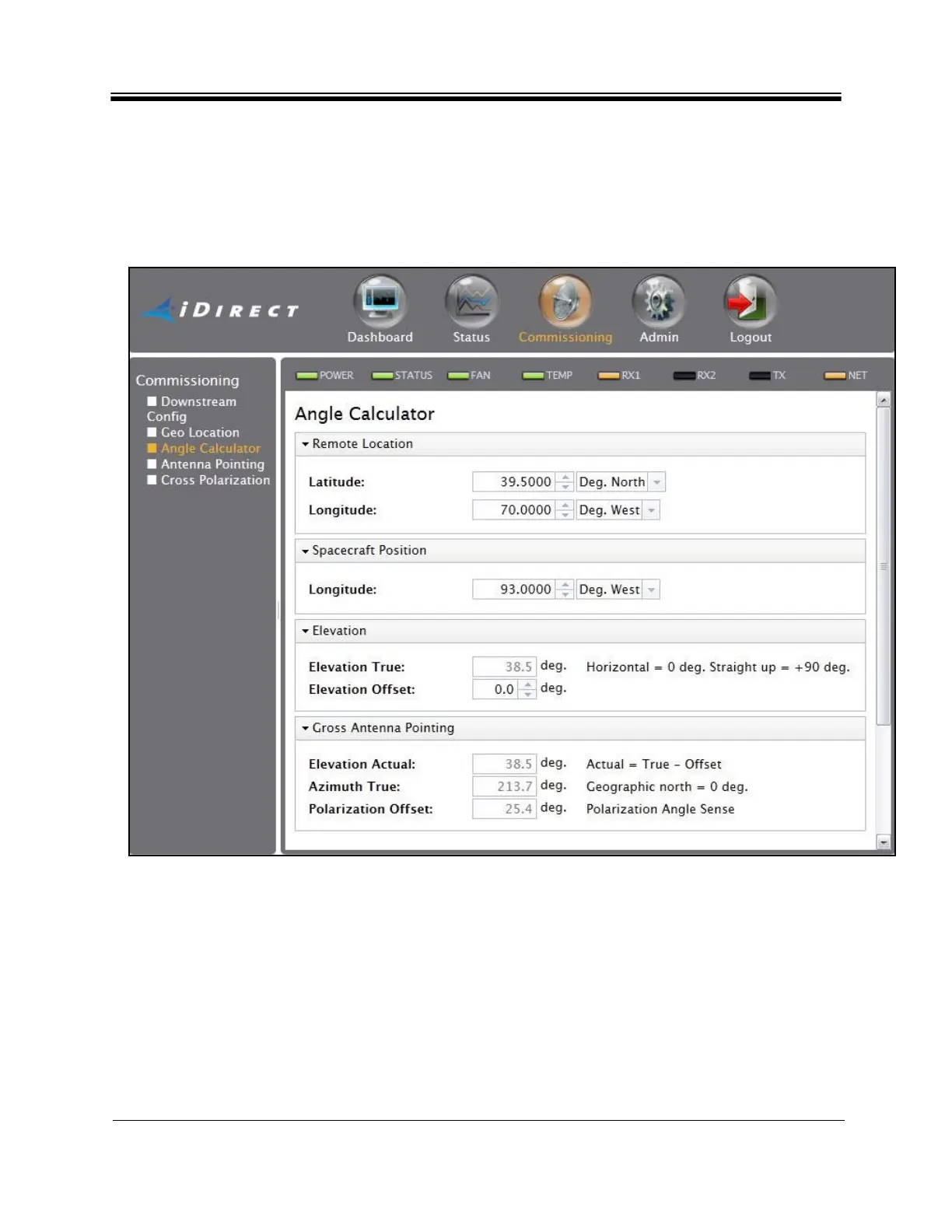
Select Angle Calculator from the list in the left-hand menu pane. See Figure 39.
Figure 39. Web iSite Commissioning Dialog Box: Angle Calculator
2. V
erify that the Remote Locati
on and Spacecraft Position information is correct. The data
entry fields are automatically populated with data extracted from the options file. The
entries may be overridden by typing in the text boxes; however the overrides will be lost
upon exit.
3. Under Elevati
on, enter the Elevation Offset of the antenna. Refer to the antenna
manufacturer’s specifications for the offset angle.
After the required data is entered, Web iSite automatically calculates azimuth, elevation, and
polar
ization angles and displays the data under Gross Antenna Pointing.



 To Next Page