77
5.2.3. Driver location
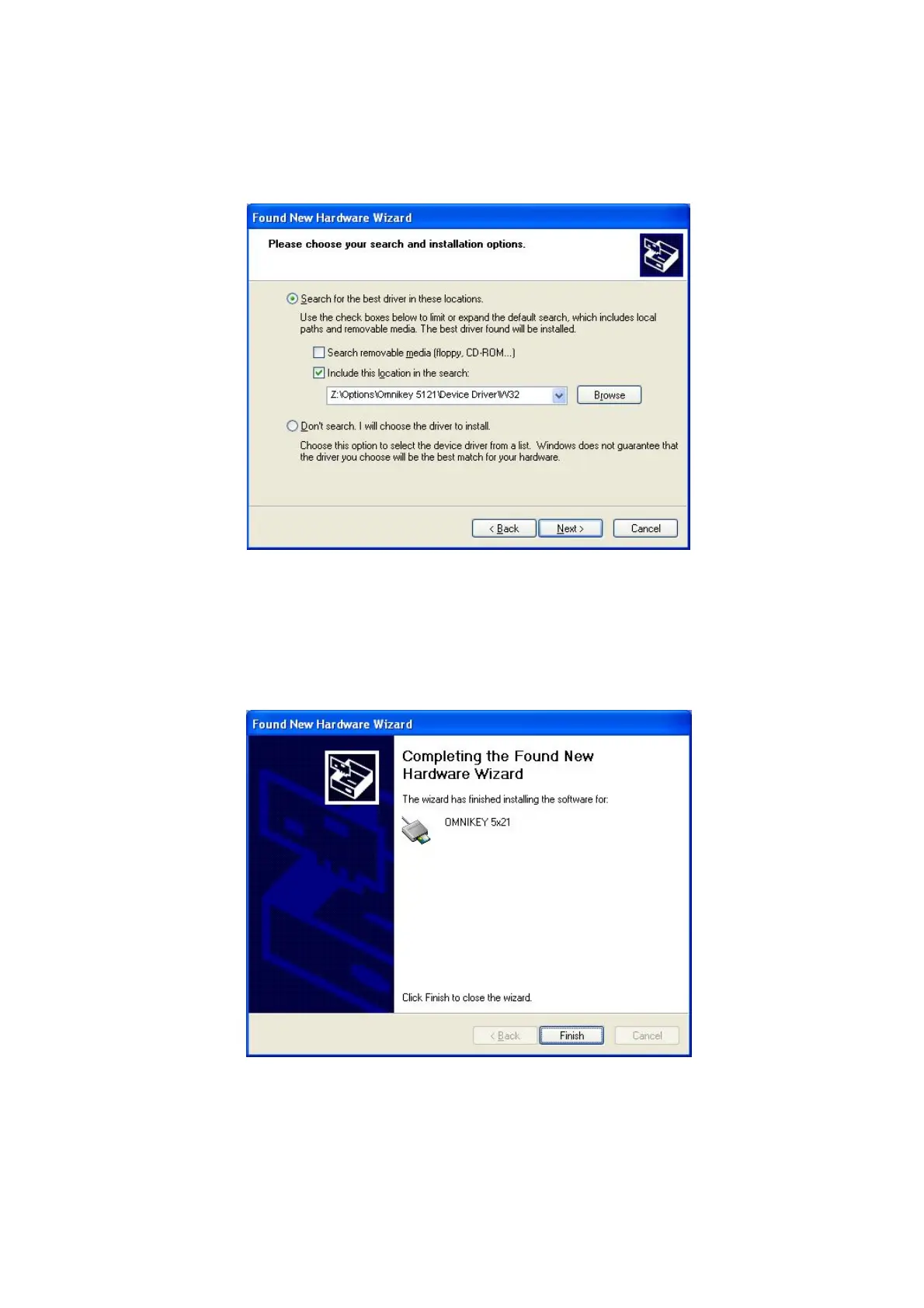
Insert the smartcard installation CD and find “\Options\ Omnikey 5121” directory on your CD.
Find the right directory which is installed OS version on your PC, and select the directory as
the picture, and click “Next”.
Pic.134 Driver location
5.2.4. Complete installation
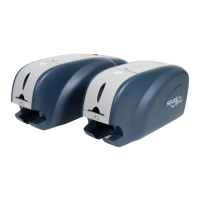
When the installation is completed, the window as the Pic121 is shown, click “Finish” to
complete the installation steps.
Pic.135 Completing the driver installation


 To Next Page