80
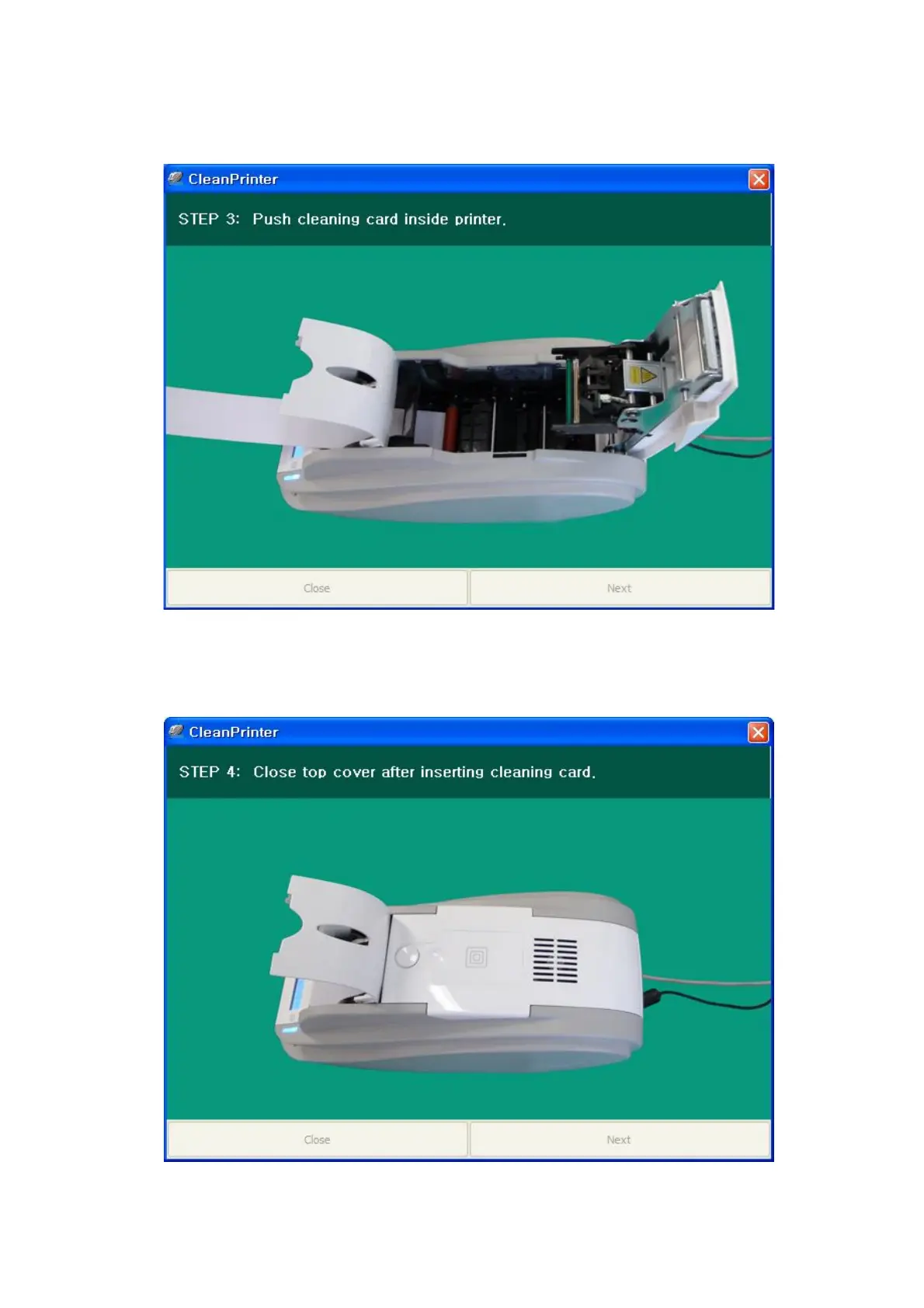
Step 3. Insert the exclusive cleaning card into the printer through input hopper. When the exclusive
cleaning card is inserted to the cleaning roller, it will be move automatically. It is normal that
the exclusive cleaning card is inserted to the ends and rollers are moving to clean.
Pic.140 Printer cleaning Step 3
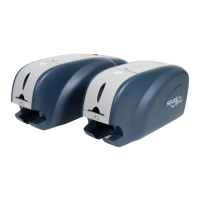
Step 4. Close the top cover to clean the Thermal Print Head and the printing roller. When the top
cover is closed, cleaning card will be moving back and forth to clean.
Pic.141 Printer cleaning Step 4


 To Next Page