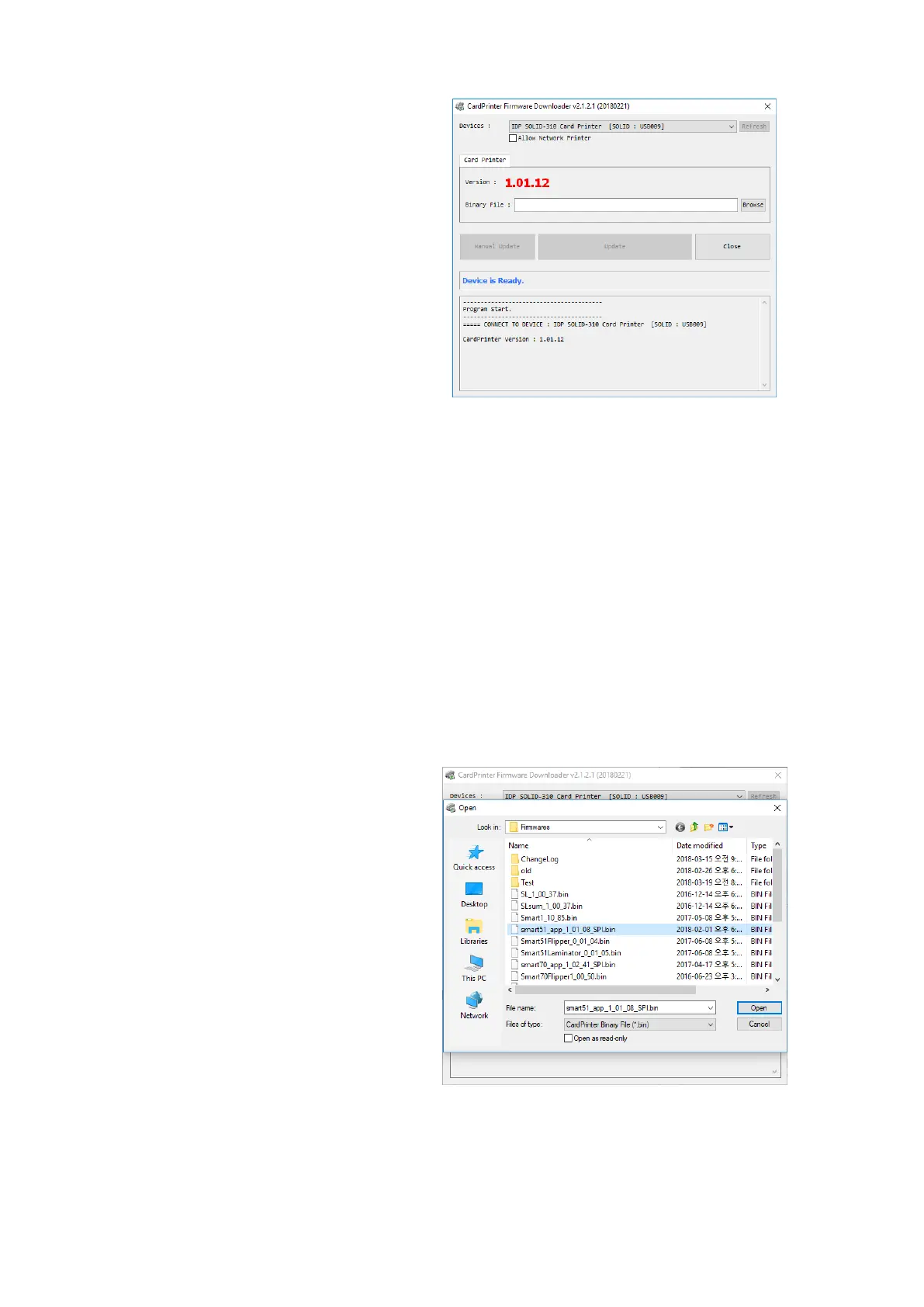
(1) CardPrinterFirmware Menu
Device: Select the local printer that you
want to upgrade.
Card Printer / Flipper / Laminator: Select
the device you want upgrade.
Device Version: Displays the current
firmware version of selected printer.
Binary File: Click “Browse” button and
select new firmware file to update.
Manual Update: It is used when you want
to update manually.
Update: Updates automatically. In
generally, we recommend updating
automatically.
Close: Exit.
Message : It displays information of
updating.
(2) Ready for Firmware Update
Select the printer to update the
firmware on the ‘Device’ list.
Select the device to update the
firmware among
Printer/Flipper/Laminator tab. The
Flipper and Laminator tab is shown if
that option is installed only.
Click “Browse” and select the new
firmware



 To Next Page