9
1. Introduction
1.1 Printer outside features
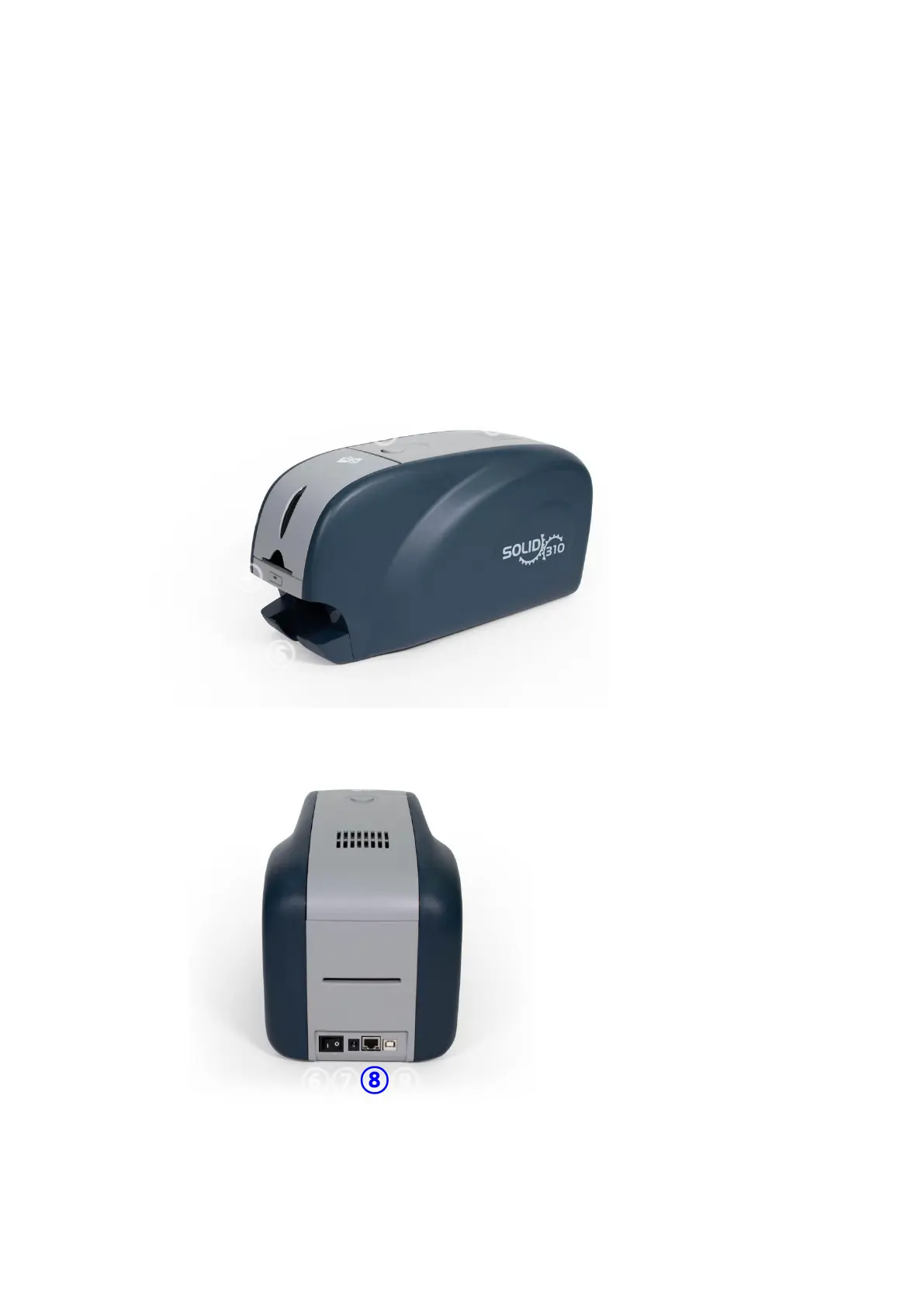
For the user’s convenience, SOLID-310 status can be seen through LED and the printer
can be controlled by LED button. It takes a power via the 24V adaptor provided with the
printer. Using USB and Network port, it is communicated with the user’s PC
The following shows the outside functional features found on the printer.
Figure 1 SOLID-310 front features
Figure 2 SOLID-310 rear features
⑥ Power switch
⑦ 24V power connector
⑧ Network port
In case there is no
network option, it is
closed.
⑨ USB port
① Top cover open button
② Fan
③ Input hopper
④ LED buttons
⑤ Output hopper



 To Next Page