45
ifm Programming Manual ecomatmobile BasicController (CR0403) Runtime System V03.02 2015-04-01
Configurations Set up the programming system
>
CAN declaration (e.g. CR1080)
10080
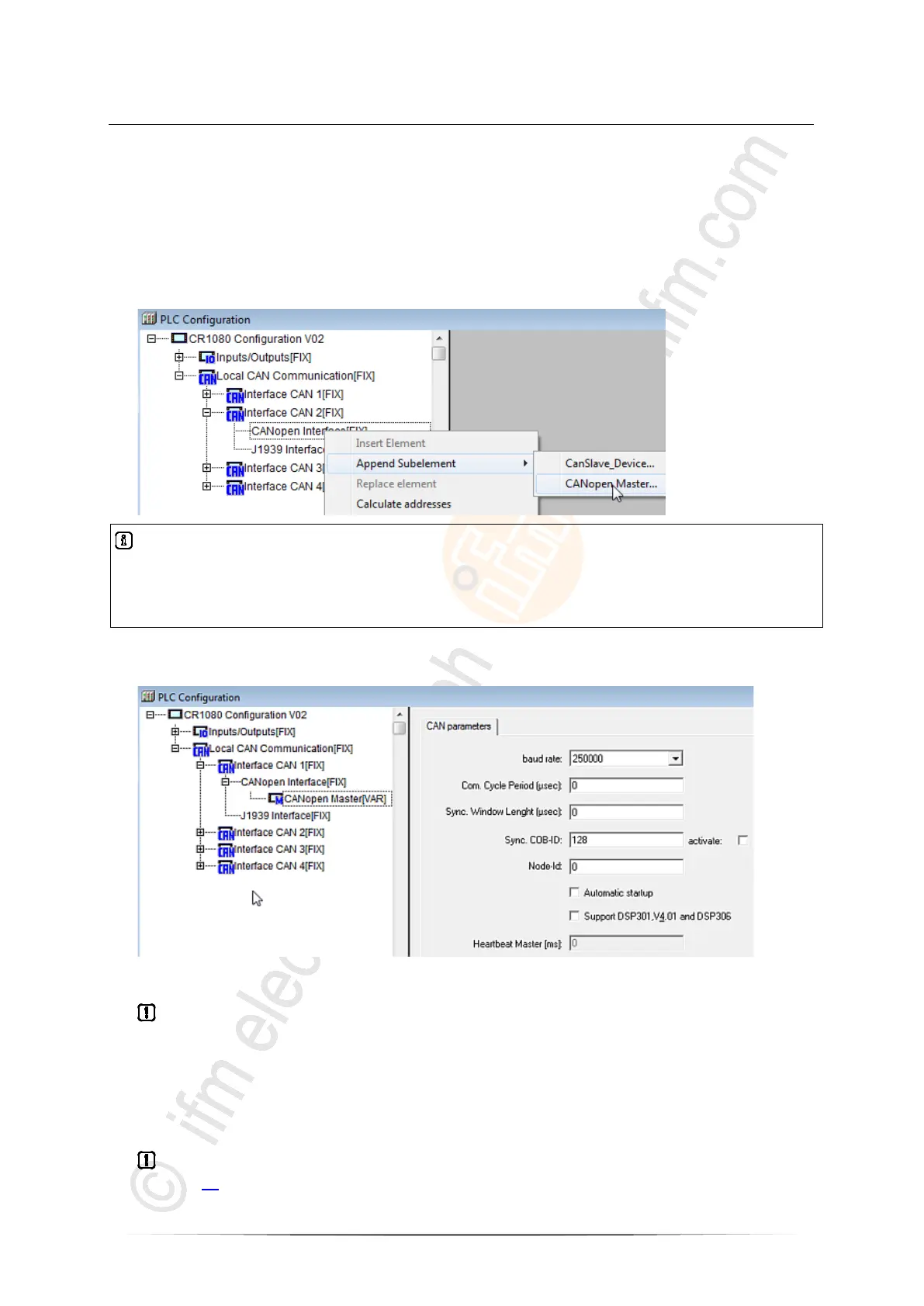
In the CODESYS PLC configuration you now have to declare the CAN interface(s).
► Right-click on the name of the PLC configuration. [CANopen Interface [FIX]] of the desired CAN
interface.
► Click on [Append Subelement].
► Even if the device is operated as a CANopen slave: Click on [CANopen Master...]:
Info
If the device is operated as a slave, the selection [CanSlave_Device] would also be possible.
For the simpler configuration as a master, all CAN Layer 2 and network variable functions can also be
used.
> The CAN parameters of the PLC configuration are displayed. Some CAN parameters are already
set as default:
► If the device is operated on CAN Layer 2 or as a slave via network variables or CAN_RX /
CAN_TX:
Check whether the correct baud rate is set for the device (baud rate must be identical for all
participants).
► If the device is operated as a CANopen master:
Check all parameter settings.
► Close the window [PLC Configuration].
► In the menu [File] > [Save as ...] give a sensible name to the project and save it in the requested
directory.
► In the application program always call an own instance of the FB CANOPEN_ENABLE
(→ page 93) for every CAN interface!



 To Next Page