DP2200 Analogue threshold display
18
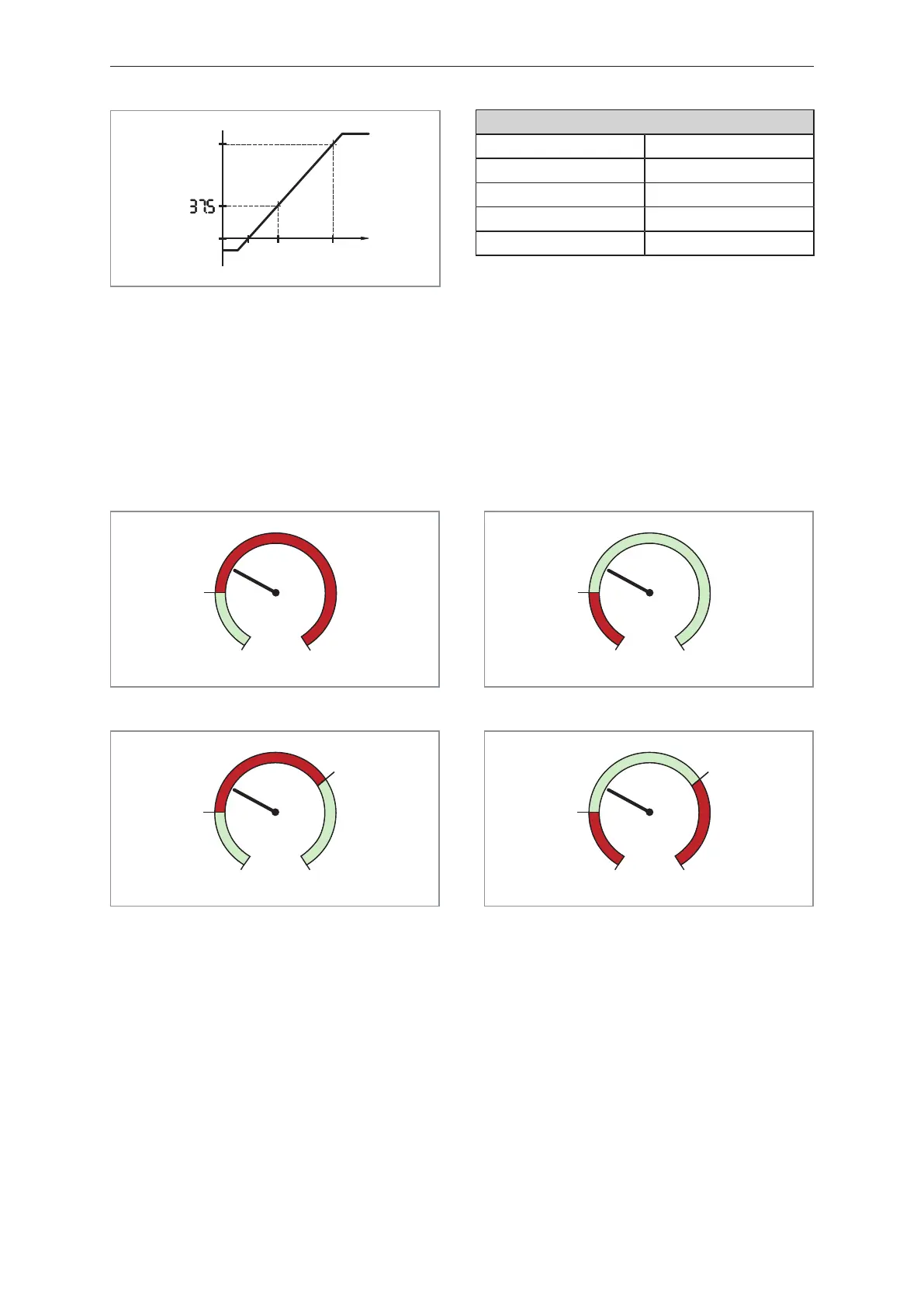
Fig.9: Example with scaled display value
Menu setting example
ScAL ccc.c
C.ASP 0.0
C.AEP 100.0
Input 10 mA
Display 37.5
8.4.7 coLr ─ display colours and colour changes
Assignment of the display colours "red" and "green" within the measuring range.
• [rEd] = continuously red (independent of the measured value).
• [GrEn] = continuously green (independent of the measured value).
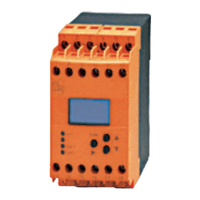
• [r1ou] = red when OUT1 switches.
• [G1ou] = green when OUT1 switches.
Fig.10: Hysteresis function with [r1ou]
Fig.11: Hysteresis function with [G1ou]
Fig.12: Window function with [r1ou]
Fig.13: Window function with [G1ou]
[r-cF] = red when the measured value is between the values [cFL] and [cFH].
[G-cF] = green when the measured value is between the values [cFL] and [cFH].
8.4.8 cFH/cFL ─ upper/lower value for colour change
When setting [coLr] to [r-cF] or [G-cF]:
u Select [cFH] and set the upper limit.
Setting range corresponds to the measured values. The lowest setting value is [cFL].
Select [cFL] and set the lower limit value.
Setting range corresponds to the measured values. The highest setting value is [cFH].


 To Next Page