19
UK
8.6 Explanation of the menu level 3
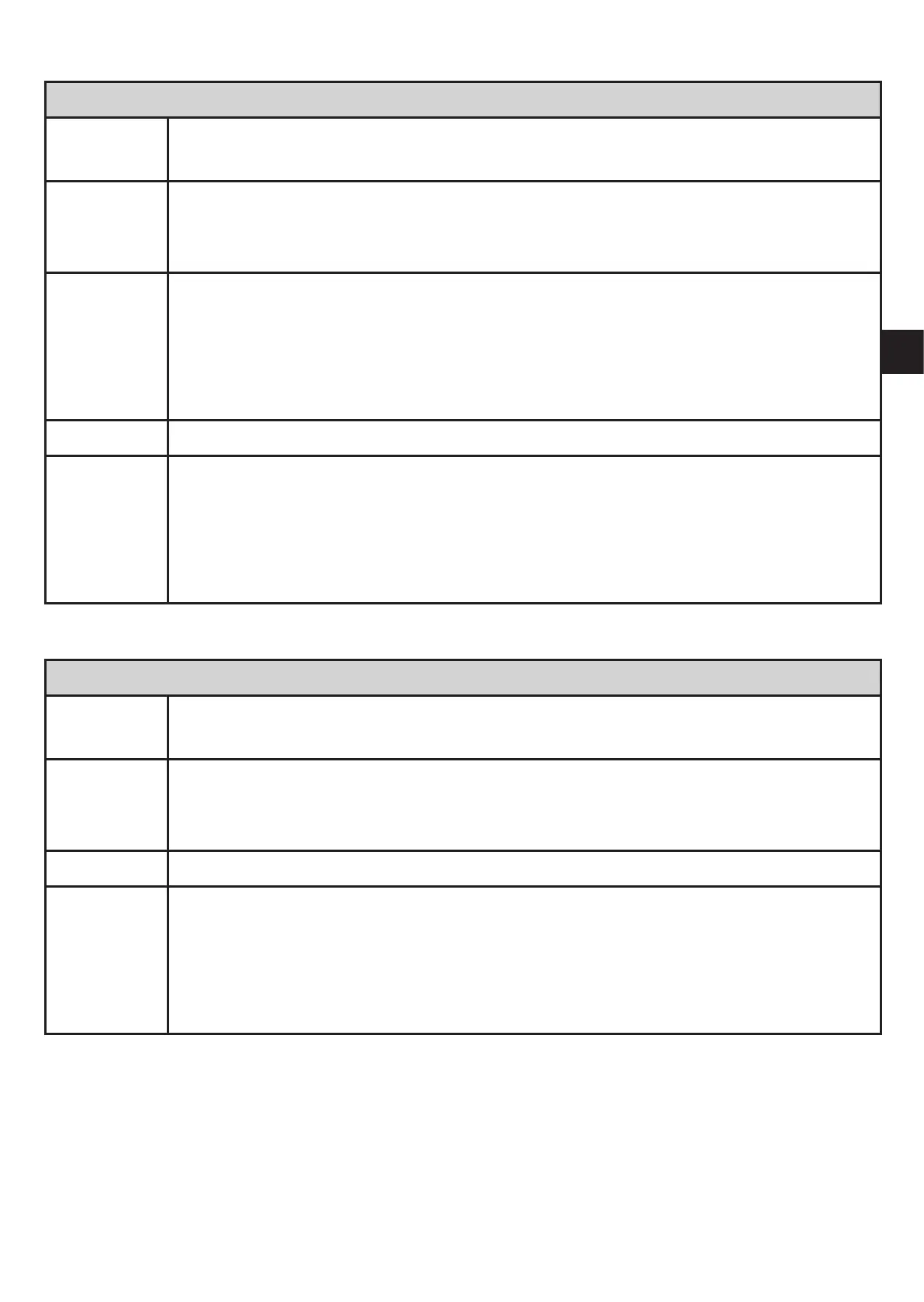
For setting SEL = OU
SEL Status to be simulated:
• Output functions [OU].
S.OU1* Simulation values for OUT1; only active for 3-wire operation and if [SEL] =
[OU].
• Output inactive [OPEN] or output active [CLOS].
S.OU2 Simulation values for OUT2; only active if [SEL] = [OU].
• For 3-wire operation and if OUT2 has been configured as switching output:
output inactive [OPEN] or active [CLOS].
• If OUT2 is set as analogue output: analogue signal between 3.6 and 21.1
mA (depending on the set value → 9.6.2).
S.TIM Time for the simulation process in minutes.
S.ON
Start of the simulation process.
During the simulation process the display alternately shows [SIM] and the
current operation indication (→ 9.6.4).
If the simulation process is aborted (briefly press [Mode/Enter] or [Set])
[S.OFF] is indicated for 2 s, then [SEL] is active again.
* menu item not active in 2-wire operation
For setting SEL = Proc
SEL Status to be simulated:
• Process value [Proc].
S.Pr Simulation of a process value; only active if [SEL] = [Proc].
• Any value between initial value of the measuring range and final value of
the measuring range.
S.TIM Time for the simulation process in minutes.
S.ON
Start of the simulation process.
During the simulation process the display alternately shows [SIM] and the
current operation indication (→ 9.6.4).
If the simulation process is aborted (briefly press [Mode/Enter] or [Set])
[S.OFF] is indicated for 2 s, then [SEL] is active again.



 To Next Page