23
UK
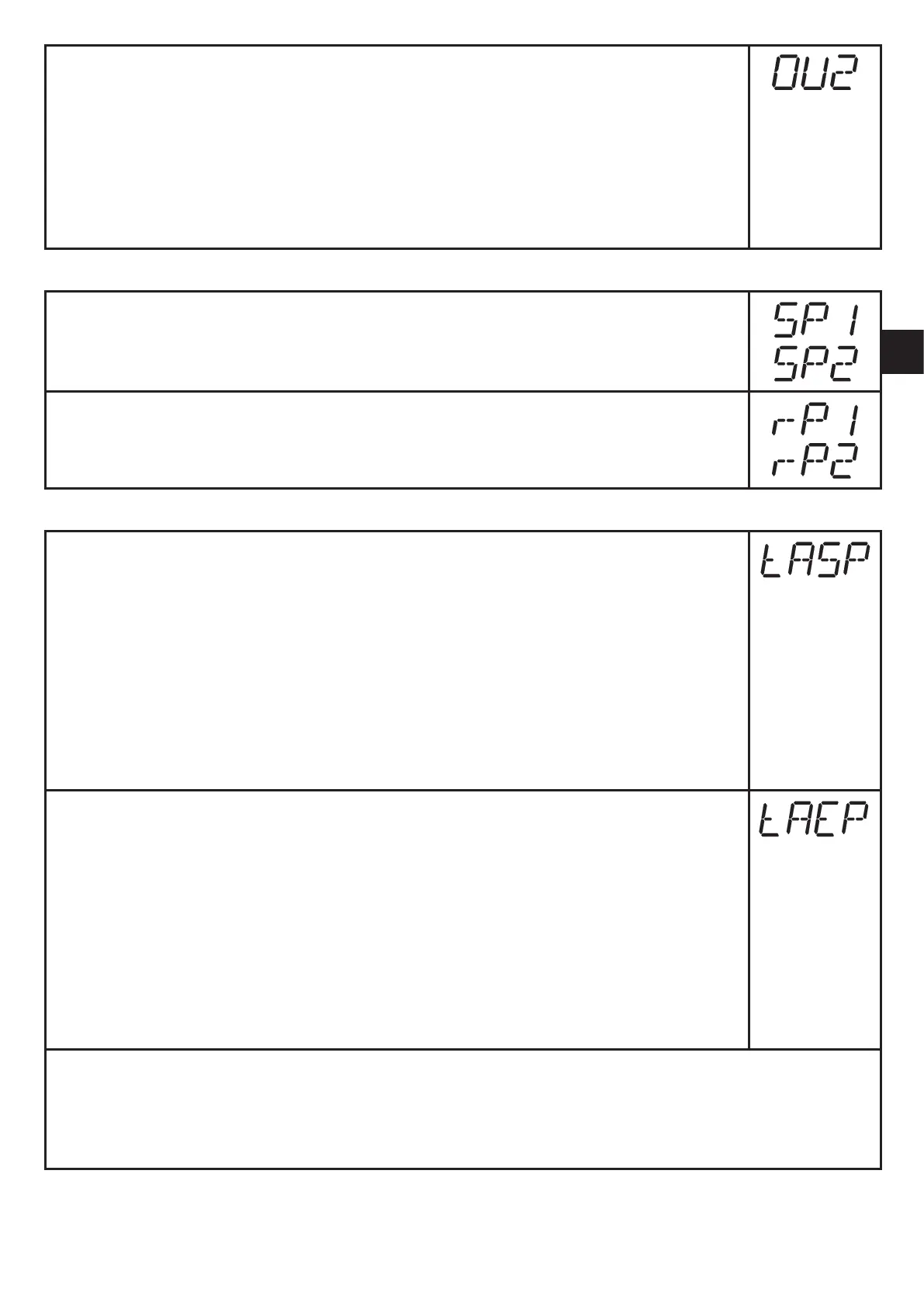
► Select [OU2] and set the function:
- [Hno] = hysteresis function/NO,
- [Hnc] = hysteresis function/NC,
- [Fno] = window function/NO,
- [Fnc] = window function/NC.
- [I] = current signal proportional to pressure 4…20 mA.
- [InEG] = current signal proportional to pressure 20…4 mA.
9.3.2 Set switching limits
► Select [SP1] / [SP2] and set the value at which the output switches.
► Select [rP1] / [rP2] and set the value at which the output is reset.
rPx is always smaller than SPx. The unit only accepts values which are
lower than the value for SPx.
9.3.3 Scale analogue value for OUT2
► Set the minimum pressure requested in the system.
► Press [Mode/Enter] until [tASP] appears.
► Press and hold [Set].
> Current setting value flashes.
► Release [Set] when the display stops flashing.
> New setting value is displayed.
► Briefly press [Mode/Enter].
> The current system pressure is defined as start value for the analogue
signal.
► Set the maximum pressure requested in the system.
► Press [Mode/Enter] until [tAEP] appears.
► Press and hold [Set].
> Current setting value flashes.
► Release [Set] when the display stops flashing.
> New setting value is displayed.
► Briefly press [Mode/Enter].
> The current system pressure is defined as end value for the analogue
signal.
ASP / AEP can only be set automatically within defined limits (→ 12.1 Setting ranges).
If automatic setting is carried out at an invalid pressure value, [UL] or [OL] is displayed.
After acknowledgement by [Mode/Enter] [Err] flashes, the ASP value / AEP value is not
changed.



 To Next Page