25
UK
9.4.3 Set delay for the switching outputs
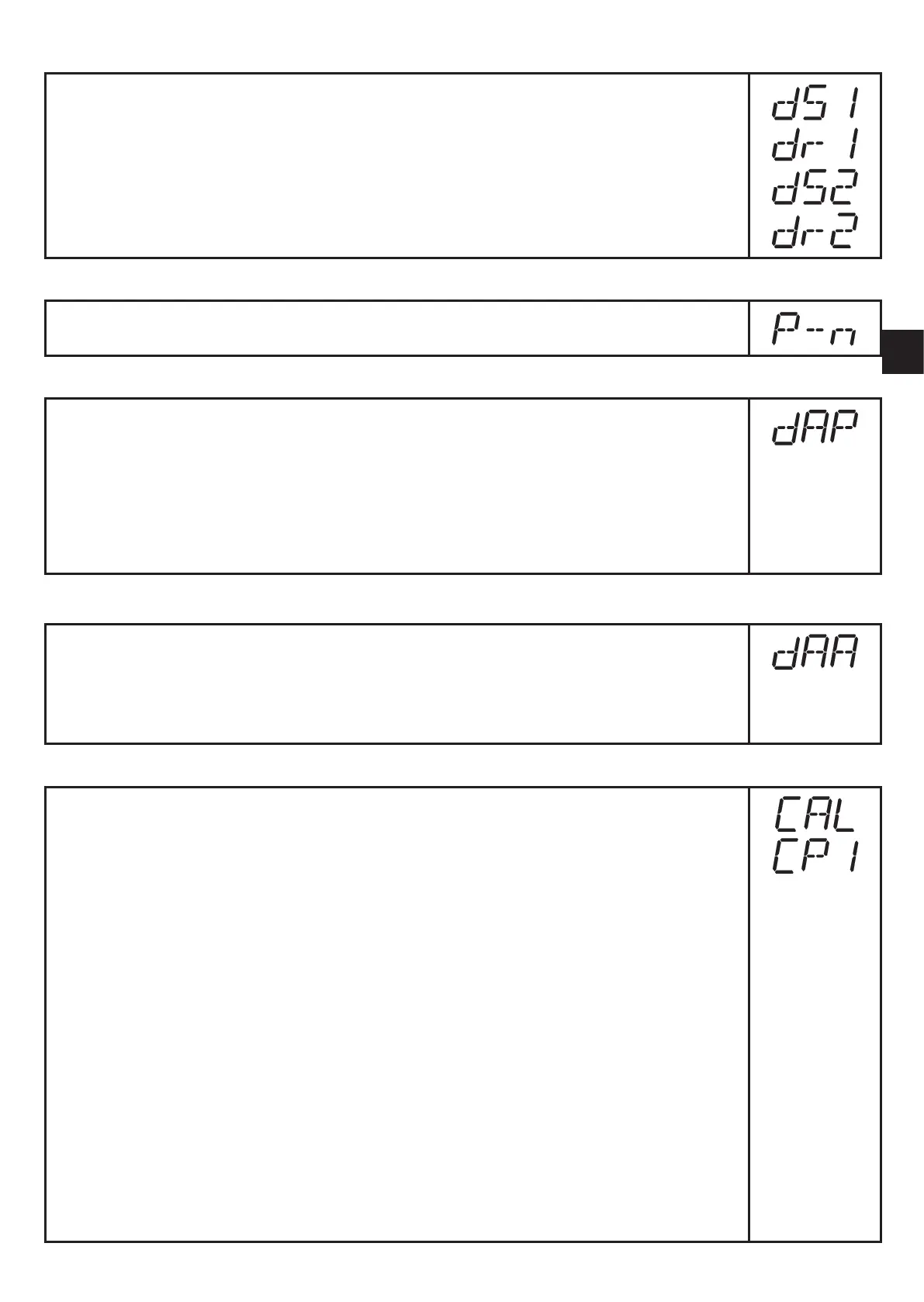
[dS1] / [dS2] = switch-on delay for OUT1 / OUT2.
[dr1] / [dr2] = switch-off delay for OUT1 / OUT2.
► Select [dS1], [dS2], [dr1] or [dr2] and set a value between 0.1 and 50 s
(at 0.0 the delay time is not active).
9.4.4 Set output logic for the switching outputs
► Select [P-n] and set [PnP] or [nPn].
9.4.5 Set damping for the switching signal
► Select [dAP] and set a value between 0.00 and 30.00 s; (at 0.00 [dAP]
is not active).
dAP value = response time between pressure change and change of the
switching status in seconds.
[dAP] influences the switching frequency: f
max
= 1 ÷ 2dAP.
[dAP] also has an effect on the display.
9.4.6 Set damping for the analogue signal
► Select [dAA] and set a value between 0.01 and 99.99 s; (at 0.00 [dAA]
is not active).
dAA value = response time between pressure change and change of the
analogue signal in seconds.
9.4.7 Calibrate curve of measured values
► Set a defined reference pressure between ASP and AEP in the system.
► Select [CAL].
► Briefly press [Set].
> [CP1] is displayed.
► Press [Set] for 5 s.
> The pressure measured by the unit is displayed.
► Press [Set] until the set reference pressure is indicated (measured
pressure = reference pressure) or the corresponding analogue signal is
provided on OUT2.
Maximum correction value = ± 2 % of the final value of the measuring
range.
► Briefly press [Mode/Enter].
> [CP1] is displayed.
► Briefly press [Mode/Enter].
> [CP2] is displayed.
Continue with a) or b).



 To Next Page