10 2. Installation – Linking System
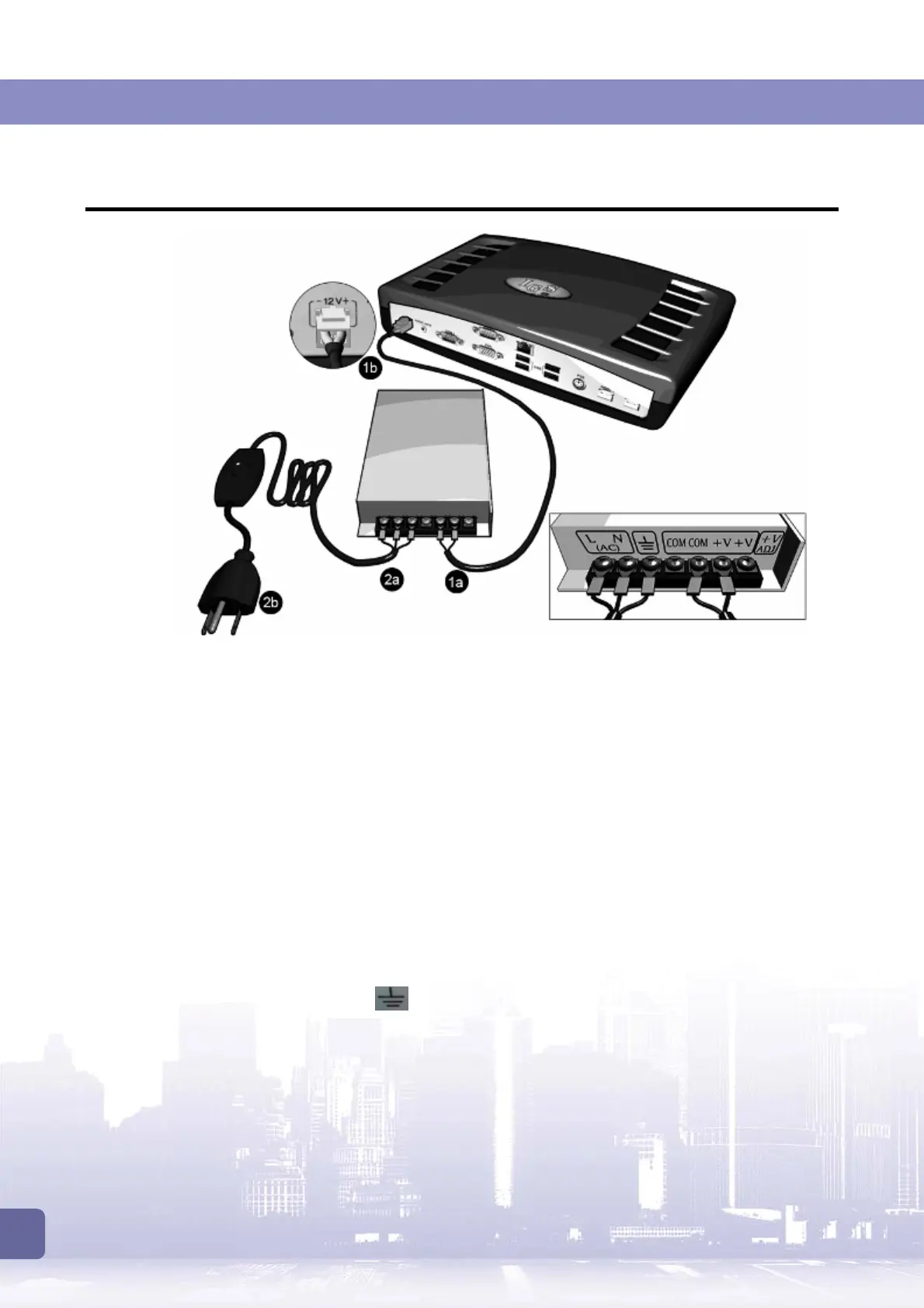
2.1 Connecting Control Box to Power Supply
1. PW02 2P Power Cable Connection
1a.
Secure the wires to the screws terminals on the power supply. Make sure to follow the
color coding as shown below.
Black Cable
→
COM
Yellow Cable
→
+V
1b.
Connect the other end to the
12V+
jack on the control box.
2. PW03 AC Power Cable Connection
2a
. Secure the wires to the screw terminals on the power supply. Make sure to follow the
color coding as shown below:
Black Cable
→
(AC) N
White Cable
→
(AC) L
Green Cable
→
(GND)
2b.
Connect the other end to the mains.



 To Next Page