12 2. Installation – Linking System
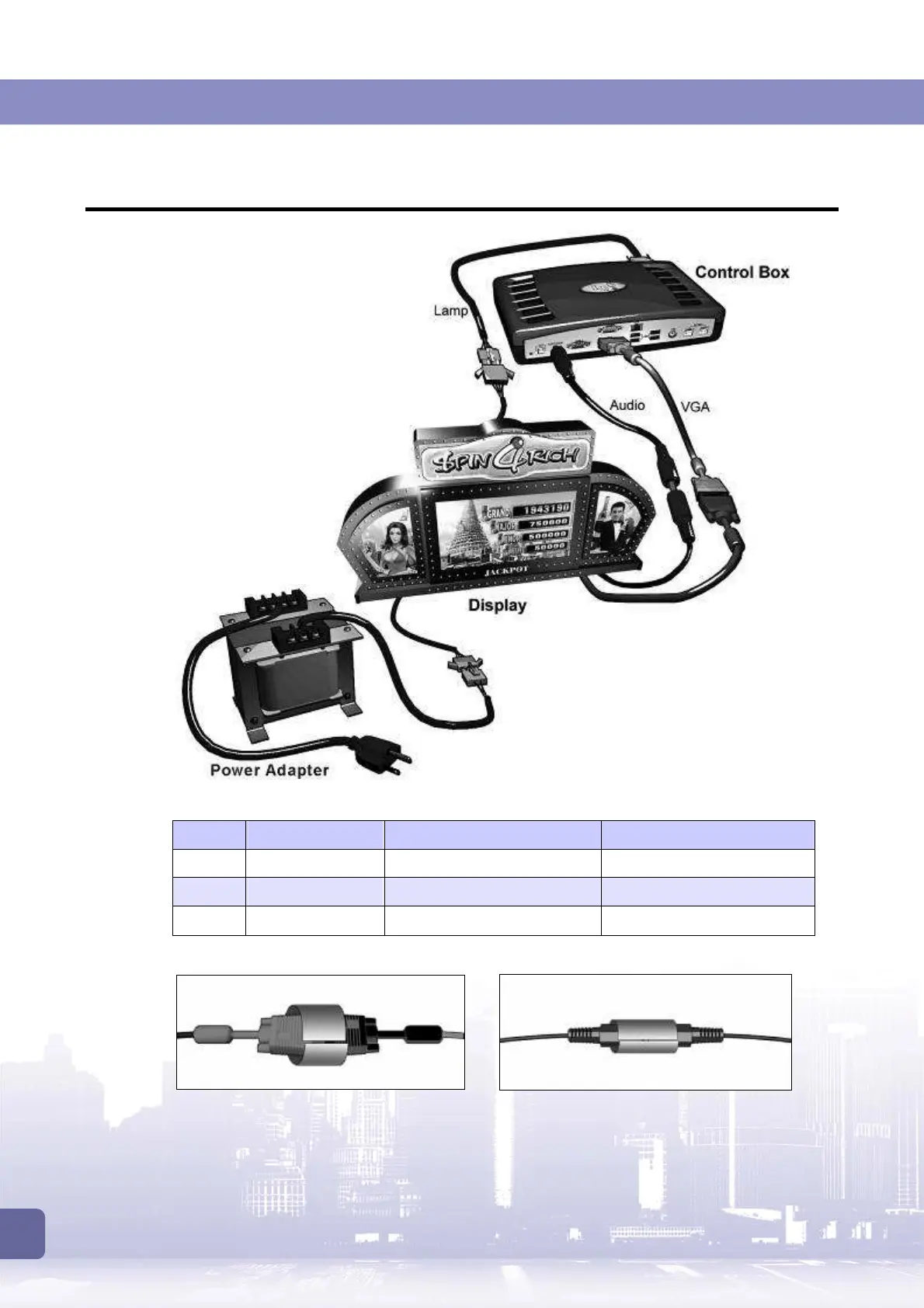
2.3 Connecting Control Box to Display
Refer to the table below to connect the control box to the display.
Type Cable to use Connect from… To…
VGA CO5 VGA cable,
VGA
jack on control box Display’s VGA connector
Audio CO7 audio cable
Audio Jack
on control box Display’s audio connector.
Lamp CO6 lamp cable
I/O 1
port on control box Display’s lamp connector.
*
Please secure the connected VGA and audio cables with extra material to avoid loosening.
Securing VGA connection Securing audio connection
Finally, connect the display to the power adapter. Then the connection is done.



 To Next Page