7. Settings under Linking Mode 27
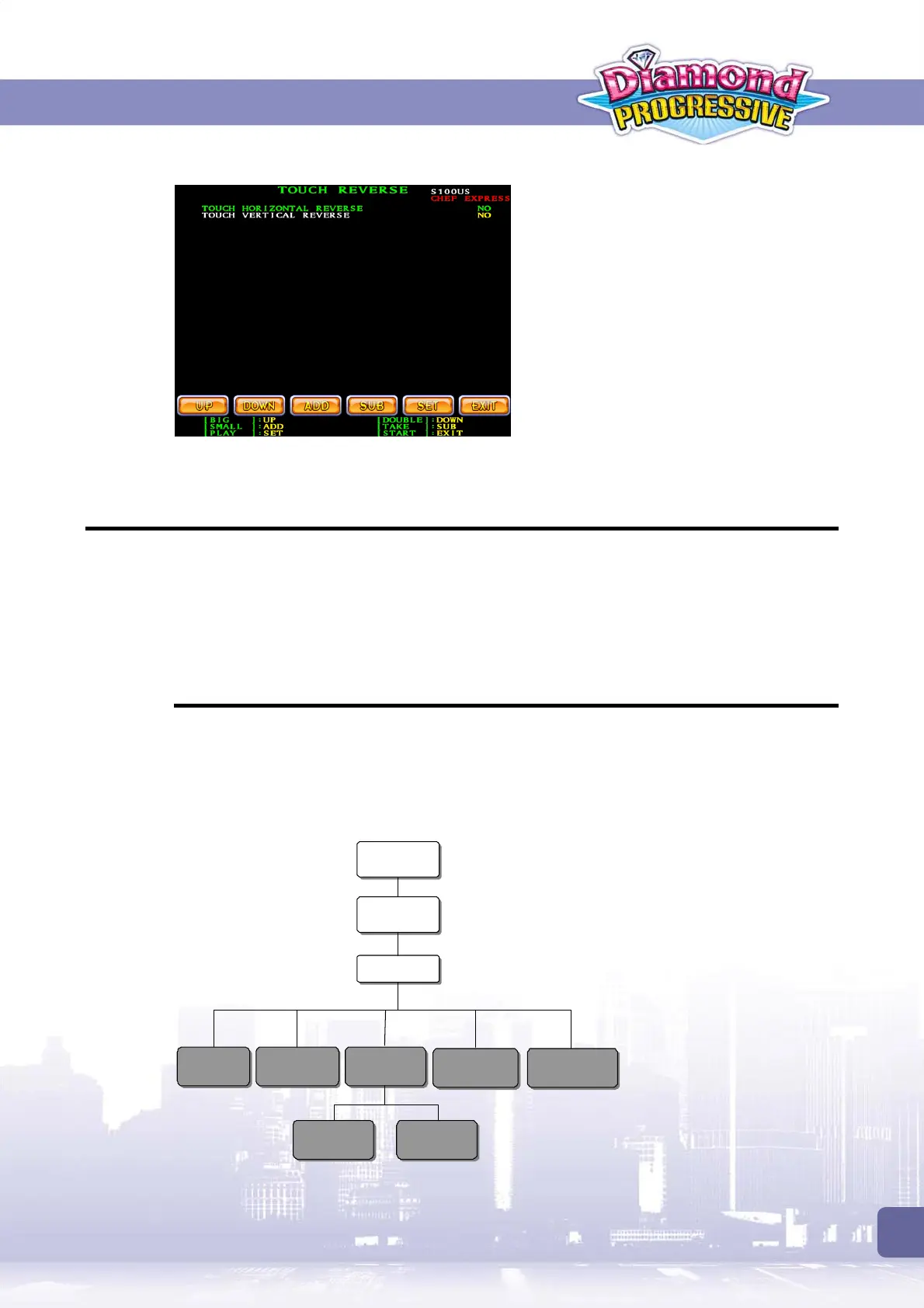
Touch Reverse
If a touch screen is connected, this page
allows you to enable Horizontal Reverse and
Vertical Reverse function as required.
7.2 Overall System Settings
There are two methods to adjust the overall system settings:
1. From the PC board with
Slave ID 1
.
2. From the Control Box.
Whatever the methods you use, the settings will be applied to all the machines.
7.2.1 Setup via 1st Slave Machine
1. At the machine with Slave ID1, press the
[RECORD]
key.
2. Then press
[SMALL]
.
3. Enter the password. The default is pressing
[PLAY]
for 8 times.
The system setup flow chart is as below:
Press
[RECORD]
[SMALL]
SYSTEM
PASSWORD
[BIG]
SHORT TERM
[DOUBLE]
LONG TERM
[SMALL]
ADJUSTMENT
Default password:
Press [PLAY] 8 times
[PLAY]
SET PASSWORD
[TAKE]
SYSTEM RESET
[DOUBLE]
TIME
[BIG]
SYSTEM



 To Next Page