60 Appendix A Network Settings
Appendix A Network Settings
To access the control box’s Web-based setup system, your computer must be in the same
subnet as the control box. To this end you should correctly configure the computer’s network
settings. The following is using Windows 2000 as example.
1. Right-click
My Network Place
on the desktop and select
Properties
. The
Network and
Dial-up Connection Windows
will appear.
2. Right-click
Local Area Connection
and select
Properties
.
3. Select
Internet Protocol (TCP/IP)
and click
Properties
to configure your TCP/IP settings.
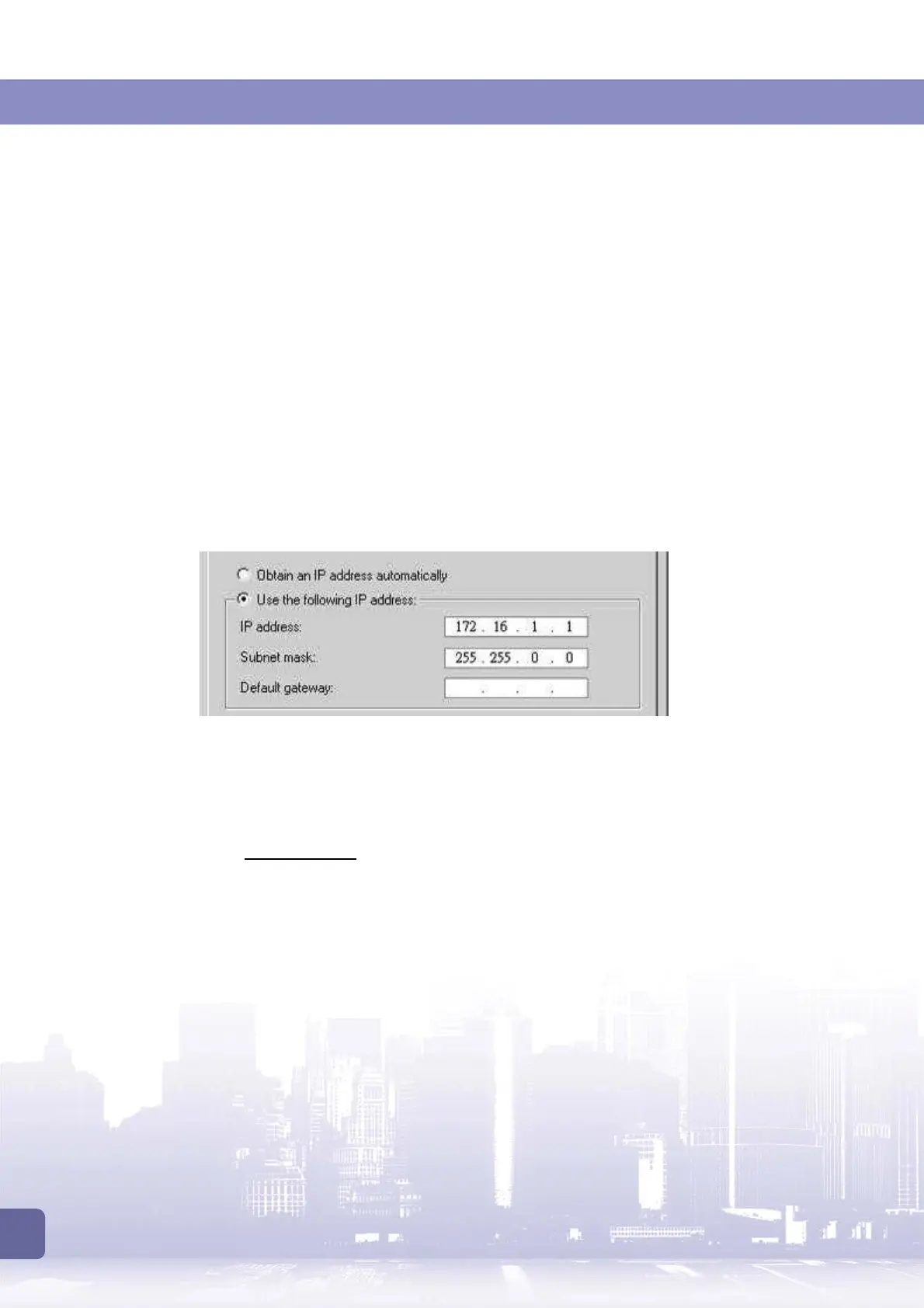
4. Select the
Use the following IP Address
option.
5. Enter these settings:
IP address: 172.16.1.1
Subnet mask: 255.255.0.0
6. Ignore other settings and click
OK
.
Once the network settings are done:
1. Open a browser on your computer.
2. Enter http://172.16.1.2
in the URL field.
3. Then you will enter the system settings screen



 To Next Page