31
b) Precautions
As the SIDE PIN and TRAPEZOID settings are
stored as the data for each signal format, do not
perform the following operations during the
setting. Performing any of the switching below will
call the data in a different format and clear the
data you are now working on.
Switching channels
Changing input signal format
Switching SCAN
Switching ASPECT
c) Adjustment procedure
① Input signal
Check the MENU 1 format is set properly to the
signal format to be changed.
For details of the format setting, refer to 4.7(3) in
this manual.
Input a crosshatch signal or select the crosshatch
internal TEST signal.
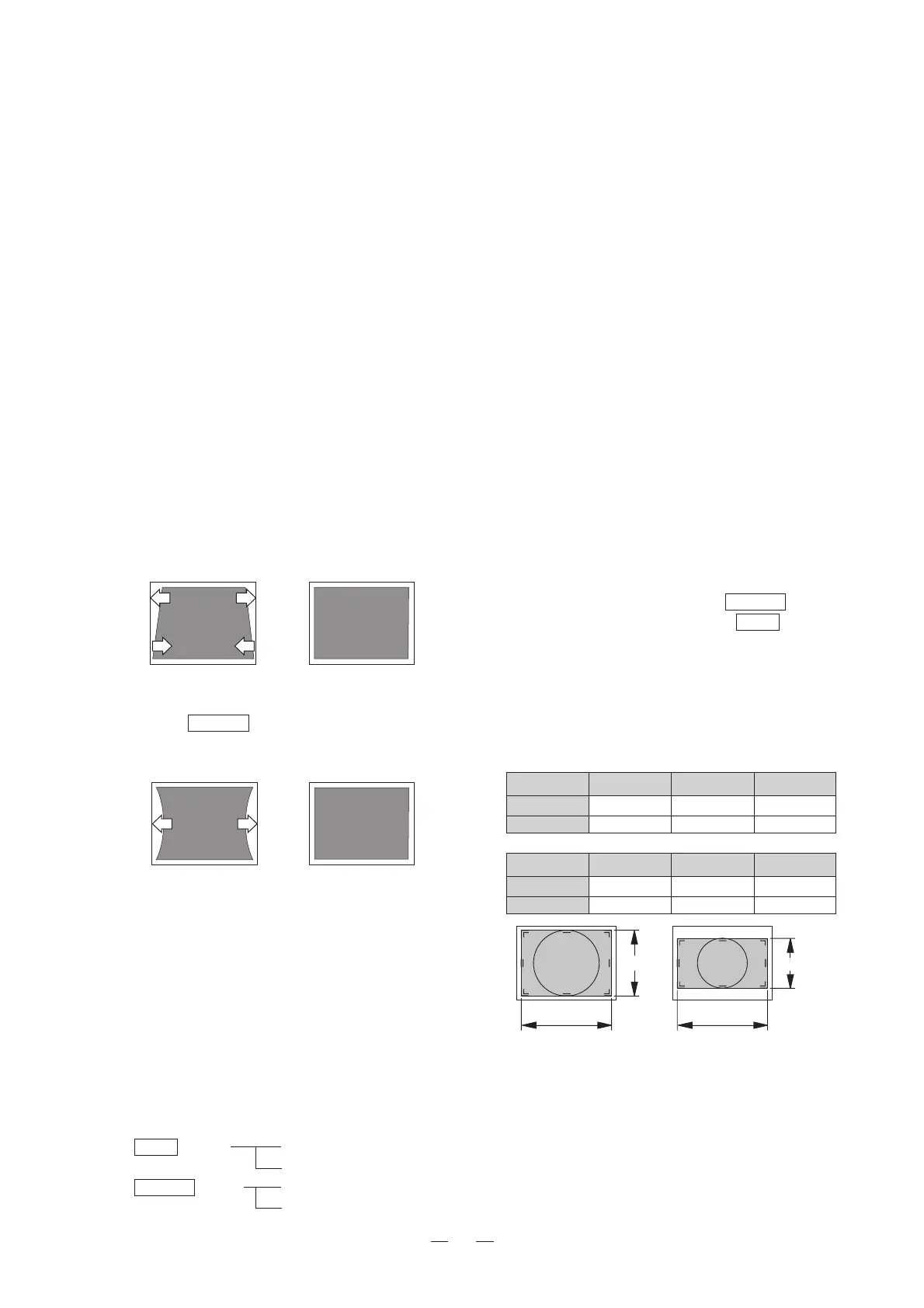
② Adjusting TRAPEZOID
Set the EXPAND switch to ON. The TRAPEZOID
adjustment mode is entered. Adjust the trapezoid
as shown in the figure below.
③ Adjusting SIDE PIN
Set the EXPAND switch to ON again. The SIDE
PIN adjustment mode is entered. Correct the side
pin distortion as shown in the figure below.
④To change the settings in ② and ③, together with
other modifications, for a different format, first
press the CHANGE PRESET switch to save the
data and then switch the signal to a different
format.
(9) Adjusting the screen size
a) Screen size
Set the screen size using HEIGHT and WIDTH.
The following four sizes can be set for these two
data per signal format (three sizes for HDTV). In-
dividual data is provided for all formats which can
be input, for the following sizes.
SCAN switch NORMAL SCAN
UNDER SCAN
ASPECT switch 4:3 SCAN
16:9 SCAN
<
NG
><
OK
>
<
NG
><
OK
>
b) Precautions
As the HEIGHT and WIDTH settings are stored
as the data for each signal format, do not perform
the following operations during the setting.
Performing any of the switching below will call the
data in a different format and clear the data you
are now working on.
Switching channels
Changing input signal format
Switching SCAN
Switching ASPECT
c) Adjustment procedure 1
(HDTV/SDTV UNDER SCAN)
Adjust HEIGHT and WIDTH for HDTV (16:9) and
SDTV (4:3/16:9) UNDER SCAN as follows.
① Input signal
Check the MENU 1 format is set properly to the
signal format to be changed.
For details of the format setting, refer to 4.7(3) in
this manual.
The input signal should be one having a circle pat-
tern, which can display video on the whole active
screen area.
② Adjusting HEIGHT and WIDTH
1.
Set the desired aspect using the ASPECT switch,
and set UNDER SCAN using the SCAN switch.
2. Set the MARKER switch to ON, and select the
100% marker.
3. Adjust HEIGHT and WIDTH so that the 100%
marker size becomes the UNDER SCAN size in
the following table.
<UNDER SCAN Sizes>
HTM-1517R
ASPECT FORMAT HEIGHT WIDTH
4 : 3 SD 203mm 270mm
16 : 9 SD/HD 152mm 270mm
HTM-1917R
ASPECT FORMAT HEIGHT WIDTH
4 : 3 SD 270mm 360mm
16 : 9 SD/HD 203mm 360mm
* Before proceeding to adjust another SCAN size,
be sure to press the CHANGE PRESET switch
now to store the current data.
d) Adjustment procedure 2
(HDTV/SDTV NORMAL SCAN)
Adjust HEIGHT and WIDTH for HDTV (16:9) and
SDTV (4:3/16:9) NORMAL SCAN as follows.
HEIGHT
WIDHT
HEIGHT
WIDHT
〈4:3(UNDER)size〉 〈16:9(UNDER)size〉



 To Next Page