39
4-8 Messages Displayed on the Screen
Message Explanation
ALL LOCK
Cause: This message is displayed during the LOCK mode (see 4.7(7)) or when FILE 1 , FILE 2
or FILE 3 switch is pressed.
Action: Release the LOCK mode (UNLOCK), and resume the operation.
PRESET&FILE LOCK
Cause: This message is displayed when CHANGE PRESET switch or STORE FILE switch is
pressed during the PRESET FILE setting in the LOCK mode (see 4.7(7)).
Action: Release the LOCK mode (UNLOCK), and resume the operation.
CHANGEPRESET → ON
Cause: This message is displayed when each PRESET switch is pressed while
CHANGE PRESET switch is OFF.
Action: Set CHANGE PRESET switch to ON, and resume the operation.
CHANGE PRESET → OFF
Cause: This message is displayed when each PRESET switch is pressed while
CHANGE PRESET switch is ON.
Action: Set CHANGE PRESET switch to OFF, and resume the operation.
DELAY → OFF
Cause:
This message is displayed when BRIGHT PRESET switch is pressed in the DELAY mode.
Action: Cancel the DELAY mode, and resume the operation.
APT → ON
Cause: This message is displayed when APT PRESET switch is pressed while APT switch is
OFF.
Action: Set APT switch to ON, and resume the operation.
STORE FILE → OFF
Cause: This message is displayed when CHANGE PRESET switch is pressed while FILE 1 to
FILE 2 are blinking by pressing STORE FILE switch.
Press STORE FILE switch to cancel the selection prompt (blinking), and resume the
operation.
MANUAL → OFF
Cause: This message is displayed when PRESET switch is pressed while any MANUAL control
is set to the MANUAL mode.
Action: Set to the PRESET mode, and resume the operation.
MENU → OFF
Cause: This message is displayed when CHANGE PRESET wswitch is pressed with MENU on.
Action: PRESET data cannot be changed with MENU on. Exit the MENU, and resume the
operation.
NO OPERATION
Cause: This message is displayed when the operation is wrong or invalid.
Action: Check the operation procedure and try again.
ENTER CORRECT PASSWORD
Cause: This message is displayed when wrong password is entered while setting the LOCK
mode in the MENU 5.
Action: Check the password and enter correctly.
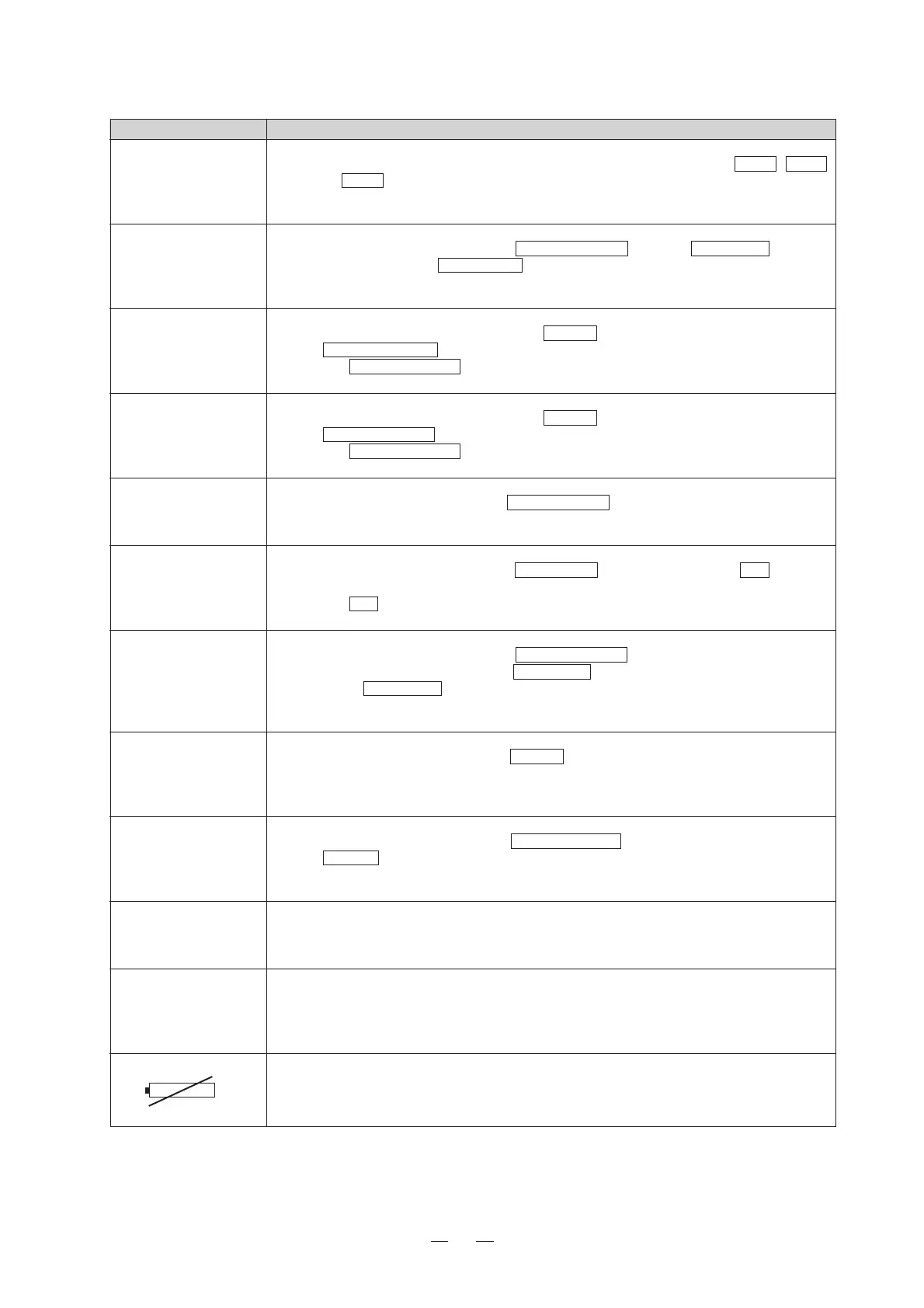
Cause: This mark is displayed when the MPU BOARD data backup lithium battery is low.
Action: Replace the battery immediately. Refer to the service manual for the replacement method.









 To Next Page