Page 34 AMAZON2 SERIES Operation Manual
Pioneer in Digital Vision Technology
4. Basic Operation and Features
The Amazon2 Series employs a progressive scan CCD sensor which provides features according to each model.
Basic functions and features are similar while each camera has its own specific function support. The Amazon2
Series fully supports the GigE Vision Standard with regard to registers, video format, mode of operation and control.
4.1. Brightness
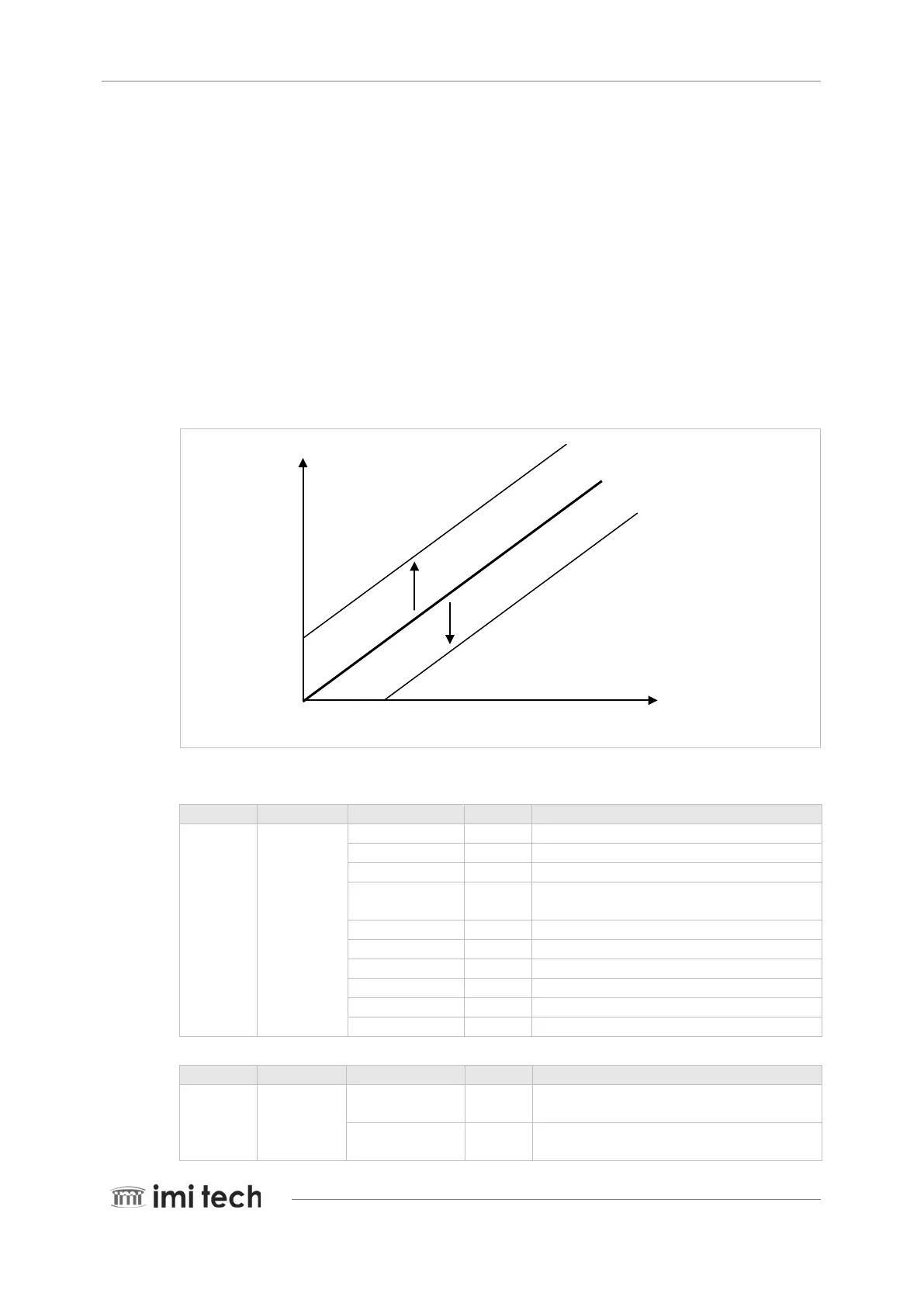
Brightness of the camera can be controlled by changing the black level in the camera. The user can determine the
setting of the camera and control it using the status control register. Adjust the brightness if the appropriate
gradation cannot be obtained due to blurring of the black portions of the image. The parameters of Brightness are
changed inside the camera. For brightness, the parameters are shifted by the black level.
4095
0 4095
Inquiry Register
Address Name Field Bit Description
F0F00500h BRIGHTN
ESS_INQ
Presence_Inq [0] Presence of this feature
Abs_Control_Inq [1] Capability of control with absolute value
- [2] Reserved
One_Push_Inq [3] One push auto mode (Controlled automatically by
camera only once)
ReadOut_Inq [4] Capability of reading the value of this feature
ON/OFF_Inq [5] Capability of switching this feature ON and OFF
Auto_Inq [6] Auto Mode (Controlled automatically by camera)
Manual_Inq [7] Manual Mode (Controlled by user)
Min_Value [8..19] Minimum value for this feature control
Max_Value [20..31] Maximum value for this feature control
Status Control Register
Address Name Field Bit Description
F0F00800h BRIGHTNESS Presence_Inq
[0] Presence of this feature
0: N/A, 1: Available
Abs_Control [1] Absolute value control
0: Control with value in Value field


 To Next Page