Chapter 3 Environment description and installation
3-1
Chapter 3 Environment description and installation
3.1Environment
The environment will directly effect the operation and the life of the inverter, so install the
inverter in an environment that complies with the following conditions:
Ambient temperature:
-10~+50
Avoid exposure to rain or moisture.
Avoid direct sunlight.
Avoid smoke and salinity.
Avoid erosive liquid and gas.
Avoid dust and small metal pieces.
Keep away from radiative and flammable
materials.
Avoid electromagnetic interference (soldering machine, power machine).
Avoid vibration (punching machine). Add a vibration-proof pad if the situation can not be
avoided.
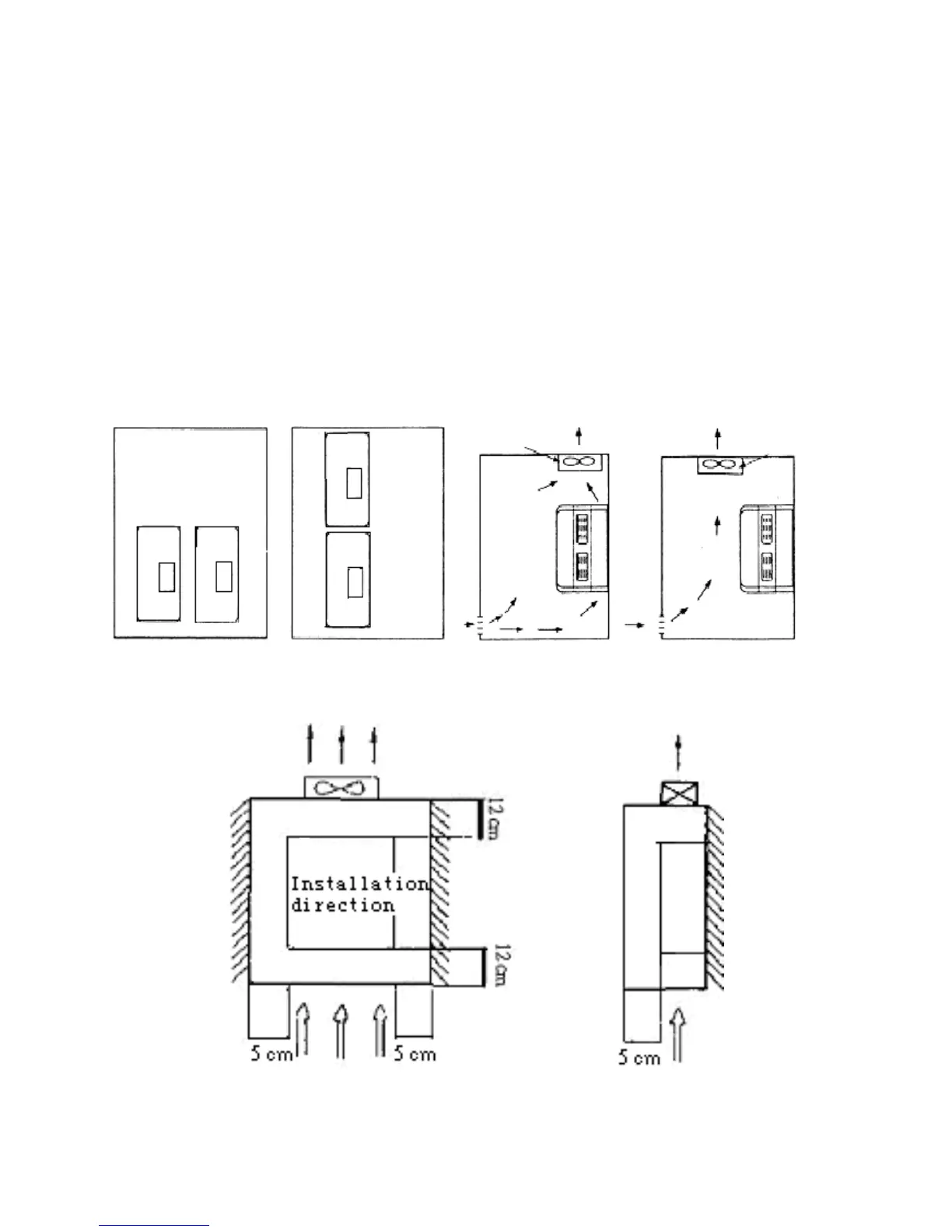
If several inverters are placed in the same control panel, add extra heat dissipators to keep
the temperature below 50
P
o
P
C.
(Correct configuration) (Incorrect configuration) (Correct configuration) (Incorrect configuration)
Place the front side of the inverter onward and top upward to help heat dissipation.
(A)Front view (B)Side view
Inside the power
distributor
(PE)
Inside the
power
distributor
Air exchanging fan
Air exchanging fan
Inside the
power
distributor
iDrive iDrive
iDrive
iDrive
iDrive



 To Next Page