Chapter 5 Trouble shooting and maintenance
5-14
5.5 Maintenance and inspection
The iDrive doesn’t need daily inspection and maintenance.
To ensure long-term reliability, follow the instructions below when performing regular inspection.
ALWAYS turn the power off and wait for the keypad LED display to extinguish before inspection
or maintenance begins to avoid potential shock hazard caused by high residual charge in the DC
link capacitors.
If in doubt wait 10 minutes after switching off power supply, then test across terminals + and – with
a multi-meter for the presence of DC voltage.
(1) Clean up any accumulation of dust or foreign matter inside the inverter.
(2) Check if there are any loose terminal screws and securing screws. Tighten all loose screws.
(3) Insulation tests
(a) Disconnect all leads connecting iDrive with external circuits when performing insulation
tests.
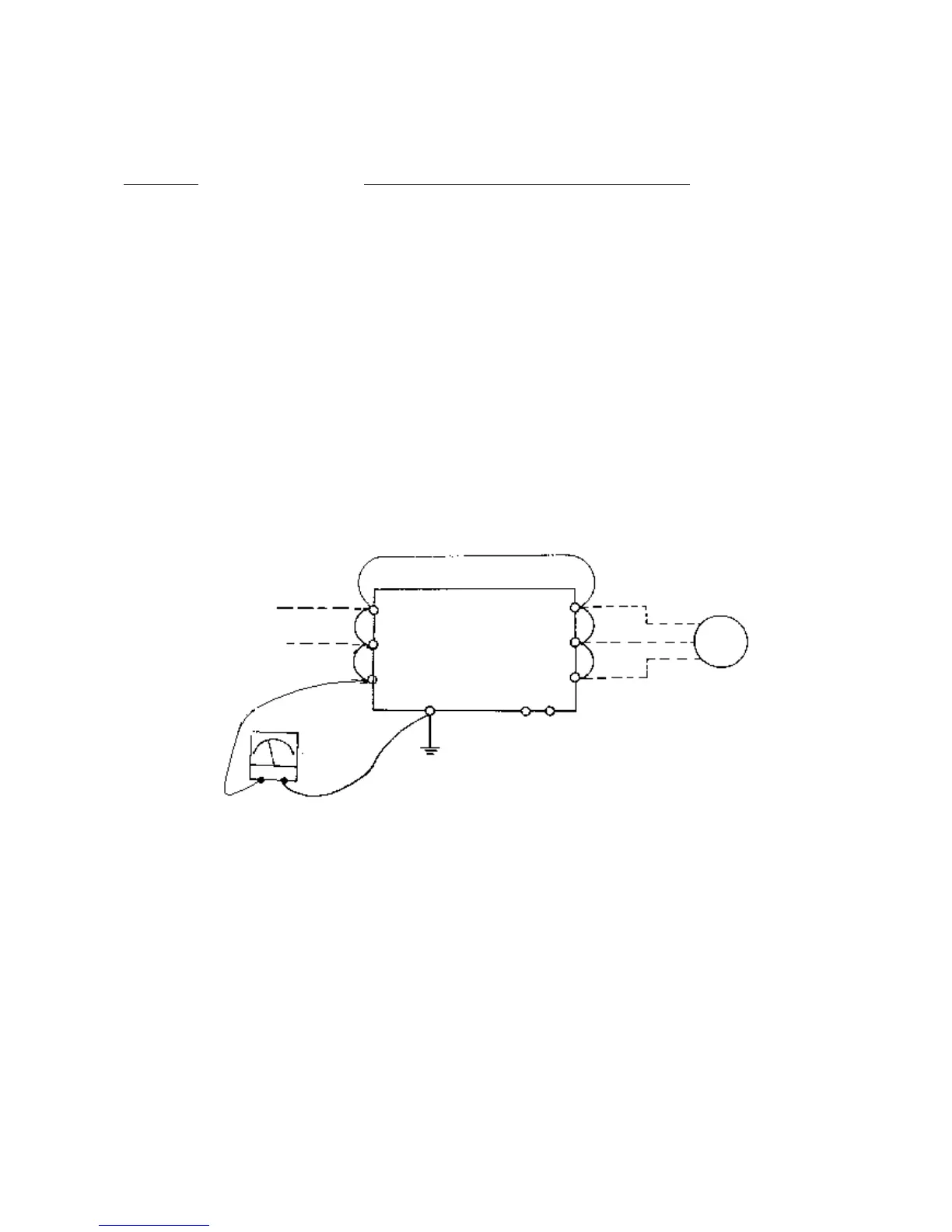
(b) Internal insulation test should be performed on the main circuit of the iDrive only. Use a
high resistance 500VDC meter with insulating resistance higher than 5MΩ.
See diagram below: -
耐压绝缘测试的接线图
PE
DC-500V hi



 To Next Page