Chapter 4 Software index
4-9
4.3 Parameter Function Description
Basic ‘A’ parameter functions
A00 Operation Control
(Run Command)
000: Keypad
001: External Terminal
002: Communication Control
1.) A00 = 000, inverter RUN/STOP command is from keypad.
2.) A00 = 001, inverter RUN/STOP command is from external terminals.
3.) A00 = 002, inverter RUN/STOP command by serial communication.
A01 Frequency Control
(Speed Reference Source)
000: UP/Down keys on keypad
001: VR on keypad (Potentiometer)
002: Control terminal 10 input signal (TM2)
003: Multi-function input terminal UP/DOWN function
004: Frequency set by serial communication
(When b85 = 1: Remote keypad has priority)
1.) A01 = 001, when one of parameter group b35 ~ b38, or b41 is set to 015 and multi-function
input terminal is OFF, the frequency is set by VR on keypad. If the multi-function input
terminal is ON, the frequency is set by analog signal (auxiliary speed) from TM2.
2.) A01 = 002,when one of parameter group b35 ~ b38, or b41 is set to 015 and multi-function
input terminal is OFF, the frequency is set by analog signal (auxiliary speed) from TM2. If the
multi-function input terminal ON, the frequency is set by VR on keypad.
3.) Up/Down terminal: please refer to description of parameter group b35~ b38 (multi-function
input terminal).
4.) Priority of reading frequency command: Jog> preset frequency > (Keypad▲▼ or TM2 UP/
Down or communication)
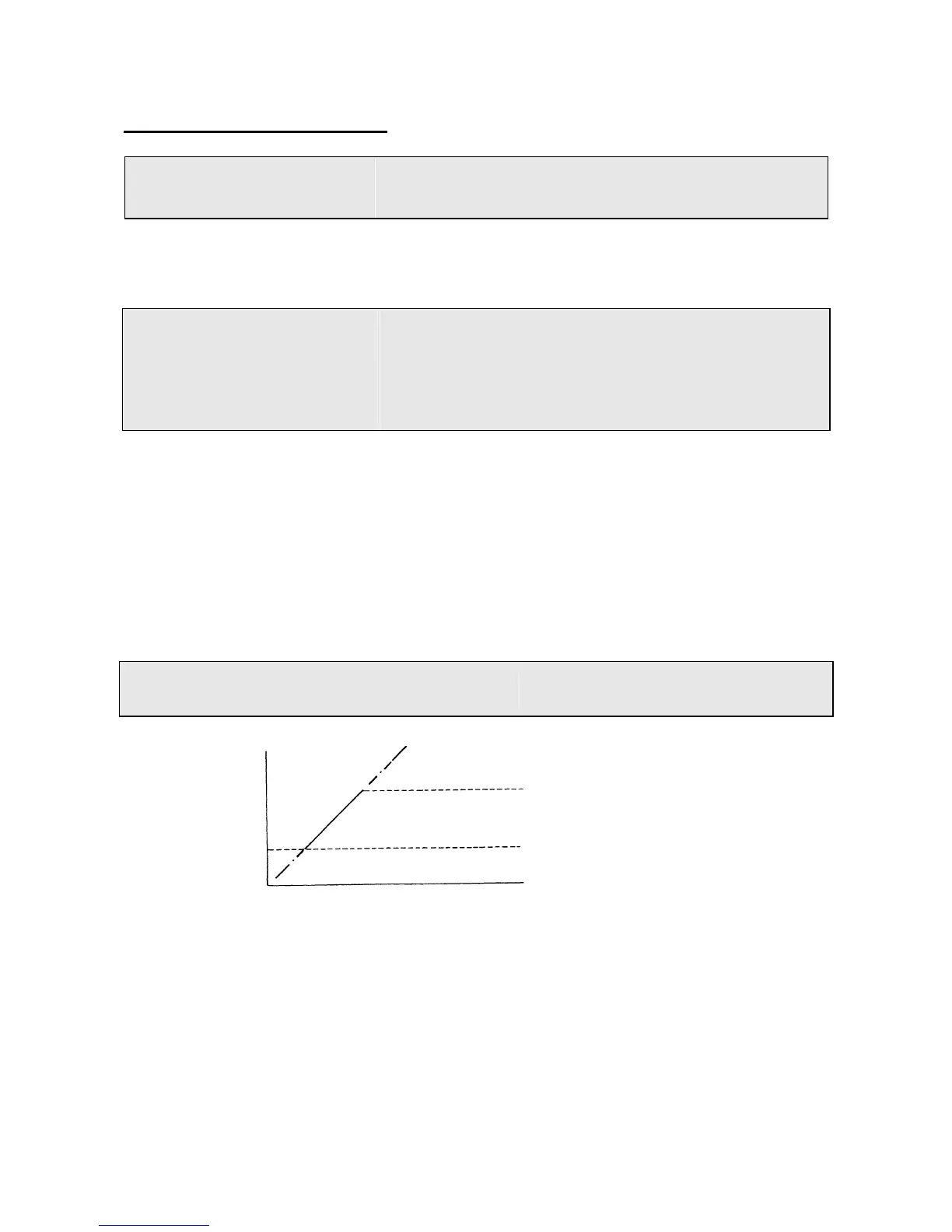
A02 Frequency upper limit (Hz) : 01.0 - 200
A03 Frequency lower limit (Hz): 00.0 - 200
Out put frequency
Note: If A02 = 0 Hz and frequency command = 0Hz, the inverter will zero-speed stop.
If A03 > 0 Hz and frequency command = 0 Hz inverter output will be at A03 set value.
A02 (Frequency upper limit)
(Note)
A03 (Frequency lower limit)
Command Frequency



 To Next Page