EasyManua.ls Logo

IMO iDrive - Idrive Troubleshooting Flowcharts

IMO iDrive
90 pages
Print Icon
To Next Page IconTo Next Page
To Previous Page IconTo Previous Page
Loading...
Chapter 5 Trouble shooting and maintenance
5-7
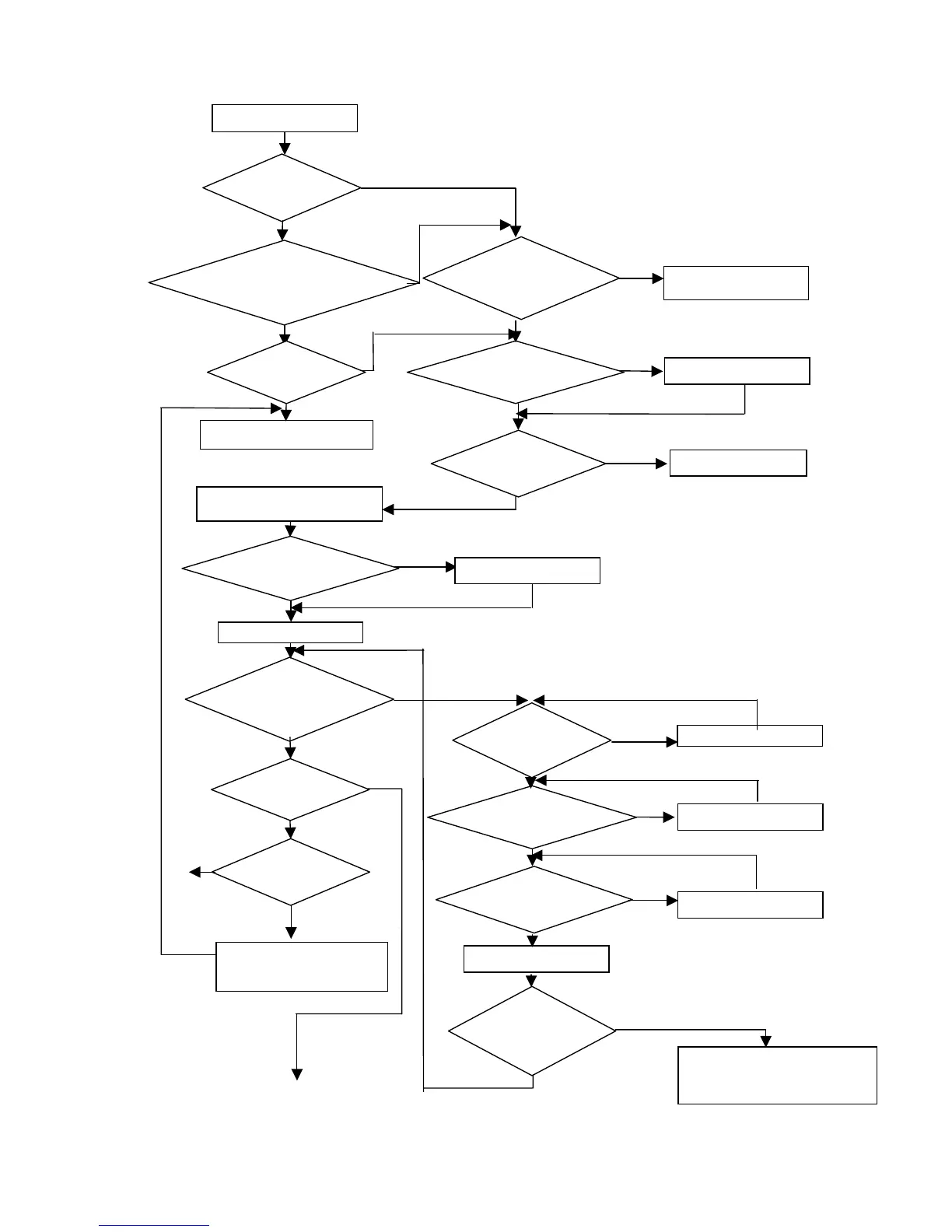
5.3 iDrive Troubleshooting Flowcharts
Is failure fully
understood?
Any symptoms
of burnout ?
Is I.G.B.T
module OK?
Is the main circuit
Diode Module OK
Replace I.G.B.T
Replace Diode Module
Ch
ec
k
b
urnt an
d
d
amage
d
parts
Any abnormalities
in appearances?
Are displays and
indicators of the
operating unit OK
Wh
at
s t
h
e
message?
Any abnormal
display?
Check last 3 values of b97 with
key.
Is the DC input
voltage controlling
the
p
ower correct?
Is +5V control
voltage correct.
Is the error
eliminated after
replacing control
board?
Replace the driver boar
d
Check terminals and
wiring
R
ep
l
ace t
h
e
di
sp
l
ay
Perform detailed checks
The inverter faults
* to next page
YES
YES
YES
YES
N
O
N
O
N
O
N
O
N
O
N
O
N
O
N
O
N
O
N
O
YES
YES
YES
YES
YES
YES
YES
R
ep
l
ace contro
l
b
oar
d
an
d
di
g
ital o
p
eratin
g
unit
N
O
YES
iDrive fault
Symptoms other than burn out,
damage in the inverter?
Ab
norma
l
signal
?
Check according to displayed
abnormal messages
V
i
sua
ll
y c
h
ec
k
contro
ll
er an
d
driver boards
Apply the powe
r
Any abnormal
display?
abnormal values in
b97?
Replace abnormal board
Is LED lit?
N
O
Inverter fault.
Contact your iDrive supplier

Related product manuals