User Manual PROFview XL 2 Start-up
2 Start-up
2.1 Receiving inspection and testing
Carefully unpack the device immediately after receipt and check the consignment. If transport damage is sus-
pected, inform the delivery agent within 72 hours and keep the packaging for inspection. The device must
only be transported in its original or equivalent packaging.
Check the completeness of the consignment against Chapter 6 "Scope of Supply".
2.2 Acclimatizing the device
Before turning on the device, make sure that it has reached the same temperature as the room. This should
take at most 60 minutes.
2.3 Connecting the device
2.3.1 Design
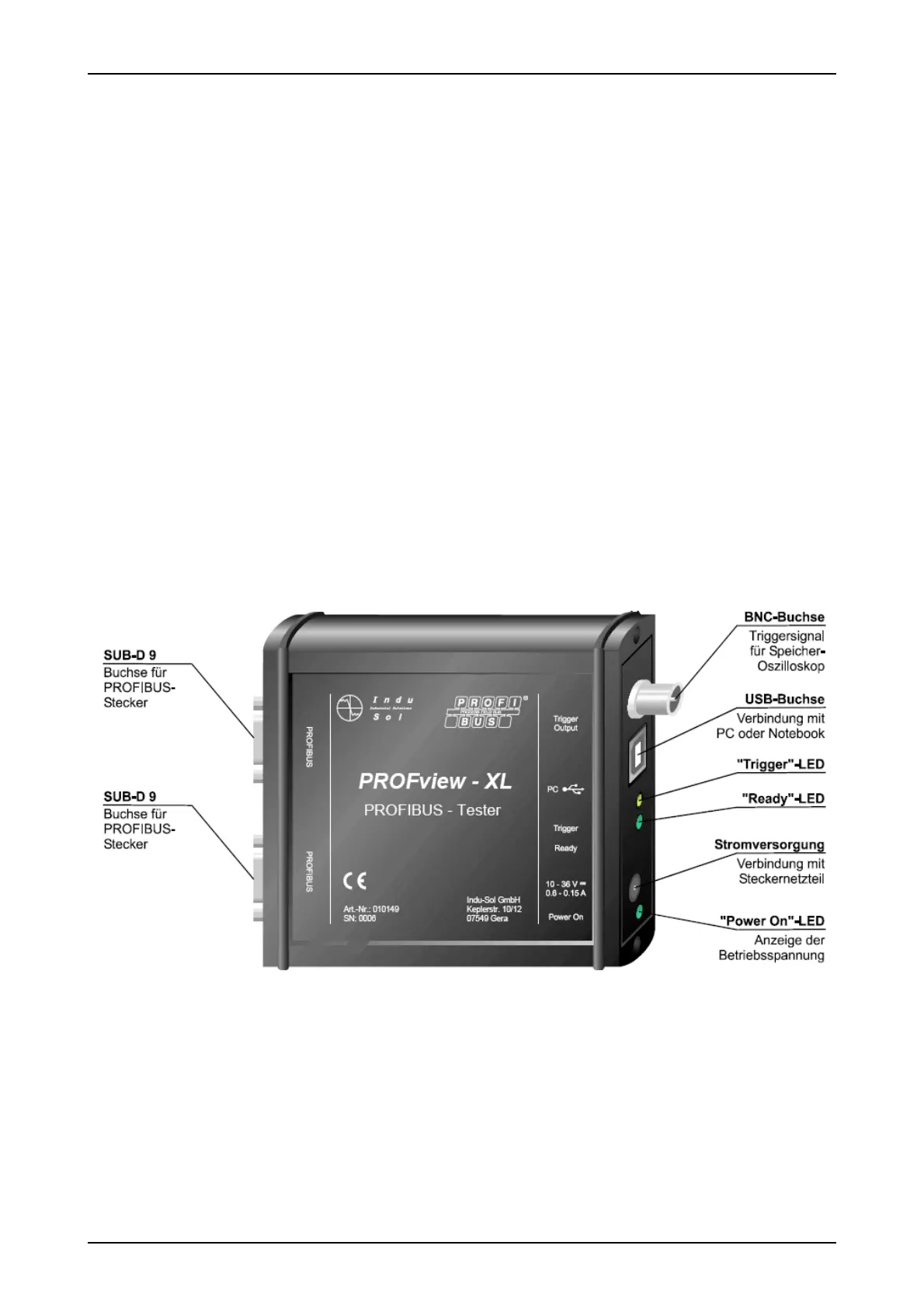
Fig. 1 shows all connections of the PBT. The power supply is provided by the supplied plug-in power adapter
(24 V) via an extra-low voltage socket (to DIN 45323). The inner contact is the plus pole. The "Power On"
LED lights when the correct operating voltage is provided.
The two SUB-D 9 sockets serve for connection to the PROFIBUS plant and for the sampling of the signal
lines A and B (via the adapter board) for evaluation using a digital storage oscilloscope (DSO). The BNC
socket can be connected to the DSO to use the station-related trigger signal.
The connection to the PC or notebook is provided using a USB cable. During operation, the "Ready" LED in-
dicates that the data transfer is running on the connected PROFIBUS. A trigger pulse at the BNC socket is
signaled by the "Trigger" LED.
PROFview XL 3
Fig. 1: Connections of the PBT



 To Next Page