4 The PROFview XL Application Software User Manual PROFview XL
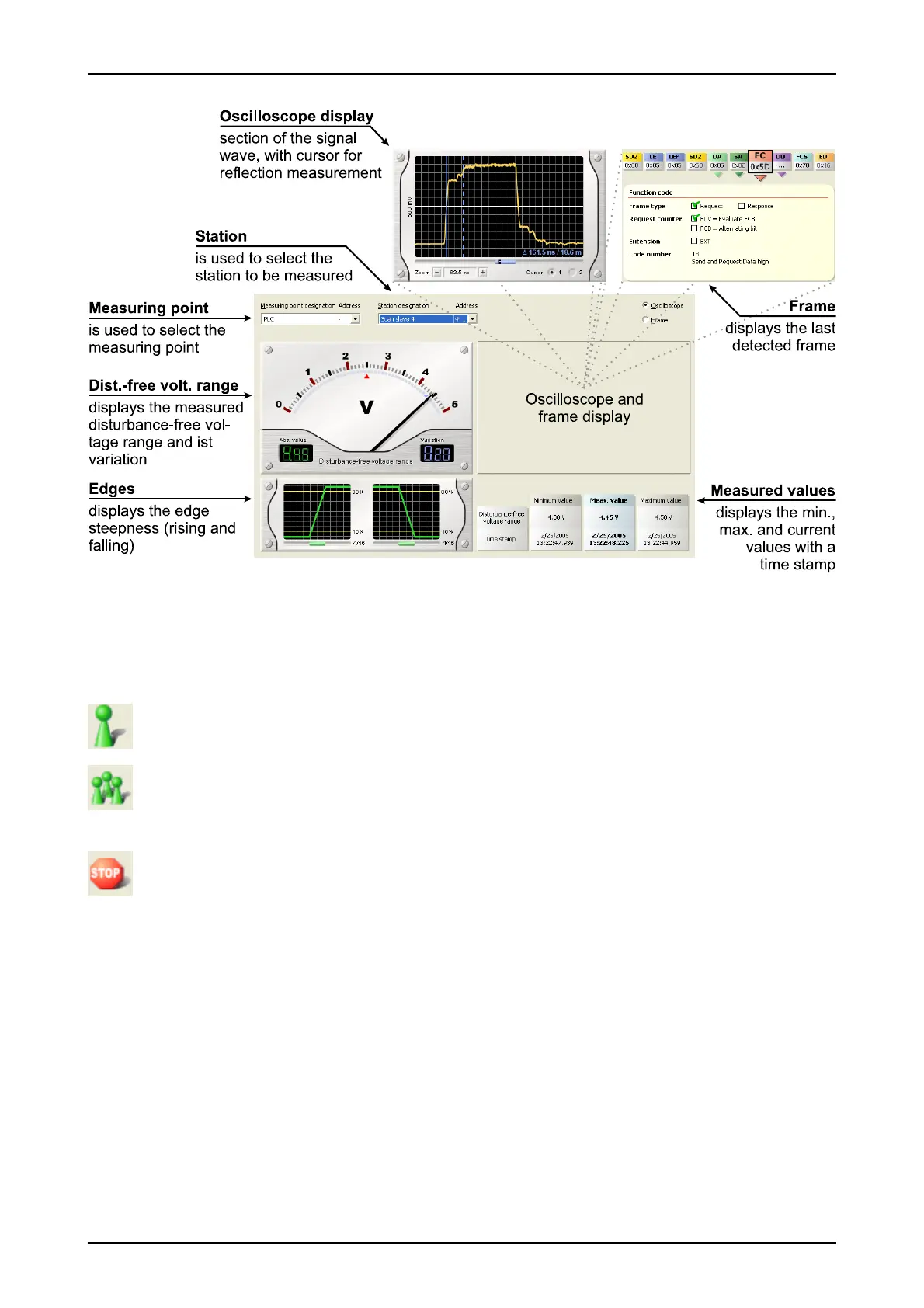
After switching to the "Measure Stations" view ("View" menu or toolbar), you can control the measurement
using the following icons or menu functions ("Measure" menu):
Starts a single measurement (shortcut: F5)
The station to be measured is measured once.
Starts a continuous measurement (shortcut: F6)
The station to be measured is measured cyclically, and the measurement results are displayed im-
mediately. The measurement can be ended via "Stop".
Cancel measurement (shortcut: F8)
Clicking on this button ends the measurement immediately.
The current measurement data are displayed while the measurement is running. Whenever a frame from this
station has been detected, the PBT issues a trigger pulse (trigger LED is lit) to its BNC socket. With this trig-
ger signal, the sent frame can be displayed isochronically on an oscilloscope, as described in the Sections
2.3.4 "Connecting the PROFIBUS Tester to a storage oscilloscope" and 3.2.6 "Triggering to a station ad-
dress".
If it is not possible to determine all measured values for a station (see Section 3.2 "Measuring the physical
bus characteristics") during the set timeout time (see Section 4.12 "Settings"), "Timeout" is displayed. In this
case, check the status of the station in question or increase the timeout time.
24 PROFview XL
Fig. 9: "Measure Stations" view



 To Next Page