4 The PROFview XL Application Software User Manual PROFview XL
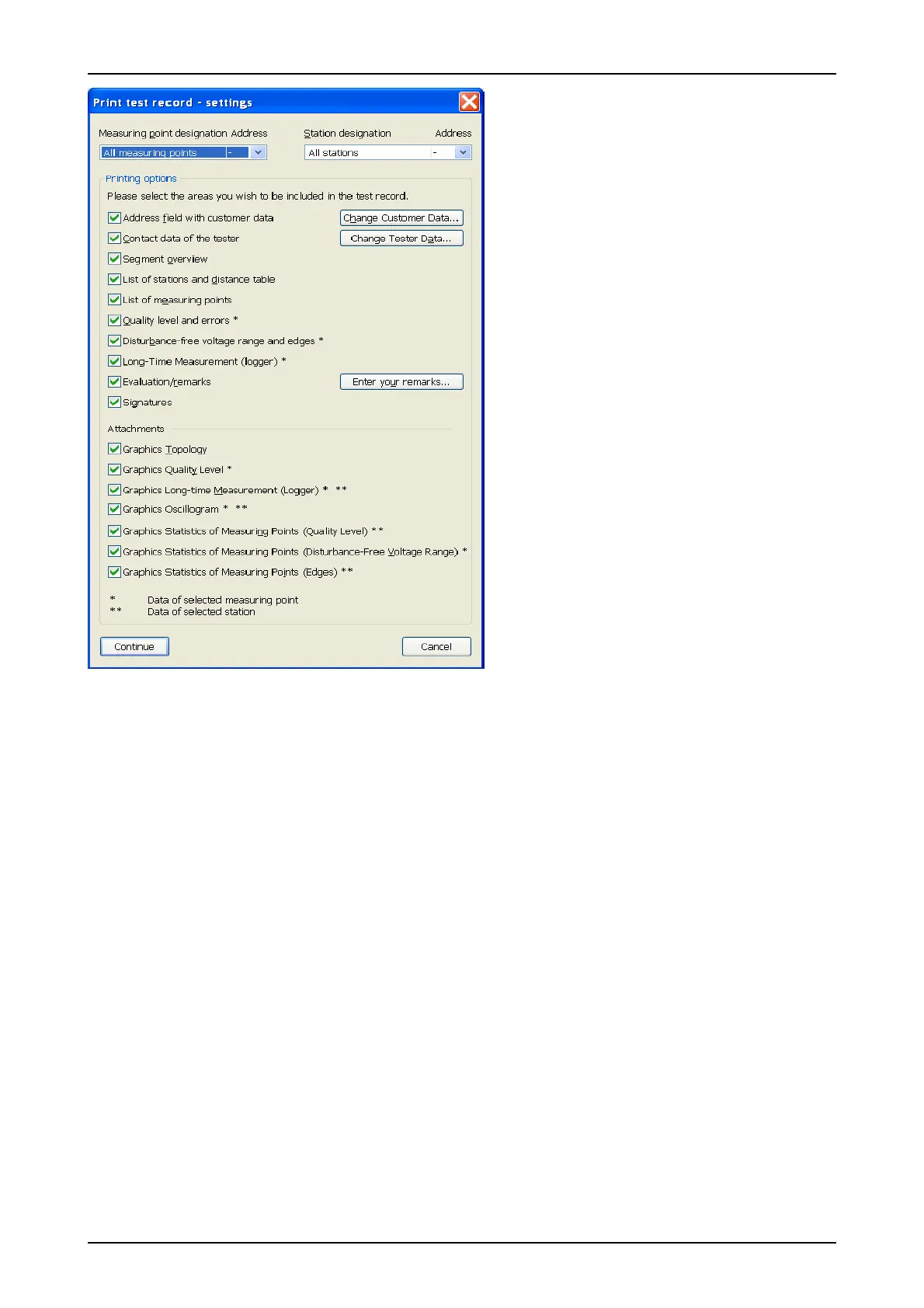
The areas "Address field (customer data)", "Con-
tact data of the tester" and "Signatures" are in-
tended specifically for the service and mainte-
nance companies. The customer address can be
entered under "Change customer data". Access
to the contact data of the tester (= service and
maintenance company) can be obtained under
"Change tester data".
There are various data areas which can only be
printed if the measurement data are also present
for the selected measuring point (*) and/or station
(**). If this is not the case, the relevant toggle
field is disabled.
Various graphics can be printed as an attach-
ment to the test record. If graphics from different
stations are needed, it is also possible to print
them completely one after the other without a test
record.
Note: For reasons of formatting, the test record
can only be printed in DIN A4 portrait format (or
larger).
4.11 Exporting measurement data
4.11.1 CSV file
In addition to the option to output the measurement data as a test record, the contents of a PBT document
can also be specified as a CSV file. This can be read using any standard spreadsheet program to enable the
measured data to be processed further.
If all measurements are completed, the export function can be called using the "File" → "Export" → "CSV file"
menu. Thereafter, a dialog box appears where you can specify the storage location and the name of the CSV
file. Next, a settings dialog is opened to selected the measuring point and the required data areas to be ex-
ported to the CSV file. This dialog is handled similarly to the settings dialog for the test record (see Sec-
tion 4.10 "Printing a test record").
When opening or importing the CSV file to a spreadsheet program, observe the following formatting settings
to ensure that all columns, lines and data formats are read in correctly:
Column delimiter: ; (semicolon)
Line separation: Carriage Return + Line Feed (CRLF = 0x0D0A)
Decimal delimiter: . , (the decimal delimiter set in the system, either a point or a comma)
28 PROFview XL
Fig. 11: Test record settings



 To Next Page