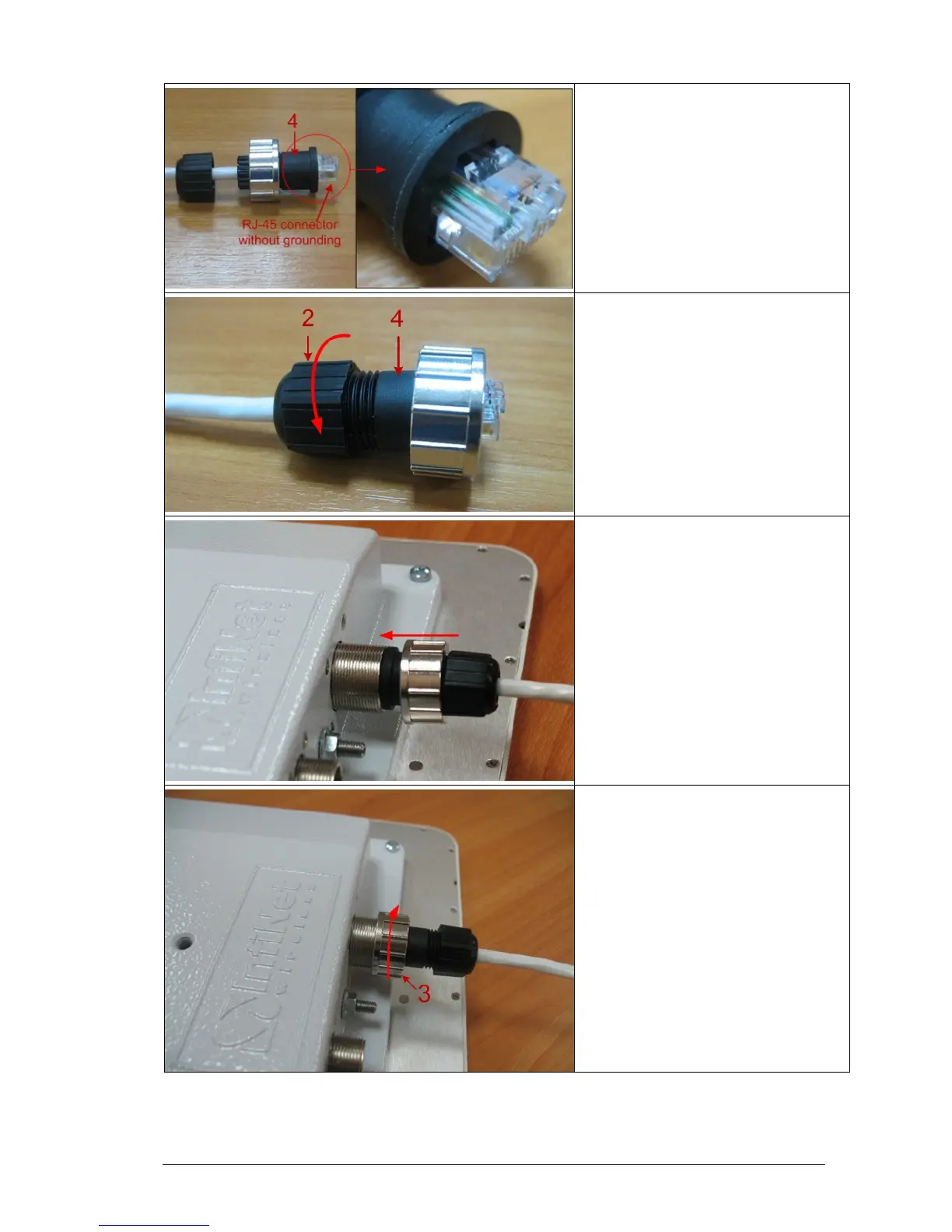
Step 4. Put Part 4 on the attached in
the previous step RJ-45 connector.
Step 5. Screw Part 2 on Part 4. This
fixes the “RJ-45” connector on the
cable. Check that the connector is
properly fixed on the cable.
Step 6. Assemble the connector to the
unit.
Step 7. Fix the connector by screwing
Part 3.
Now the connector is hermetically
attached to the unit.



 To Next Page