InfiNet Wireless R5000 Technical User Manual
Copyright © 2004-2010 by InfiNet Wireless
77
5. Maintenance
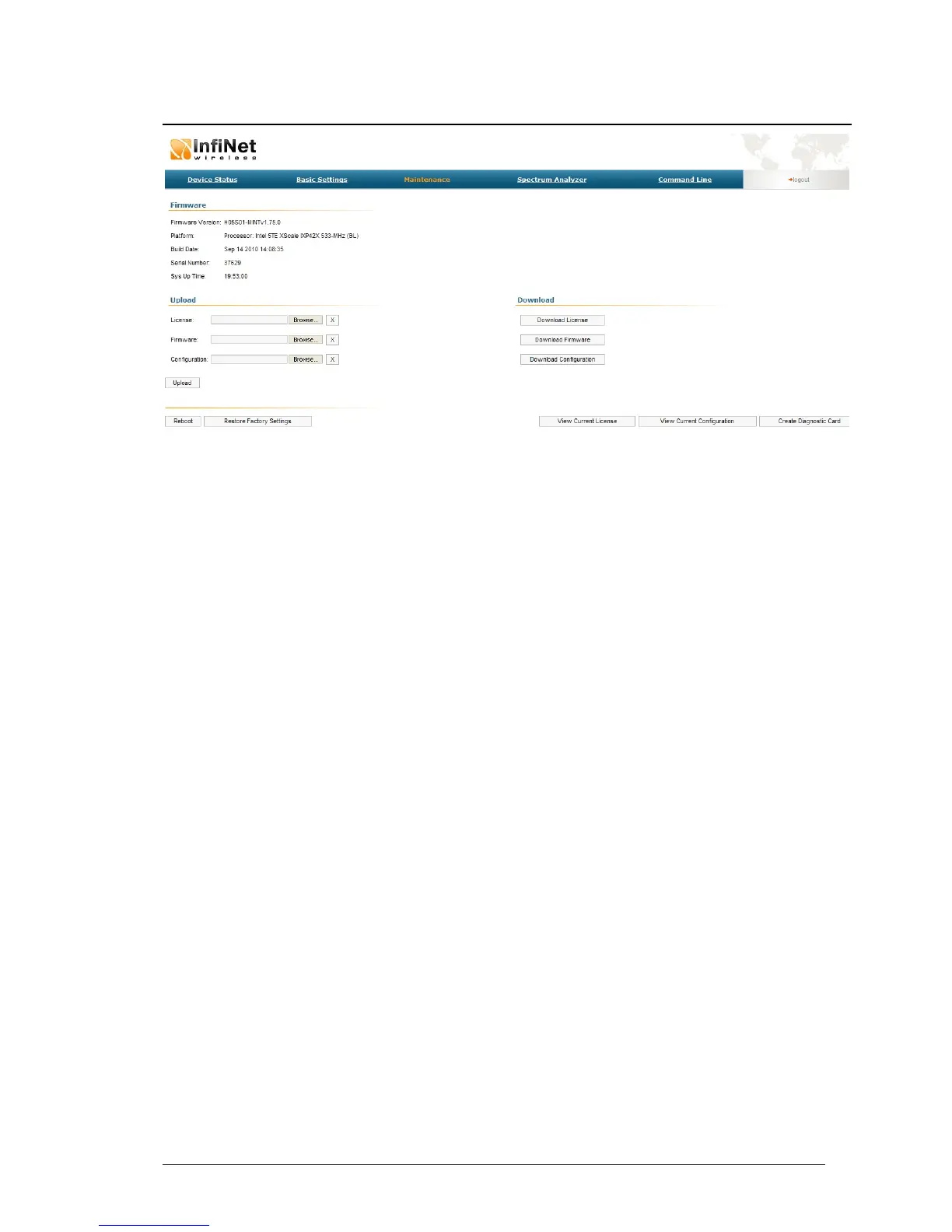
The “Maintenance” page allows performing service tasks for the device
maintenance.
The «Firmware» section of the page shows current firmware version, firmware
build date, serial number and system up time.
The «Upload»/«Download» sections allow uploading and downloading license
files, firmware and configuration on/off the device.
The following buttons can be used:
• «Reboot» button - reboots the device
• «Restore Factory Settings» button - restores factory default configuration
• “View Current License” button - shows current device license parameters
in a separate window
• “View Current Configuration” button - shows current device configuration
in text format in a separate window
• “Create Diagnostic Card” button – Tech Support Reports Generator:
creates a text file that contains complete information set from the device
such as: full device configuration listing, system log output, license
information, “mint map detail” command output, interfaces statistics and
so on.



 To Next Page