InfiNet Wireless R5000 Technical User Manual
Copyright © 2004-2010 by InfiNet Wireless
71
• Transmit Power (dBm) Rx/Tx – transmit power values for remote/local
sides of the link in dBm
• Control Level (dB) Rx/Tx – signal levels for receiving/transmitting (in dB)
measured relative to the minimum possible bitrate
• Current Level (dB) Rx/Tx - signal levels for receiving/transmitting (in dB)
measured relative to the Rx/Tx bitrates that are currently used for the
link
• Bitrate Rx/Tx – the bitrates for receiving/transmitting that are currently
used for the link
• Retries (%) Rx/Tx – measured percentage of the resent packets on the
link for receiving/transmitting
• Errors (%) Rx/Tx – measured percentage of the errors on the link for
receiving/transmitting
• Load (kbps) Rx/Tx – the data load of the link in kilobits per second
• Load (pps) Rx/Tx – the data load of the link in packets per second
The “Refresh” button updates the statistics.
The “Auto Refresh” check-box enables automatic statistics update. The update
frequency (in seconds) can be set by the “Auto Refresh Time” parameter. The
minimal possible value, “0” seconds, makes update process instant.
The “System Log” section allows viewing the unit’s system log. It is possible to
minimize/enlarge the system log window with the corresponding buttons
( ). The “Clear System Log” button deletes all the information from the
system log.
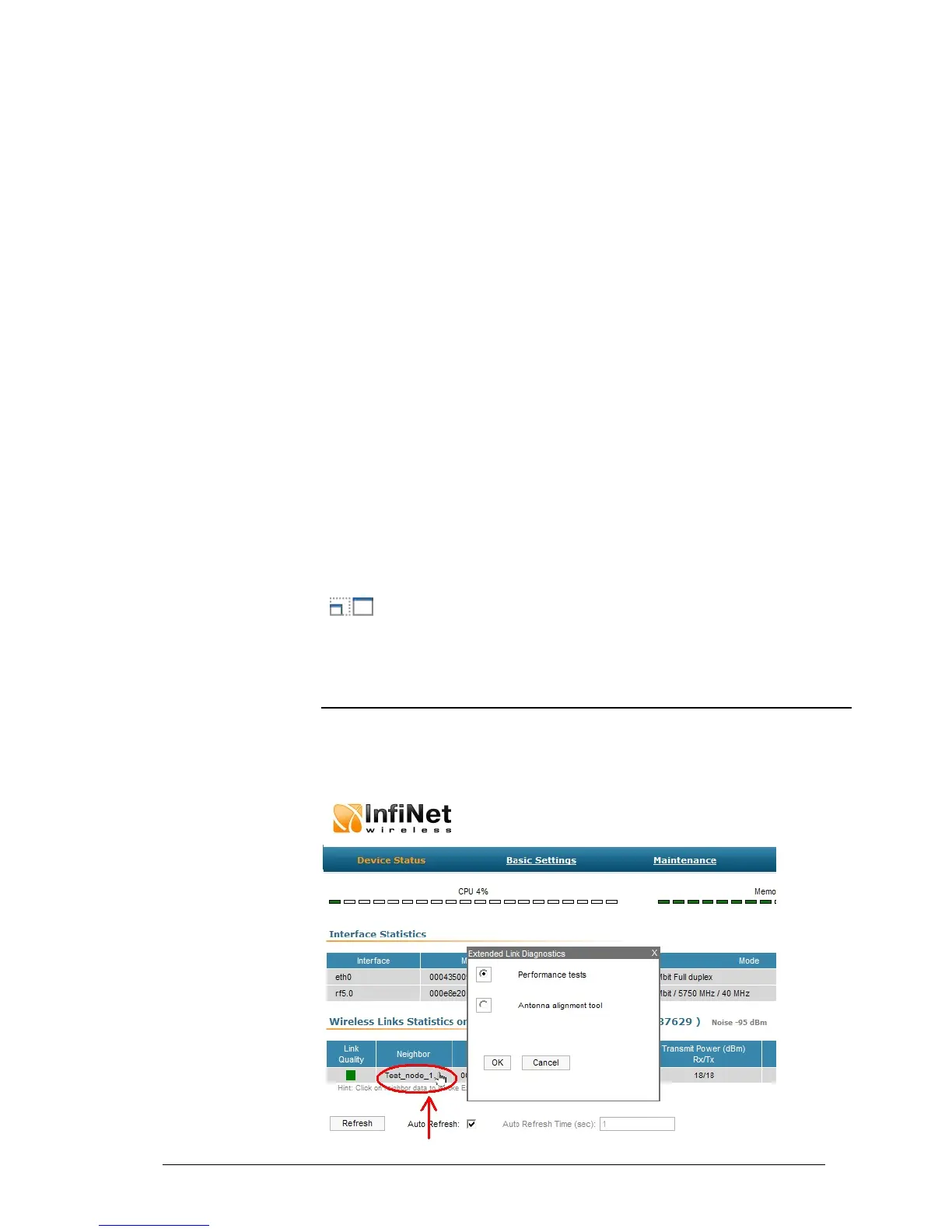
Extended Link Diagnostic
Once the unit is wirelessly connected to the remote neighbor it is possible to
make extended diagnostic and optimization of this link. To do this just mouse-
click on the row containing data of the wireless link you want to test (as on the
picture shown below):



 To Next Page