InfiNet Wireless R5000 Technical User Manual
Copyright © 2004-2010 by InfiNet Wireless
68
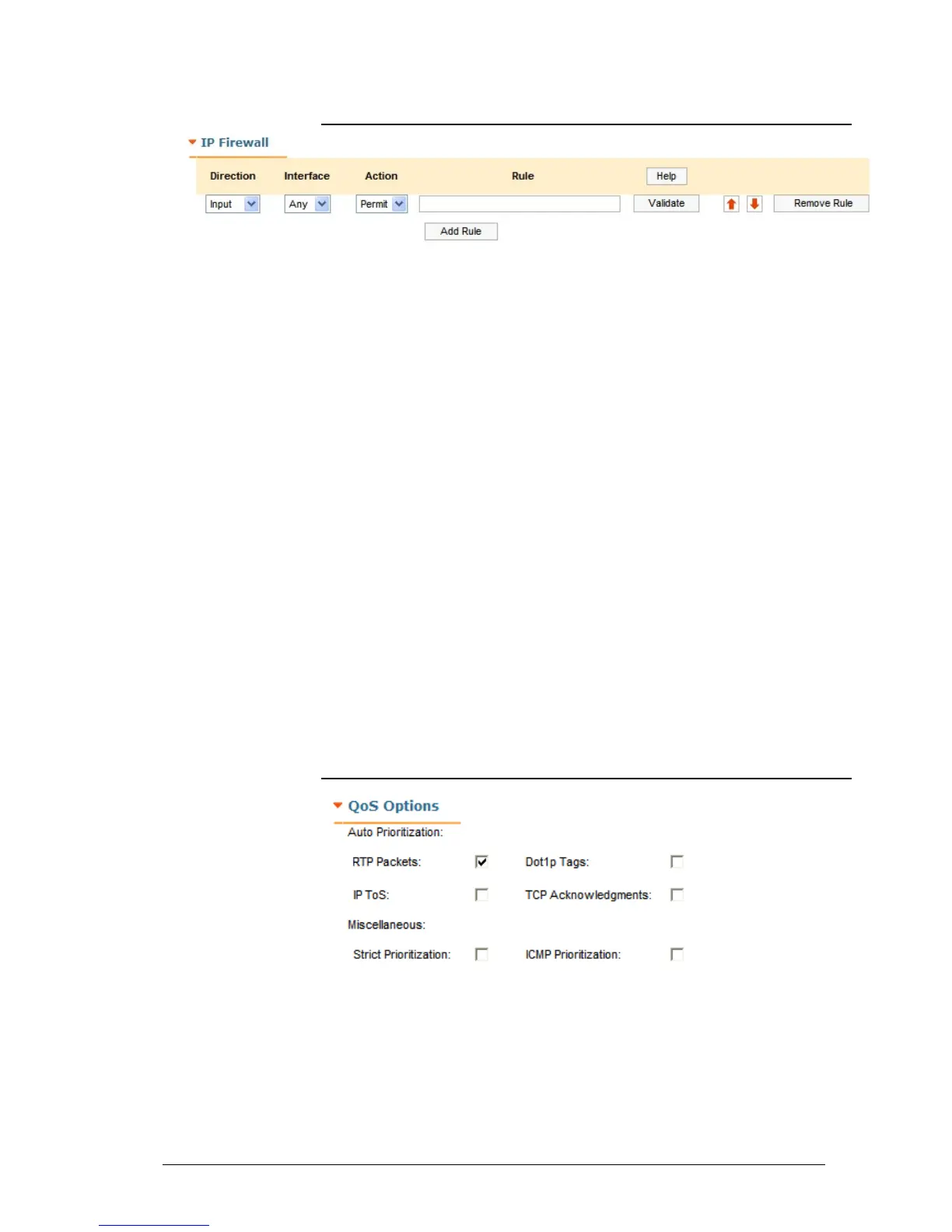
IP Firewall
IP Firewall is a mechanism of filtering packets crossing an IP network node,
according to different criteria. You can find full information on IP Firewall in OS
WANFleX User Manual.
This section allows creating of IP Firewall rules that determine which packets
may be accepted/forwarded by the node.
• “Help” button – displays help guidelines for rules creation
• Direction – sets the rule as incoming (Input) or outgoing (Output). The
incoming filters determine which packets may be accepted by the node.
The outgoing filters determine which packets may be forwarded by the
node as a result of routing
• Interface – specifies the logical interface of the unit which the rule will be
applied to. If “any” option is used the rule will be applicable to all
available interfaces
• Action – the action (permit or deny) taken on the packet if it matches the
rule
• Rule - a field where a rule shall be typed in
• Validate – checks if the rule typed in the “Rule” field has the right syntax
• Up and down arrows allows to change the rule's order
• “Remove Rule” button – deletes the rule
• “Add Rule” button – creates a new rule’s entry.
QoS Options
This section allows managing traffic prioritization.
“Auto Prioritization”:
This set of check-boxes allows enabling/disabling automatic traffic prioritization
for different types of packets.
• RTP Packets – enables automatic prioritization for real time
packets



 To Next Page